Notifications & Messaging
For Business & Enterprise Accounts only. To upgrade your account go to: https://www.coursebox.ai/pricing
This explains how Business and Enterprise users can control notifications and message alerts in Coursebox. It covers where to access notification settings, how to enable or disable specific alert types by category, and how messaging notifications work—so you can stay informed without being overwhelmed.
Manage Notifications
Super Administrators can manage a variety of user-generated notifications and system alerts within the Coursebox platform. These settings help you control how and when you receive updates about user activities, learning events, and system messages.
Access Notification Settings
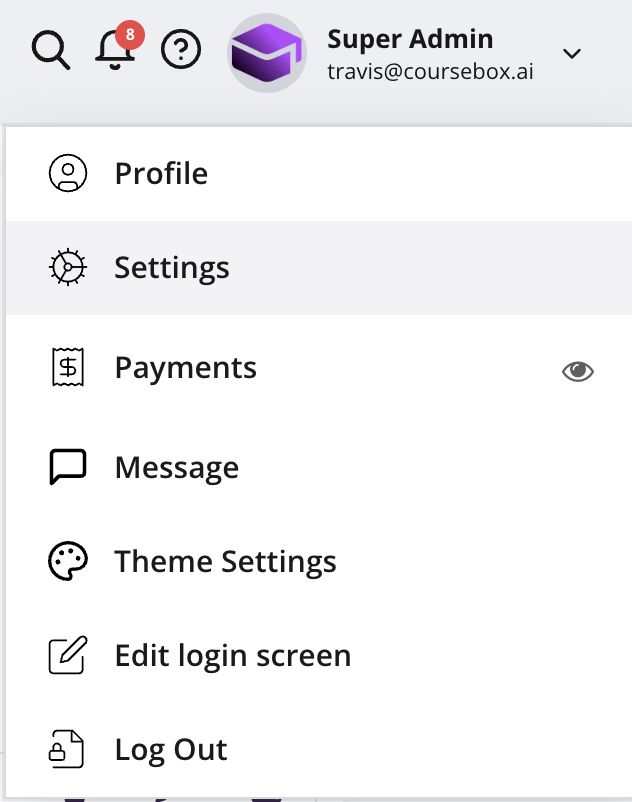
From the top navigation bar, click the dropdown menu (▼) next to your profile icon
Select Settings from the menu.
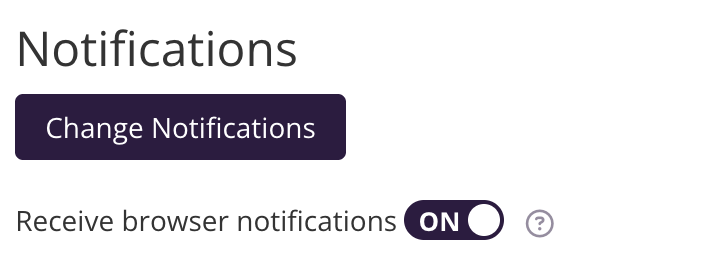
In the Notifications section, click Change Notifications.
Toggle Receive browser notifications ON/OFF to control whether alerts appear directly in your browser.
Messages Notification Setting
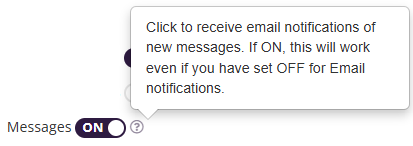
Messages – Enable to receive email alerts for new messages. This works even if the main Email Notifications setting is OFF.
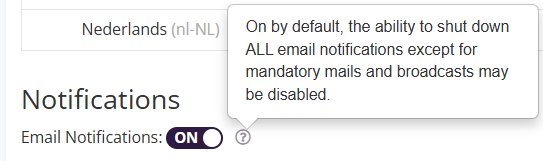
There are 10 major notification categories you can manage:
Click into any category (e.g., General) to select or deselect specific notifications.
Some notifications (like mandatory system messages and broadcasts) cannot be disabled.
General Notifications
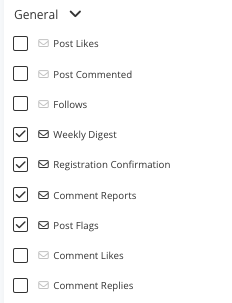
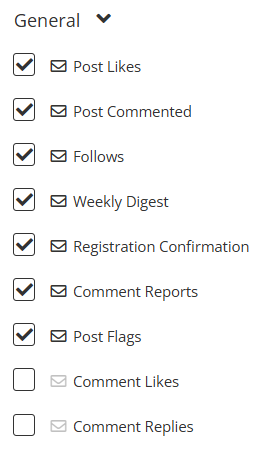
The General notification category covers core platform interactions and updates, ensuring you stay informed about activity related to your posts, comments, and account.
Notification Type | Description |
|---|---|
Post Likes | Alerts when someone likes your post. |
Post Commented | Sent when someone comments on your post. |
Follows | Notifies you when another user follows you. |
Weekly Digest | A summary email containing key updates and activities from the past week. |
Registration Confirmation | Sent after a successful account registration. |
Comment Reports | Alerts when a comment you posted is reported. |
Post Flags | Notifies you when a post is flagged by another user. |
Comment Likes | Alerts when someone likes your comment. |
Comment Replies | Sent when someone replies to your comment. |
Learning Notifications
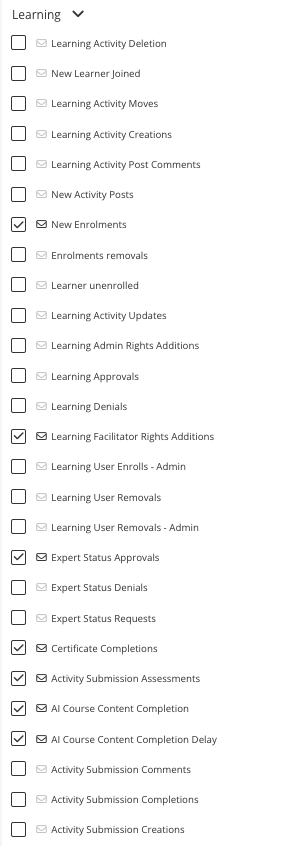
Updates related to course enrolments, learning content creation, and other learning approvals. These notifications help you monitor learning progress, administrative changes, and learner engagement.
Notification Type | Description |
|---|---|
Learning Activity Deletion | Alerts when an existing learning activity is deleted. |
New Learner Joined | Sent when a new learner joins a course or learning activity. |
Learning Activity Moves | Notifies when a learning activity is moved to a different location or sequence. |
Learning Activity Creations | Alerts when a new learning activity is created. |
Learning Activity Post Comments | Triggered when a comment is posted within a learning activity. |
New Activity Posts | Sent when a new post is added to a learning activity. |
New Enrolments | Alerts when a new learner enrols in a course. |
Enrolments Removals | Sent when a learner's enrolment is removed. |
Learner Unenrolled | Alerts when a learner manually unenrols from a course. |
Learning Activity Updates | Sent when an existing learning activity is updated. |
Learning Admin Rights Additions | Notifies when admin rights are granted for a learning activity. |
Learning Approvals | Sent when a learning request or submission is approved. |
Learning Denials | Alerts when a learning request or submission is denied. |
Learning Facilitator Rights Additions | Notifies when facilitator rights are granted for a learning activity. |
Learning User Enrols – Admin | Sent when an admin enrols a user into a learning activity. |
Learning User Removals | Alerts when a learner is removed from a learning activity. |
Learning User Removals – Admin | Notifies when an admin removes a learner from a learning activity. |
Expert Status Approvals | Sent when a request for expert status is approved. |
Expert Status Denials | Alerts when a request for expert status is denied. |
Expert Status Requests | Sent when a user requests expert status. |
Certificate Completions | Alerts when a learner completes a course and is issued a certificate. |
Activity Submission Assessments | Sent when a learner's activity submission is assessed. |
AI Course Content Completion | Notifies when AI-generated course content is completed. |
AI Course Content Completion Delay | Alerts when there is a delay in completing AI-generated content. |
Activity Submission Comments | Sent when a comment is added to a learner's submission. |
Activity Submission Completions | Alerts when a learner completes an activity submission. |
Activity Submission Creations | Sent when a new activity submission is created. |
Learning Access Approvals | Notifies when a learning access request is approved. |
Learning Access Approvals – Owner | Sent to the owner when a learning access request is approved. |
Learning Access Denials | Alerts when a learning access request is denied. |
Learning Access Denials – Owner | Sent to the owner when a learning access request is denied. |
Learning Access Requests – Owner | Sent to the owner when a learning access request is made. |
Activity SCORM Note Submissions | Notifies when a SCORM note is submitted for an activity. |
Activity SCORM Note Comments | Alerts when a comment is added to a SCORM note submission. |
Tip: Stopping Learners from Receiving Course Invitation Emails on Enrolment
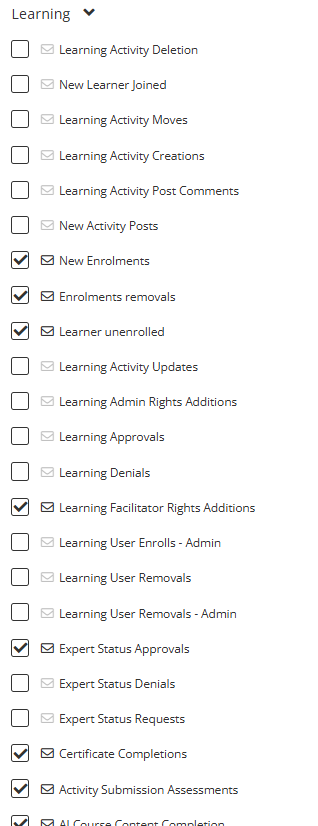
When learners are enrolled in a course, they automatically receive a Course Invitation email for each unit within that course. For larger courses, this can result in learners receiving many emails at once, which may cause confusion — especially if learners click a unit-level link instead of the main Invitation to Register email to set up their account.
To stop learners from receiving these emails, a Super Admin can disable the New Enrolments notification:
Go to Settings > Change Notifications from your Super Admin account.
Open the Learning category.
Uncheck the New Enrolments checkbox.
Once unchecked, learners will no longer receive Course Invitation emails when they are enrolled in a course.
Mentions Notifications
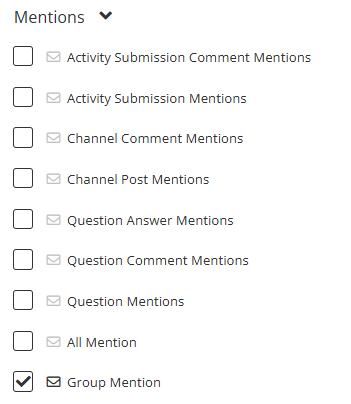
The Mentions notification category alerts you when you or your groups are tagged in various activities across the Coursebox platform. These notifications help ensure you never miss relevant interactions or discussions.
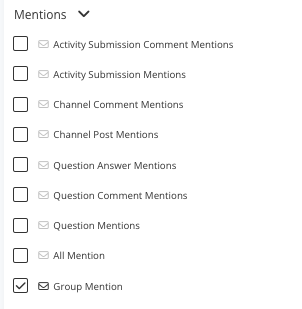
Notification Type | Description |
|---|---|
Activity Submission Comment Mentions | Alerts when you are mentioned in a comment on an activity submission. |
Activity Submission Mentions | Sent when you are mentioned directly within an activity submission. |
Channel Comment Mentions | Notifies you when you are tagged in a comment within a channel discussion. |
Channel Post Mentions | Sent when you are mentioned in a post within a channel. |
Question Answer Mentions | Alerts when you are mentioned in an answer within the Questions section. |
Question Comment Mentions | Notifies you when you are tagged in a comment on a question. |
Question Mentions | Sent when you are mentioned directly in a question. |
All Mention | Alerts when you are tagged using a general "@all" mention in any section. |
Group Mention | Notifies you when your group is mentioned in any post, comment, or discussion. |
Payments Notifications
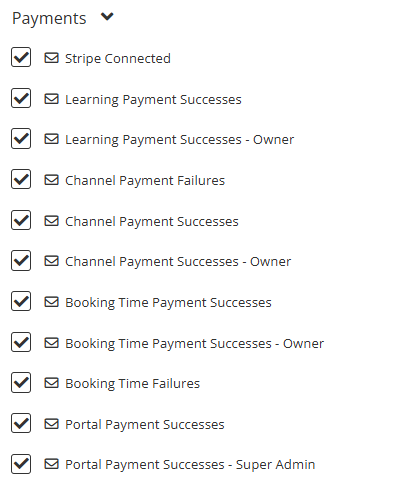
The Payments notification category keeps you informed of all transactions, payment successes, and failures within the Coursebox platform. These notifications help administrators, course owners, and super admins monitor financial activity across courses, channels, bookings, and the portal.
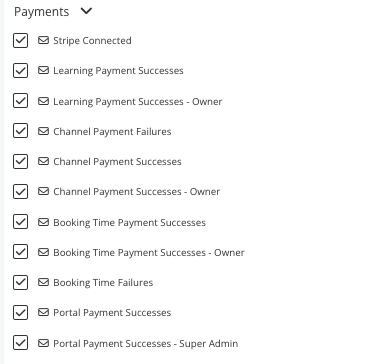
Notification Type | Description |
|---|---|
Stripe Connected | Alerts when the Stripe payment gateway has been successfully connected to the platform. |
Learning Payment Successes | Sent when a payment for a learning activity is successful. |
Learning Payment Successes – Owner | Notifies the course owner when a payment for their learning activity is successful. |
Channel Payment Failures | Alerts when a payment for a channel-related purchase fails. |
Channel Payment Successes | Sent when a payment for a channel-related purchase is successful. |
Channel Payment Successes – Owner | Notifies the channel owner when a payment is successful for their channel. |
Booking Time Payment Successes | Sent when a payment for a booked time slot is successful. |
Booking Time Payment Successes – Owner | Notifies the booking owner when a payment for their booked time slot is successful. |
Booking Time Failures | Alerts when a payment for a booked time slot fails. |
Portal Payment Successes | Sent when a payment for a portal-related service or product is successful. |
Portal Payment Successes – Super Admin | Notifies the Super Admin when a portal-related payment is successful. |
Questions Notifications
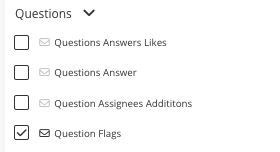
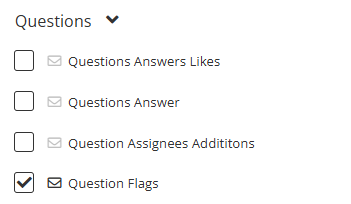
The Questions notification category provides updates related to the platform's Q&A section. These notifications help you track responses, interactions, and moderation activities in question threads.
Notification Type | Description |
|---|---|
Questions Answers Likes | Alerts when someone likes an answer you have posted. |
Questions Answer | Sent when a new answer is posted to a question you are following or have asked. |
Question Assignees Additions | Notifies you when you are assigned to respond to or manage a specific question. |
Question Flags | Alerts when a question is flagged for review or moderation. |
Channels Notifications
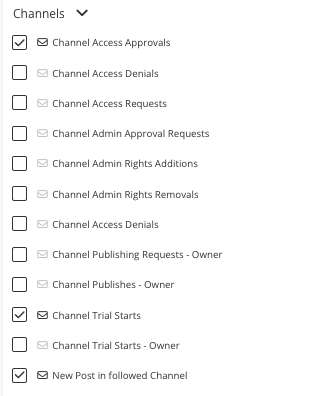
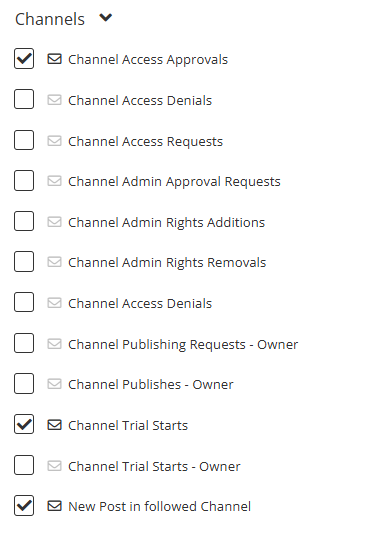
The Channels notification category provides alerts about activity, requests, and administrative changes within channels you manage or follow. These notifications help you stay informed about access permissions, publishing actions, and content updates.
Notification Type | Description |
|---|---|
Channel Access Approvals | Alerts when a request to access a channel is approved. |
Channel Access Denials | Sent when a request to access a channel is denied. |
Channel Access Requests | Notifies you when a user requests access to a channel. |
Channel Admin Approval Requests | Alerts when someone requests to be an admin for a channel. |
Channel Admin Rights Additions | Sent when admin rights are granted to a user for a channel. |
Channel Admin Rights Removals | Alerts when admin rights are removed from a channel admin. |
Channel Publishing Requests – Owner | Notifies a channel owner when a publishing request is made for their channel. |
Channel Publishes – Owner | Alerts the channel owner when content is successfully published. |
Channel Trial Starts | Sent when a channel trial period begins. |
Channel Trial Starts – Owner | Notifies the channel owner when their channel trial period begins. |
New Post in Followed Channel | Alerts you when a new post is made in a channel you follow. |
Channel Events Notifications
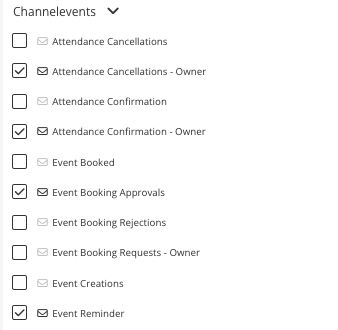
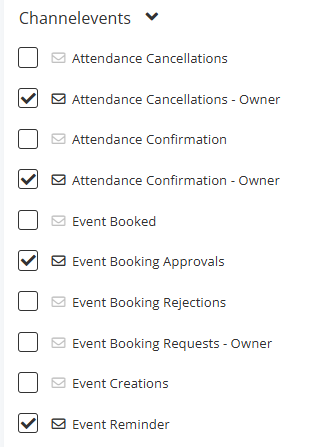
The Channel Events notification category provides updates about event bookings, attendance, and scheduling within channels. These notifications help event organisers, attendees, and channel owners stay informed about confirmations, cancellations, and reminders.
Notification Type | Description |
|---|---|
Attendance Cancellations | Alerts when a participant cancels their attendance for an event. |
Attendance Cancellations – Owner | Notifies the event owner when a participant cancels attendance. |
Attendance Confirmation | Sent when your attendance for an event is confirmed. |
Attendance Confirmation – Owner | Notifies the event owner when a participant's attendance is confirmed. |
Event Booked | Alerts when you successfully book a spot in an event. |
Event Booking Approvals | Sent when an event booking request is approved. |
Event Booking Rejections | Alerts when an event booking request is rejected. |
Event Booking Requests – Owner | Notifies the event owner when someone requests to book their event. |
Event Creations | Sent when a new event is created within a channel. |
Event Reminder | A reminder sent prior to an upcoming event you are attending or managing. |
Resources Notifications
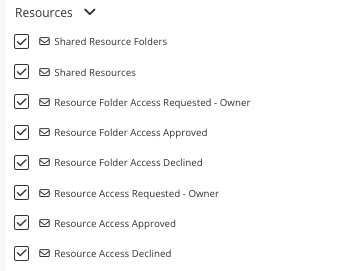
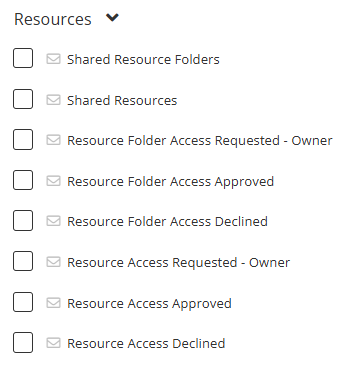
The Resources notification category manages alerts related to shared resources and access permissions. These notifications help resource owners and users track sharing activity and respond to access requests promptly.
Notification Type | Description |
|---|---|
Shared Resource Folders | Alerts when a resource folder is shared with you. |
Shared Resources | Sent when individual resources are shared with you. |
Resource Folder Access Requested – Owner | Notifies the folder owner when someone requests access to a resource folder they manage. |
Resource Folder Access Approved | Alerts when your request to access a resource folder is approved. |
Resource Folder Access Declined | Sent when your request to access a resource folder is declined. |
Resource Access Requested – Owner | Notifies the resource owner when someone requests access to a specific resource they manage. |
Resource Access Approved | Alerts when your request to access a resource is approved. |
Resource Access Declined | Sent when your request to access a resource is declined. |
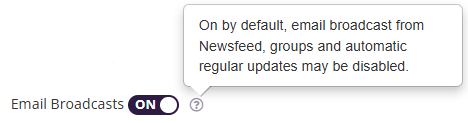
Email Broadcasts
The Email Broadcasts setting controls whether you receive large-scale communications sent from the platform, such as announcements, updates, and news from various areas of Coursebox.
When enabled, you will receive broadcast emails from:
Newsfeed – General platform-wide announcements.
Groups – Group-specific updates and announcements.
Automatic Regular Updates – Periodic email summaries or important notices generated by the system.
ON by default – This ensures you don't miss important communications.
These broadcasts can be disabled if you prefer not to receive them.
Tip: It is recommended to keep this setting enabled to stay informed about platform-wide or group-related news that may not appear in your regular notifications.
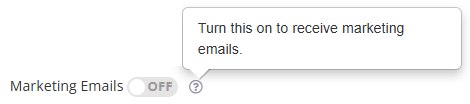
Marketing Emails
The Marketing Emails setting controls whether you receive promotional content and marketing communications from Coursebox.
When enabled, you will receive:
Updates on new features and tools.
Invitations to webinars, events, or training sessions.
Promotional offers or discounts related to Coursebox services.
OFF by default – You will not receive marketing-related communications unless you manually enable this option.
Tip: Enable this setting if you want to stay informed about special offers, product updates, and marketing campaigns from Coursebox.
Messages
The Messages setting controls whether you receive email alerts when new messages arrive in your Coursebox inbox.
When enabled, you will receive an email notification each time:
You receive a direct message from another user.
You receive a group message in a space you are part of.
This setting works independently of the main Email Notifications toggle. Even if general email notifications are turned OFF, you will still receive message notifications if this option is ON.
ON by default – Ensures you are always notified of new messages.
Tip: Keep this setting enabled if you want to stay responsive to communication, especially for time-sensitive or important messages from learners, facilitators, or admins.