
User and Status Hierarchy
Plan requirement: Changing a user's role from Users is available on Pro + LMS and Enterprise. Extra admin seats can be added on Pro and Pro + LMS. Compare plans.
Roles control what each person can do in your Coursebox portal. Every user has one portal role. Inside each course, you can also give people a course role, which applies to that course only.
This guide explains each role, how to change a user's role, how to choose what each role can access, and how admin seats work.
Portal roles
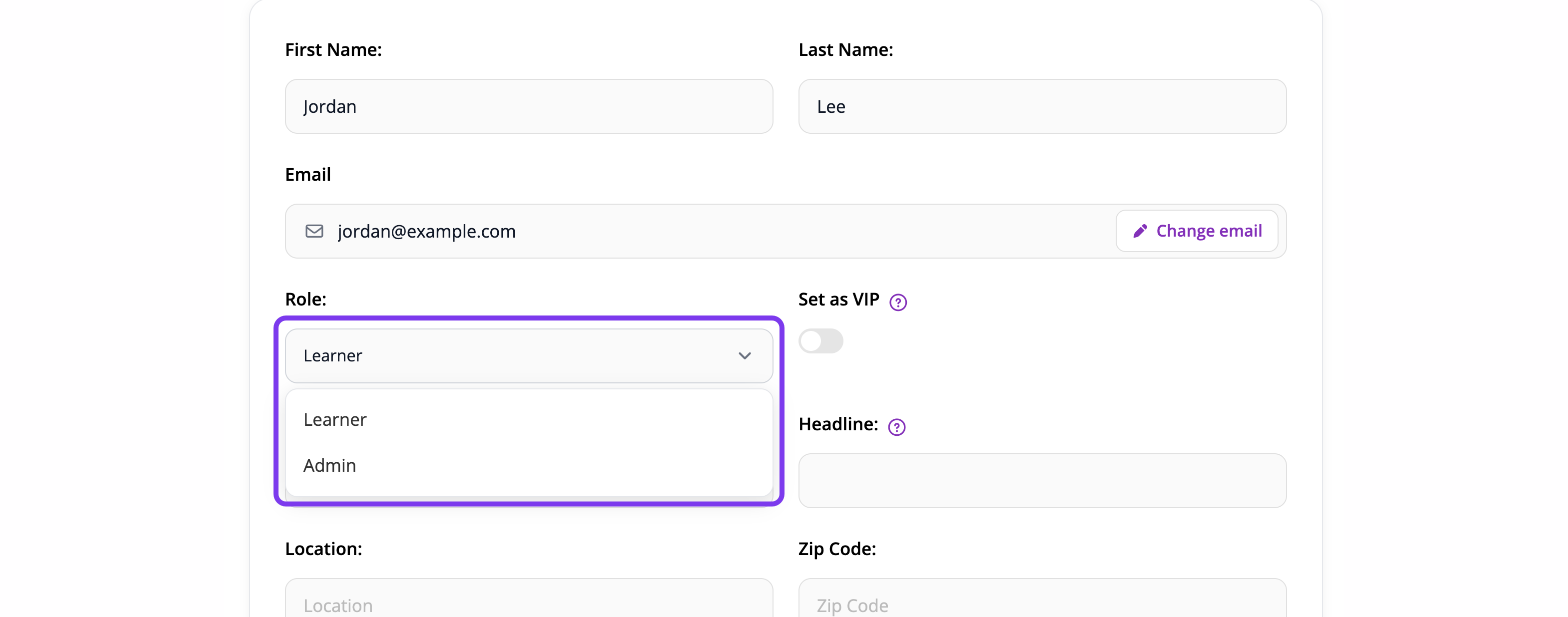
The Role dropdown on a user's profile lists two roles: Learner and Admin. Your portal also has one Super Admin, the portal owner.
Role | What they can do | Uses an admin seat? |
|---|---|---|
Super Admin | The portal owner. Full access to every setting, user and course. This role can't be assigned, changed or removed. | Yes |
Admin | Portal admin. Only admins can be given Create courses, Global theming and Edit login screen. You choose what admins can access in Settings → Permissions, and you can give one admin different access from their admin seat. | Yes |
Learner | Takes the courses they're enrolled in and sees their own reports. Learners can't create or edit courses. | No |
To make someone a portal admin, change their role from Learner to Admin. Then check what admins can access in Settings → Permissions.
Change a user's role
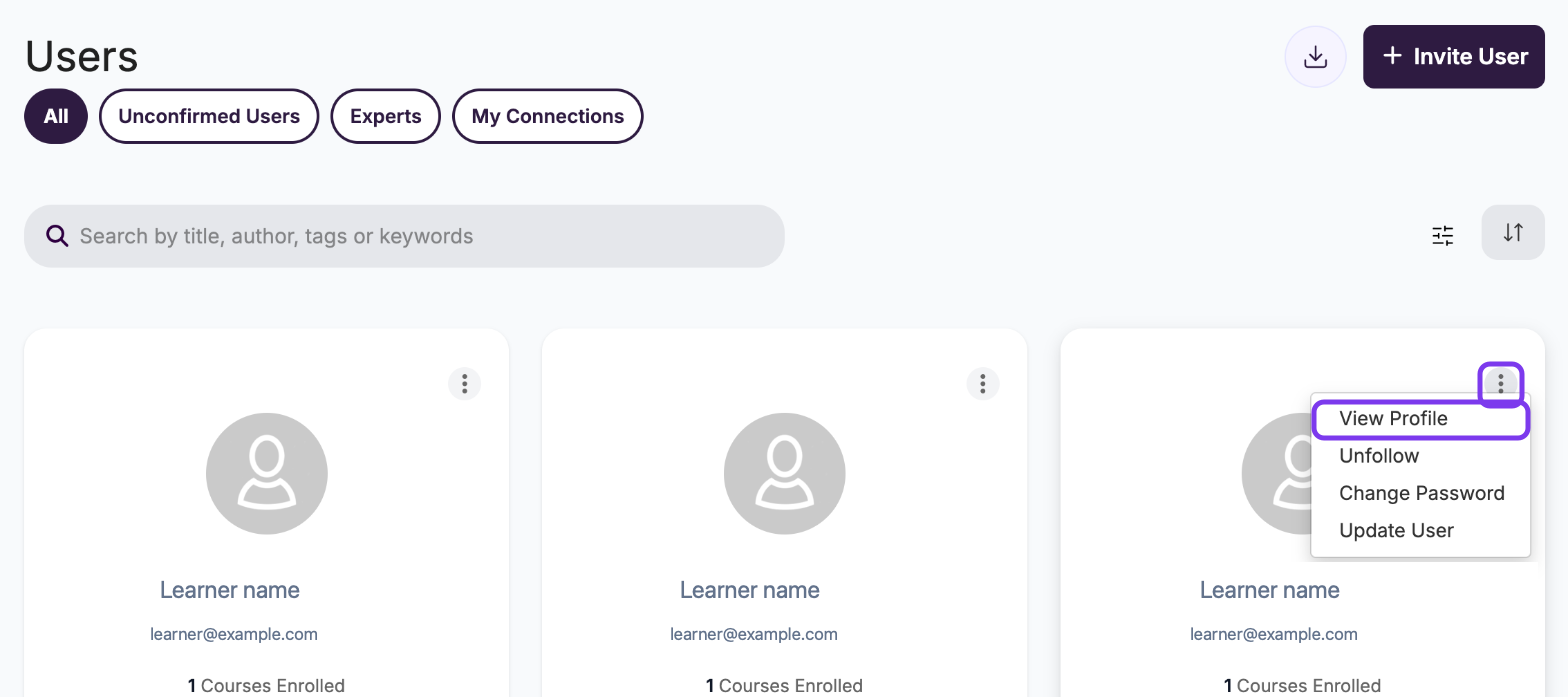
Select Users from the left menu.
On the user's card, click ⋮ and select View Profile.
Click the pencil icon next to their name.

Open the Role dropdown and select the new role.
Click Save.
Each user has one role, so the new role replaces the old one. To remove someone's admin access, change their role back to Learner.
Choose what each role can access
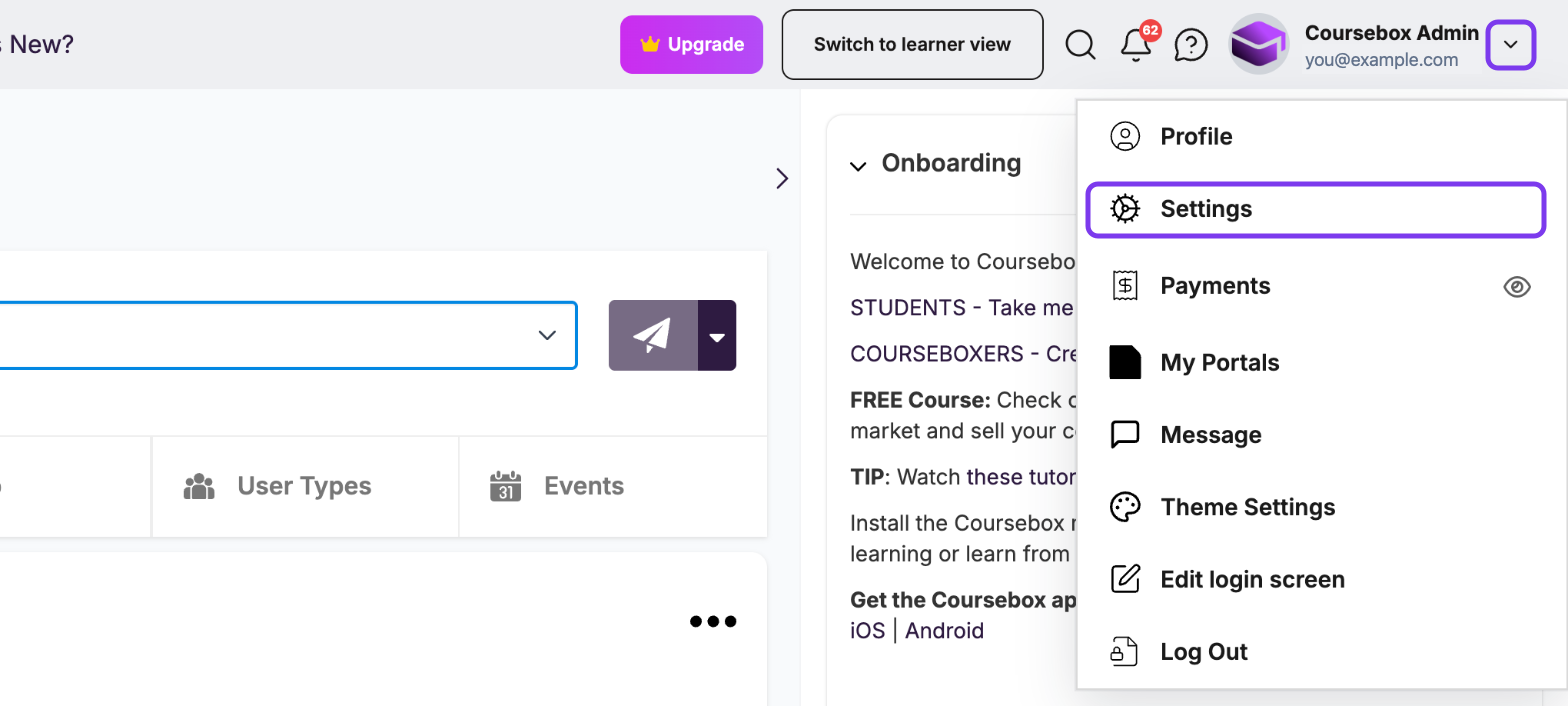
Click your profile picture and select Settings.
Select Permissions.
Tick or untick each feature in the column for that role.
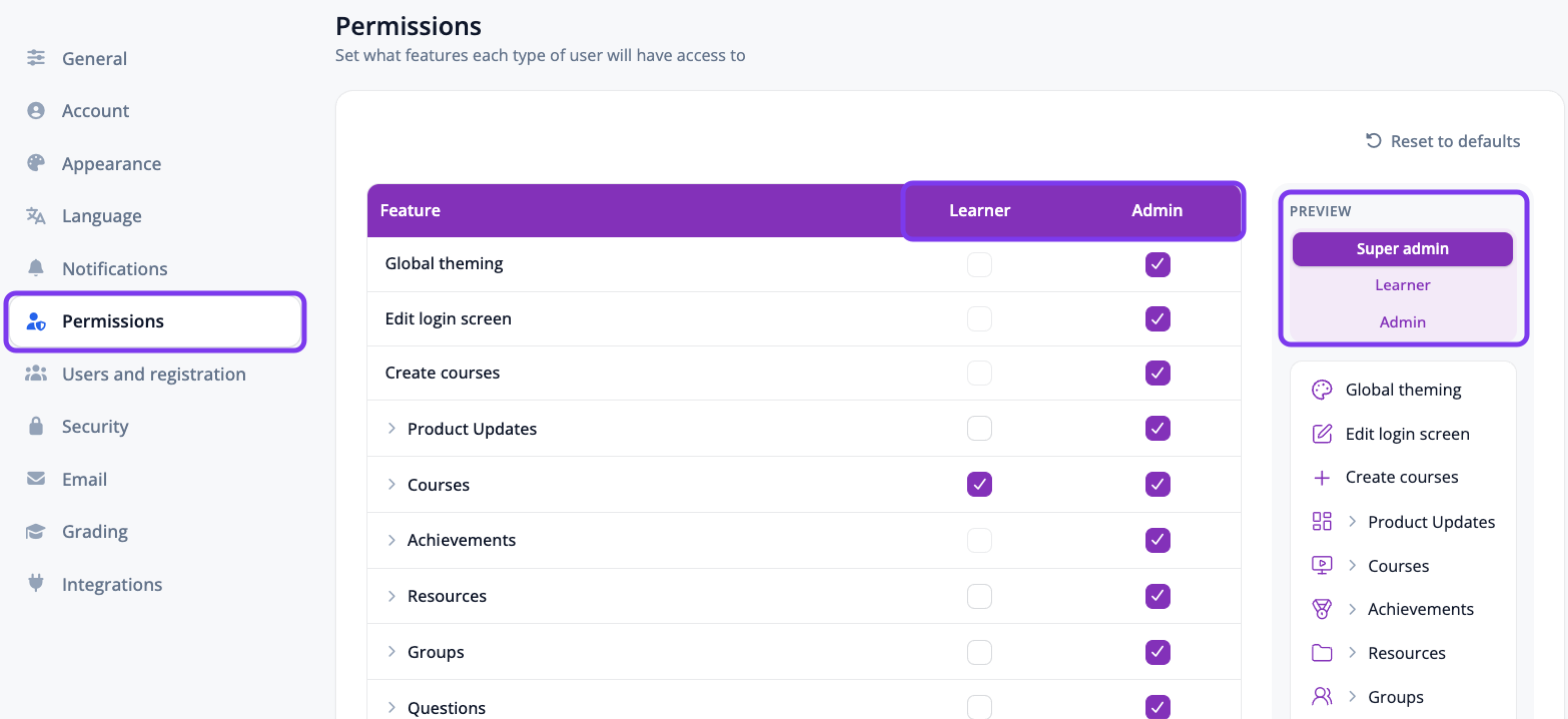
The Preview panel on the right shows the left menu each role will see. To give one admin different access from the rest, see Permission settings.
Course roles
Every course has an Owner, and you can give other people one of three course roles: Collaborator, Facilitator or Learner. A course role applies to that course only and doesn't change the person's portal role.
Owner: owns the course and has full control, including deleting it.
Collaborator: can edit course content and settings, share the course and change people's roles. Also has every Facilitator permission.
Facilitator: can enrol and remove learners, grade submissions and view reports. Can't edit course content.
Learner: can take the course and see its published content.
Hover over a role in the course's Users window to see what it can do.
You set course roles in the course's Users window. Click the people icon at the top of the course page, then use the Role dropdown next to each person. For step-by-step instructions, see How do I add or remove learners, facilitators, or collaborators?
Collaborators in groups: groups also have Collaborators, who help manage a group. To add one, open the Group, click the gear icon (⚙️) and select Collaborators. See Group Management.
1. Learner
What it is: A standard enrolled learner/participant.
Permissions:
Complete course activities
Submit assessments
View their own progress reports
Earn certificates, badges, and points
2. Facilitator
What it is: Support user who manages learning processes and progress.
Permissions:
Grade assignments
Review reports (for courses they are enrolled in)
Moderate learner progress
Jump ahead without completing page requirements
Access and participate in course discussions, regardless of portal-level user type restrictions
Limitations:
Cannot edit course content
Cannot manage portal settings
3. Collaborator
What it is: a co-editor for one course. A Collaborator can edit the course's content and settings, share it and change people's roles in it.
Permissions: Everything a Facilitator can do, plus:
Edit course content
Publish or unpublish the course
Review reports for that course
Important: A Collaborator can only view and edit the course they're added to. Adding someone as a Collaborator doesn't make them a portal admin. To give someone admin access to the whole portal, change their portal role. See Change a user's role above.
Admin seats
Coursebox plans aren't priced per learner. Learners are unlimited. Plans are priced on admin seats.
What counts as an admin: anyone with admin access uses 1 admin seat, including the Super Admin and every user with the Admin role. Learners never use a seat.
Seats included by plan:
Free and Creator: 1 admin (you). Extra seats can't be added.
Pro and Pro + LMS: 1 included. Add more as needed.
Business (earlier plan): 10 included.
Enterprise: as agreed in your contract.
The Super Admin adds, removes and checks seats in Settings → Account → Admin Seats, which also shows the price of each extra seat. See Account Settings.