
How do I check my AI credits and usage balance in Coursebox?
You can check your remaining AI credits at any time from your account. Every plan includes AI credits, including Free.
For an explanation of what each credit type does and how many you get on each plan, see AI Credits Explained.
Check your balance
Log in to your Coursebox account.
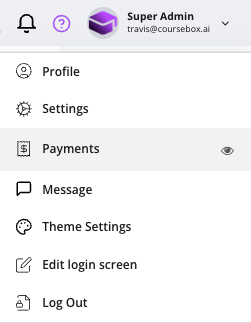
Click on your profile menu (top-right corner of the screen).
Select Payments from the dropdown.
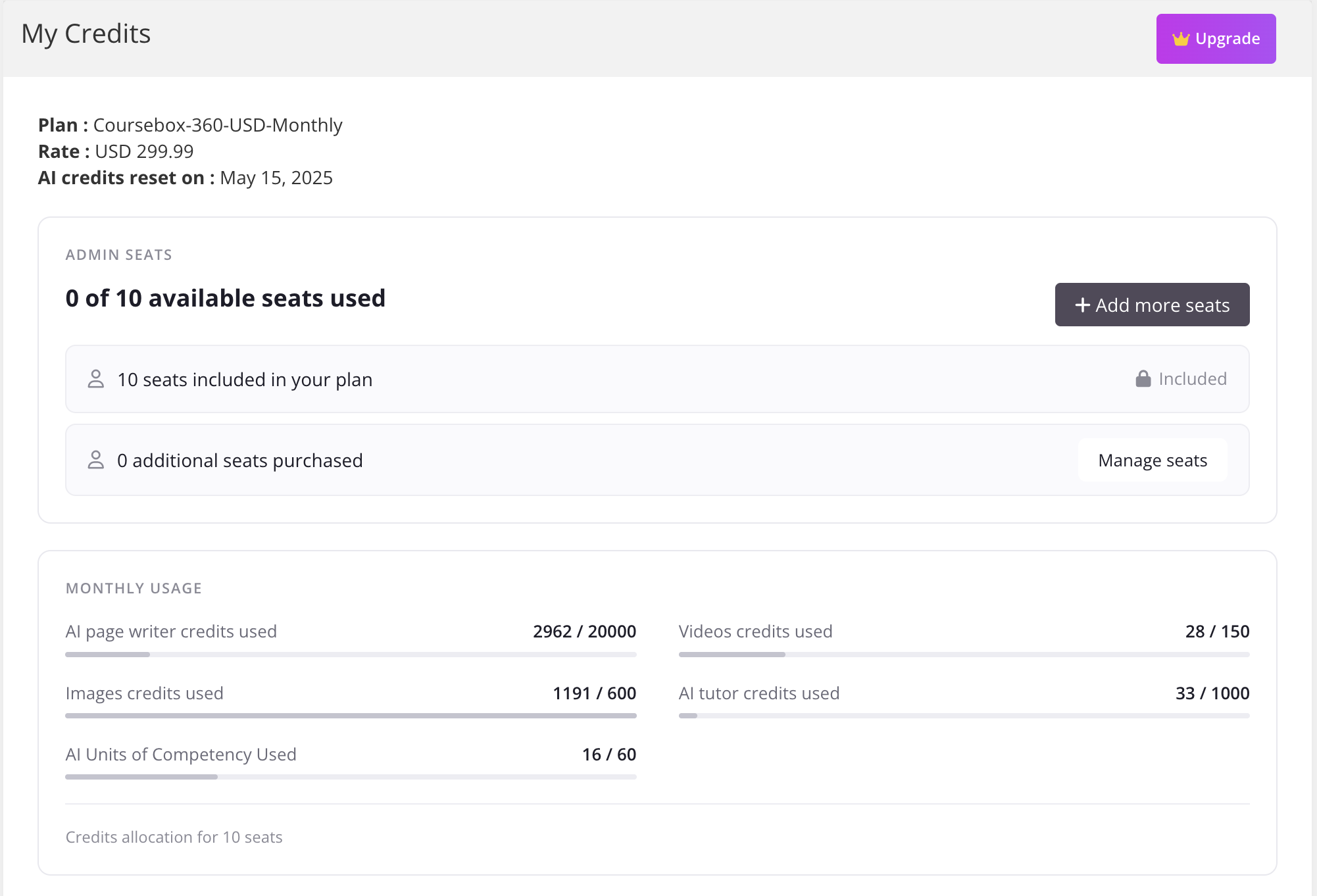
In the My Credits section, you'll see a breakdown of your current plan and remaining usage.
On a paid plan, the date your credits next reset is shown at the top of the section (for example, “AI credits reset on: 15 October”).
When your credits reset
Paid plans (Creator, Pro, Pro + LMS, Enterprise) — credits refresh every month on your billing date. Unused credits do not roll over to the next month.
Free plan — your starting credits are a one-off allowance, not a monthly one. They do not refresh each month, so once they are used you will need to upgrade or buy a top-up pack to keep generating.
Each extra admin seat you add also adds a full AI credit allowance to your account, so a team of three paid seats has three times the monthly credits.
Out of credits? Here's what to do
If you've run out, you have two options:
Top up with an add-on pack — click the Upgrade button in the top bar and choose a pack for AI page credits, chatbot messages, images, SCORM imports, or AI video.
Upgrade your plan — if you hit limits regularly, a higher plan (or the annual plan) includes more credits every cycle and is better value than buying repeat packs.
Step-by-step instructions: How to get more AI credits.
Related articles
AI Credits Explained — what each credit type covers.
Coursebox Plans Compared — the full credit allowance for every plan, side by side.
Account Access, Management & Subscription — managing your plan and billing.