
Users and Registration Settings
The Users and registration settings let Super Admins control how people sign up for the platform and how users follow one another. You can find these options under Settings then Users and registration. This article covers the User Registration methods and the Influencer settings.
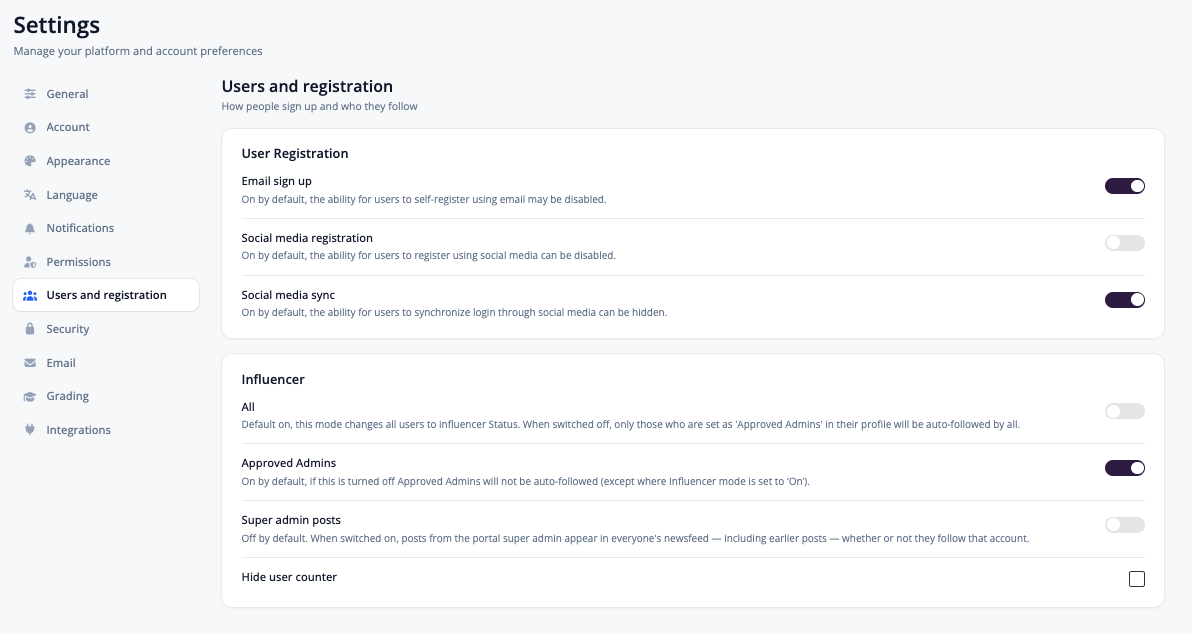
User Registration
The Super Admin can control which registration methods — also known as how users sign up or login options — are available on the platform, via Settings > Users and registration (also referred to as Settings > Registration). Options include email, social media, and SSO (available on Enterprise only, as a paid add-on at USD $3,000/year).
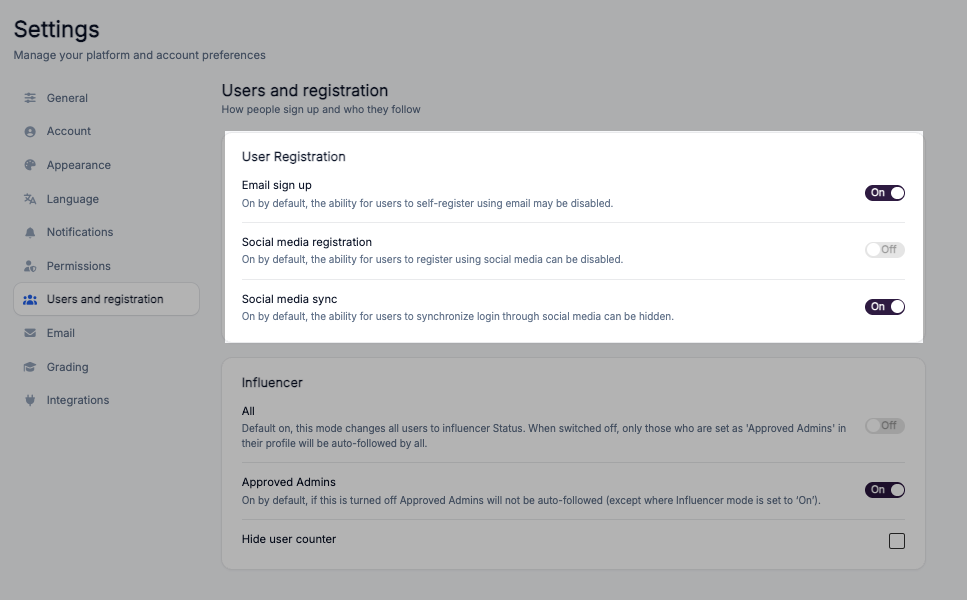
Email sign up: On by default. The ability for users to self-register using email may be disabled.
Social media registration: On by default. The ability for users to register using social media can be disabled.
Social media sync: On by default. The ability for users to synchronise login through social media can be hidden.
Influencer
The Influencer settings control who users automatically follow when they join the platform, and whose posts appear in everyone's newsfeed.
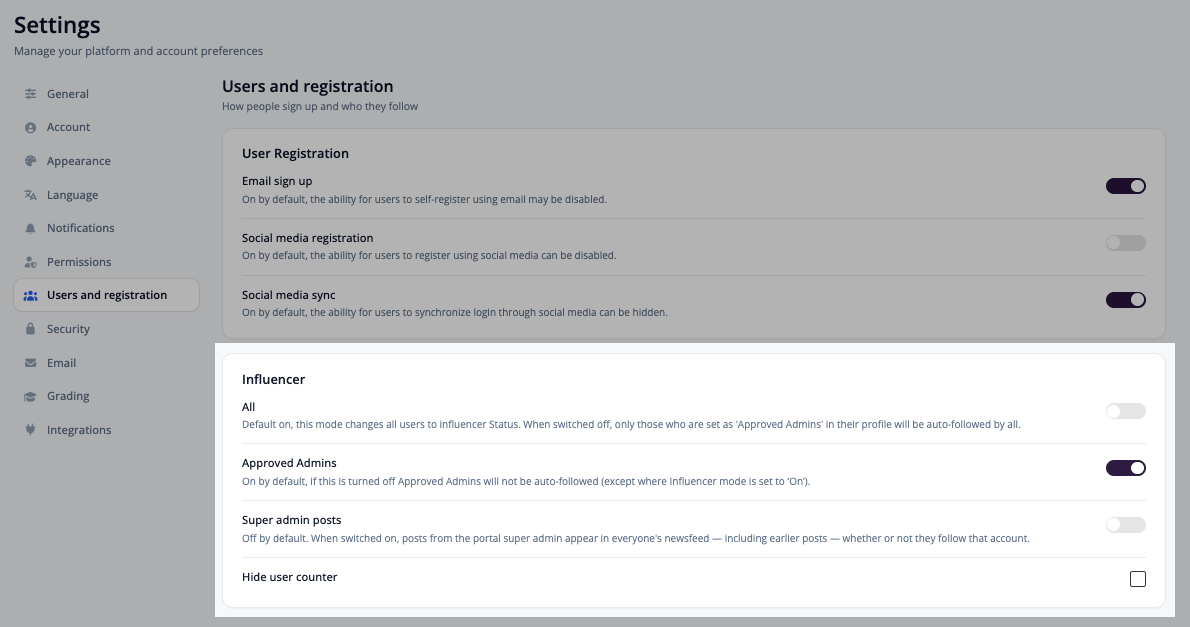
All: On by default. This mode changes all users to Influencer status. When switched off, only those set as 'Approved Admins' in their profile will be auto-followed by all.
Approved Admins: On by default. If this is turned off, Approved Admins will not be auto-followed (except where All is set to On).
Super admin posts: Off by default. When switched on, posts from the portal super admin appear in everyone's newsfeed — including earlier posts — whether or not they follow that account. Use this when you want announcements from the portal owner to reach every user regardless of who they follow.
Hide user counter: Tick this option to hide the user counter.
Tip: Super admin posts applies retroactively. Switching it on will surface the super admin's earlier posts to users who never followed that account, so it is worth reviewing older posts before you enable it.
Open API and Zapier access is configured separately, under Settings → Integrations. See Integrations Settings.