
How do I upgrade or downgrade my plan?
You can change your Coursebox plan at any time — whether you want to upgrade to unlock more features or downgrade to a lower tier. The same process is used for both.
If you are on an older Coursebox plan, you keep the features included in that plan. Legacy plan names such as Plus, Business and LMS no longer appear on our pricing page, but your access has not changed.
Method 1: Upgrade Your Plan through your Portal
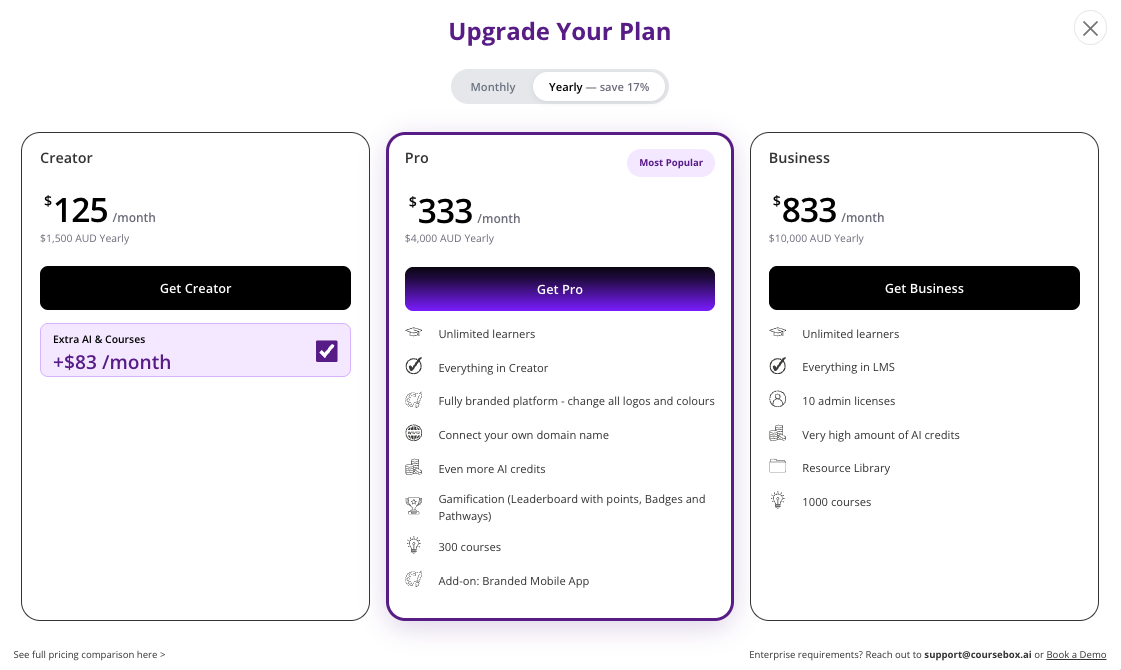
Click the Upgrade button on the right side of the top bar.

A popup will appear showing your current plan highlighted alongside all available plans — select the one that suits you and follow the steps.
New LMS Portals
🆕 New in 2.0: New LMS portals are now created immediately upon upgrade — no waiting time required. Your portal will be live and ready to use as soon as your plan is activated.
Method 2: Upgrade Through the Coursebox pricing page
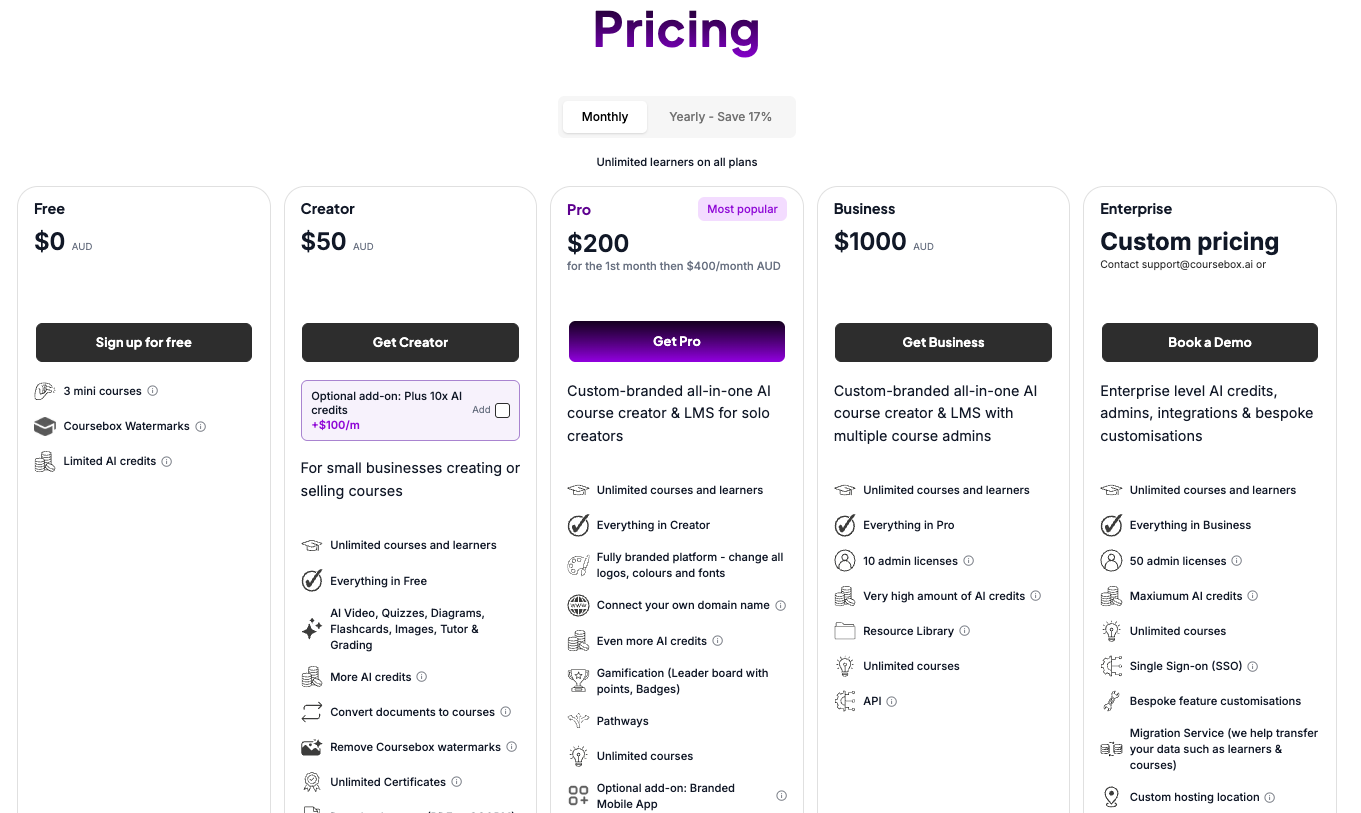
Go to coursebox.ai/pricing, find the plan you want, and click Get Started or Upgrade.
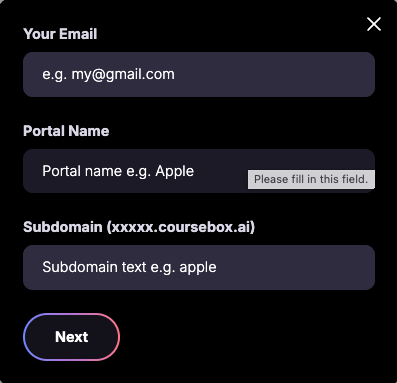
Make sure to use the same email address as your Coursebox account when prompted.
Downgrade Your Plan
You can move to a lower plan at any time. Downgrading keeps your account, courses, and learners on a smaller plan — unlike cancelling, which ends your subscription entirely (and, if you have a branded learner portal, also permanently deletes your portal data). If budget is the concern but you still want Coursebox, downgrading is usually the better move.
How to downgrade: click the Upgrade button when logged in (or select your chosen plan via the pricing page), choose the lower plan, and confirm. Use the same email address as your account.
What changes: you keep your account, but you lose access to features and credit allowances above your new plan's limits. If you upgrade or downgrade mid-billing cycle, charges are prorated — you're only billed for the remaining time at the new plan rate.
⚠️ Watch out: downgrading from a plan that includes a branded portal (Pro and above, or a legacy LMS or Business plan) down to Creator or Free may permanently remove published courses and drafts. This data cannot be recovered — if this applies to you, talk to us first.
Not sure? If cost is the concern, pausing or a quick call may suit you better than downgrading — book one at https://calendly.com/meet-coursebox.
Moving to the Free plan
Moving all the way down to Free works differently from moving between paid tiers. Free is not selected from the Upgrade popup — on my.coursebox you end the paid plan and your account reverts to Free:
Go to Settings > Manage Account.
Click the Cancel Plan button (grey) and confirm when prompted.
This stops the paid billing and returns your account to the Free plan. Your account stays active and is not deleted — you keep your login and your account remains yours, but features, learner capacity, and AI credit allowances above the Free plan's limits no longer apply. You can move back to a paid plan any time using the Upgrade button.
You can also manage your subscription directly in the subscription portal.
⚠️ This applies to my.coursebox only. If you have a branded learner portal (Pro + LMS or Enterprise, or a legacy LMS or Business plan) there is no Free tier — cancelling ends the platform and permanently deletes your portal data. Please read Thinking of cancelling? Your options before you go first, and talk to us before you start.
💡 Only need a break? Pausing stops billing but keeps your courses, learners, and settings exactly as they are, so there is nothing to rebuild when you come back. See Pausing your subscription (instead of cancelling).
Important notes on downgrading
Before downgrading, please be aware of the following:
The Free plan is not selected from the Upgrade popup — see Moving to the Free plan above for the correct steps. If anything doesn't go through cleanly, contact Coursebox support for assistance.
Downgrading from a plan that includes a branded portal (Pro and above, or a legacy LMS or Business plan) down to Creator or Free may result in the loss of published courses and drafts. This data cannot be recovered.
If you upgrade or downgrade mid-billing cycle, Coursebox will prorate your charges. You will only be billed for the remaining time in the current period at the new plan rate.
For the latest pricing in your local currency, visit coursebox.ai/pricing. For any billing questions, contact Coursebox support at support@coursebox.ai.