
Can I embed Coursebox courses in another LMS using LTI or SCORM?
Plan requirement: LTI requires Pro and above. Exporting a course — including SCORM — is not included on the Free plan: Dynamic (Standard) SCORM export requires Creator and above, and Self-Hosted SCORM requires Pro and above. Compare plans.
On an earlier plan? Plan names and inclusions changed when we moved to Free, Creator, Pro, Pro + LMS and Enterprise. If you are on an earlier plan, your subscription continues unchanged and you keep everything it included — so you may still see features this article lists under a higher plan. Nothing has been removed from your account.
Yes, you can embed Coursebox courses into other LMS platforms using either LTI or SCORM.
Which should you use — SCORM or LTI?
SCORM 1.2 — widely supported; reports completion and score (pass/fail). Available on Creator and above.
SCORM 2004 — adds interaction-level data and sequencing/bookmarking. Available on Creator and above.
LTI 1.3 — the deepest integration: live launch plus specific scores and learner progress passed back to the LMS gradebook. Requires Pro and above.
Self-Hosted SCORM — a standalone package that keeps working offline and after you cancel. Requires Pro and above.
If you need grades and progress to flow into your LMS gradebook, use LTI 1.3 or SCORM 2004 rather than SCORM 1.2. If you need something that keeps working without an active Coursebox subscription, use Self-Hosted SCORM.
LTI integration (LTI 1.3)
Coursebox acts as an LTI 1.3 provider, so you can launch your courses inside any LTI 1.3-compliant LMS — such as Moodle, Canvas, Schoolbox, and OpenLearning — with grades and learner progress passed back to the LMS gradebook.
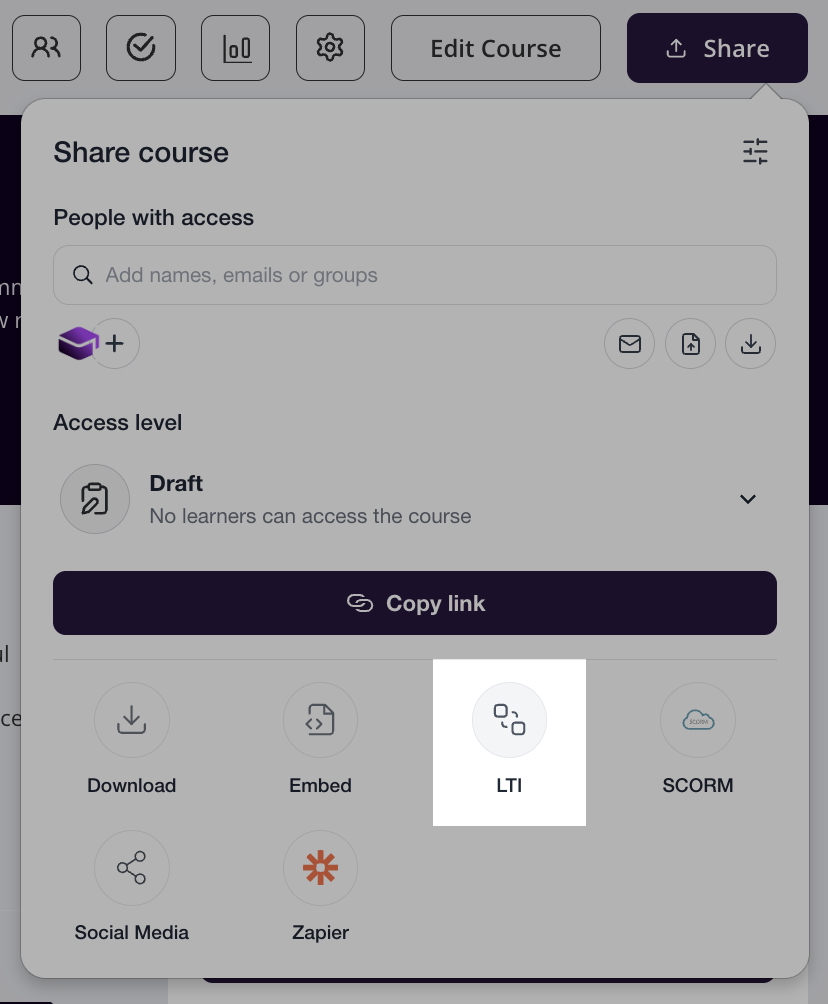
To set it up, open your course, click the Share button, then select LTI. In the popup, click Add New LMS and exchange the LTI details between Coursebox and your LMS. The full field-mapping chart (Launch URL, Client ID, etc.) is in Share & Export a Course.
LTI launches the live course from Coursebox, so it needs your course to stay published and your subscription to stay active.
SCORM export
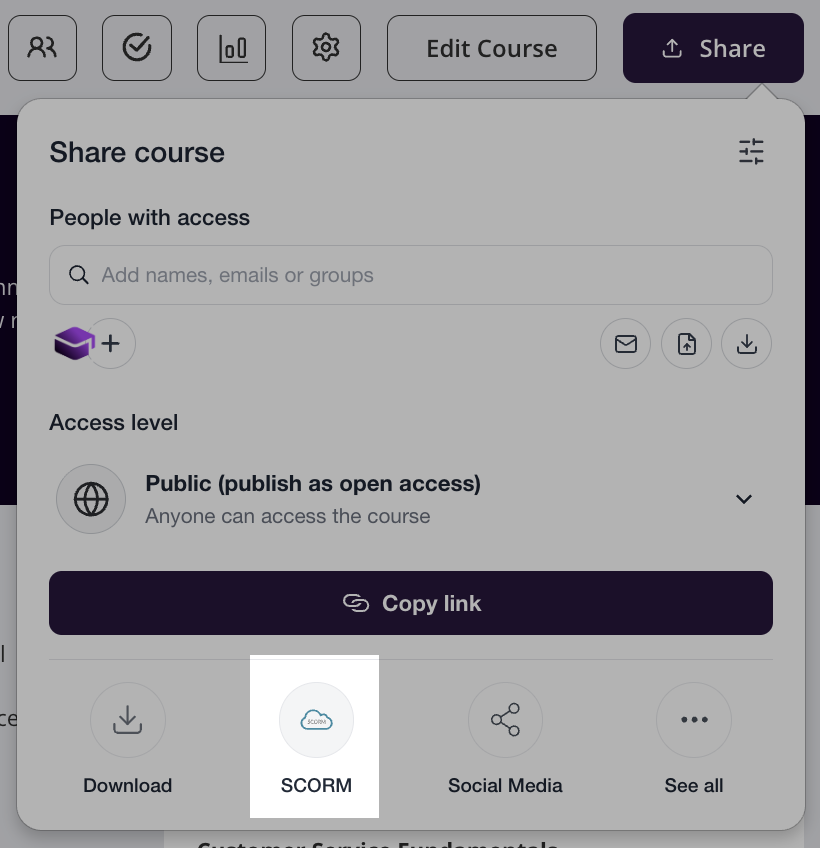
You can also export your course as a SCORM package and upload it to another LMS. Open the course, click Share, set visibility to Published, then choose SCORM 1.2 or SCORM 2004 and download the .zip (upload it to your LMS without unzipping it first).
Important — the SCORM package is a wrapper. The .zip is small (often around 10 KB) because it is a launcher that calls back to your live Coursebox course rather than containing all the content. This means:
Your course must stay published and your account must stay active for the package to keep working.
Most content edits appear on the next launch with no re-export — re-export only when the course structure changes (adding or removing pages).
A ~10 KB file is expected, not broken.
If you need a package that keeps working when the course is unpublished or the account is closed, use Self-Hosted SCORM (Pro and above) instead — it produces a standalone package, with some feature limitations. See Share & Export a Course.
Watch the walkthrough
This tutorial covers sharing and exporting a course, including the Share panel used in the steps above.
For full details on publishing, sharing, and exporting — including SCORM troubleshooting and per-LMS upload links — see Share & Export a Course.