
Can I create quizzes with AI?
Yes. Coursebox AI writes quiz questions from your course content or from a topic you describe. You can edit them, add your own and generate more at any time.
Create a quiz with AI
In the course editor, click + Add block and choose Quiz from the Assessments column.
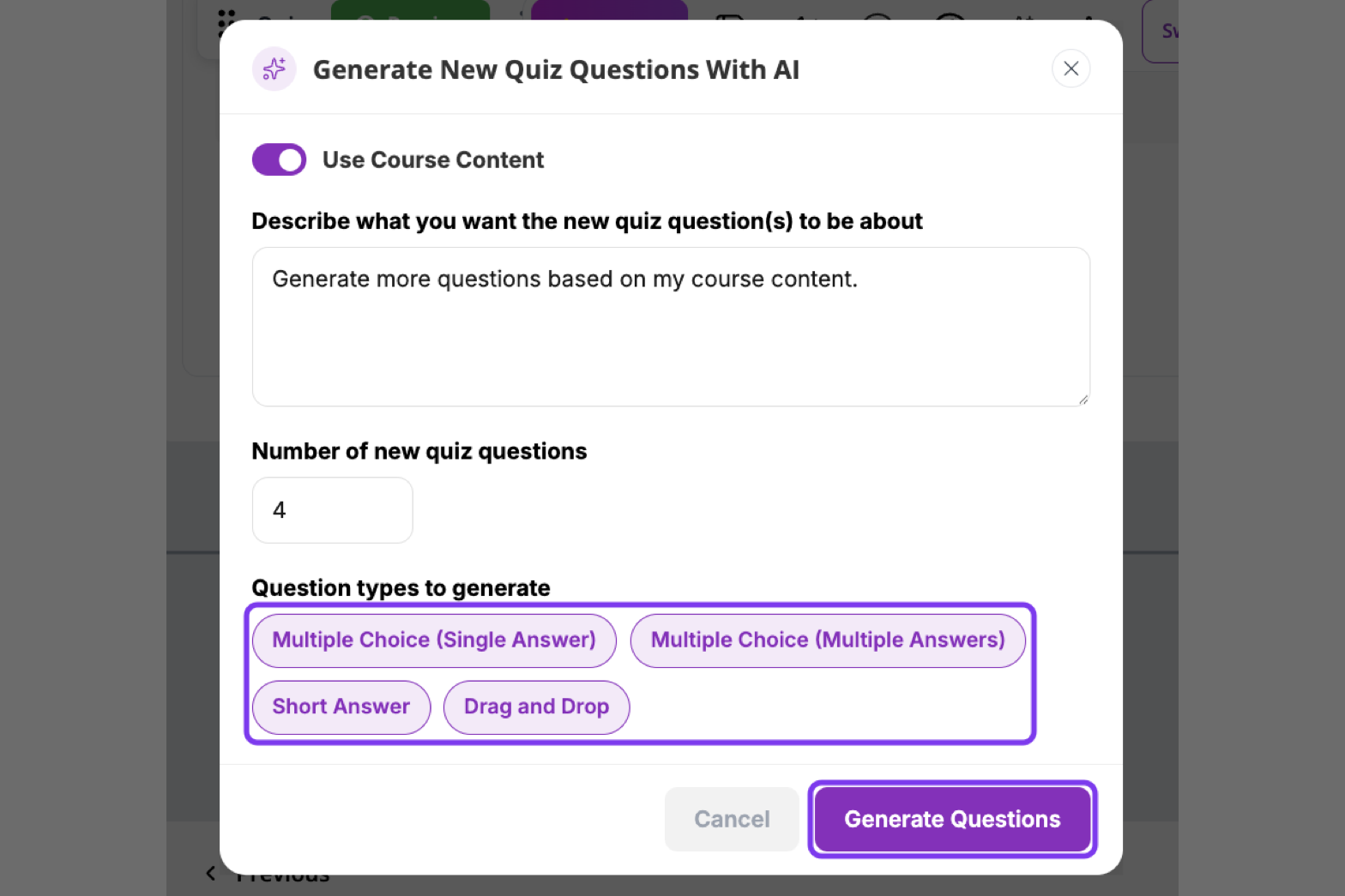
In the Generate New Quiz Questions With AI window, leave Use Course Content on to base the questions on your course, or turn it off and describe a topic.
Enter the Number of new quiz questions and choose the Question types to generate.
Click Generate Questions.
Always check the questions and correct answers before you publish.
Generate more questions
Open the quiz and click AI Quiz Writer in the Quiz Editor. The new questions are added to the existing quiz.
Short answers marked by AI
AI marks Short Answer questions against the correct answer you give. Turn on Show AI feedback for short answers in the Quiz Editor so learners see why their answer was marked correct or incorrect.
Set assessment difficulty for a new course
When you create a course with AI, click Auto setup below the prompt box and choose a saved setup or New setup. Under General → Interactivity, set Assessment difficulty to Auto, Beginner, Intermediate or Advanced. See Create a Course using AI.
For quiz settings, question types and what learners see, see Add a Quiz.