
How do I use the AI Editor to generate or rewrite content?
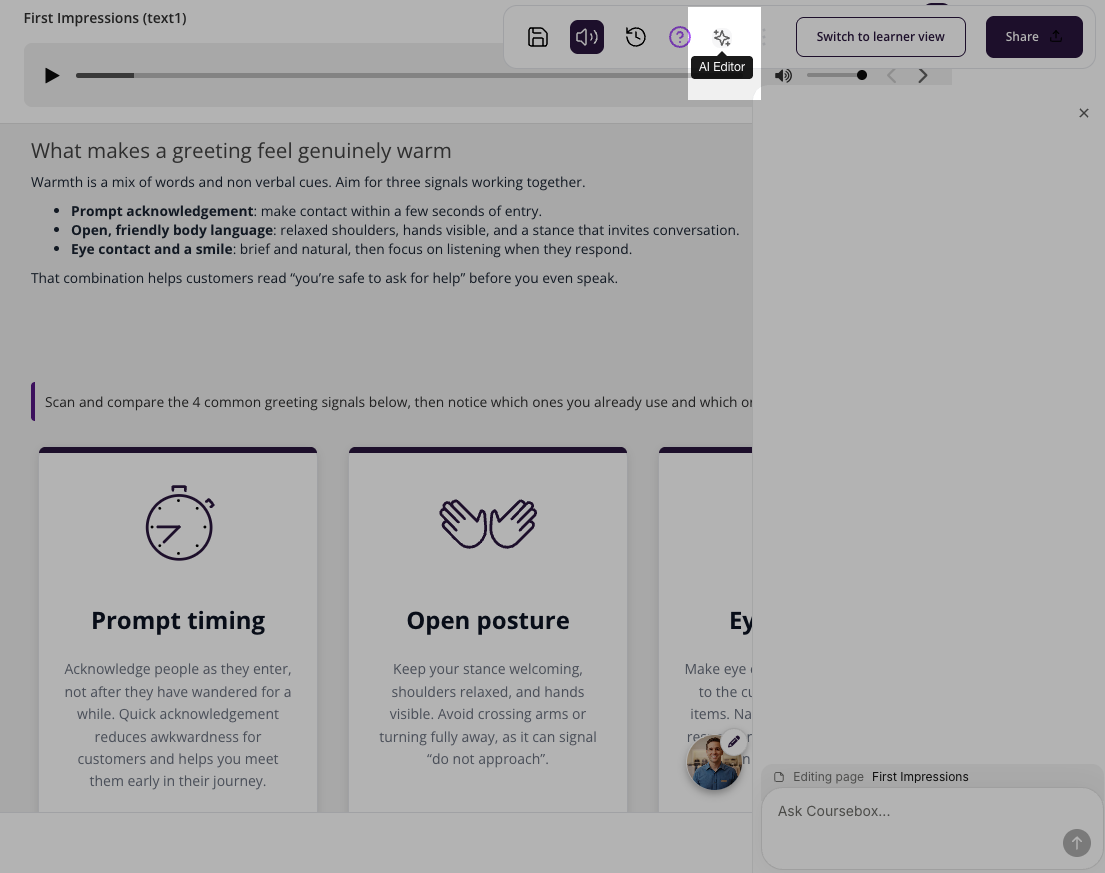
The AI Writer button has been permanently removed. To generate or rewrite content, you now use the AI Editor chat.
The AI Editor Tool in Coursebox, powered by GPT-5, allows Learning Designers, Creators, and Administrators to enhance, rewrite, or expand course content directly within the platform.
This tool is ideal for
Refining your text for clarity and engagement
Expanding on topics to provide more depth
Adjusting tone or style to match your audience
Creating alternative explanations for different learning styles
Note: Always review and edit before publishing.
The steps are:
Click the ✨ AI Editor icon in the top toolbar to open the AI writing panel
In the popup describe how you’d like the content rewritten
Specify the number of words required
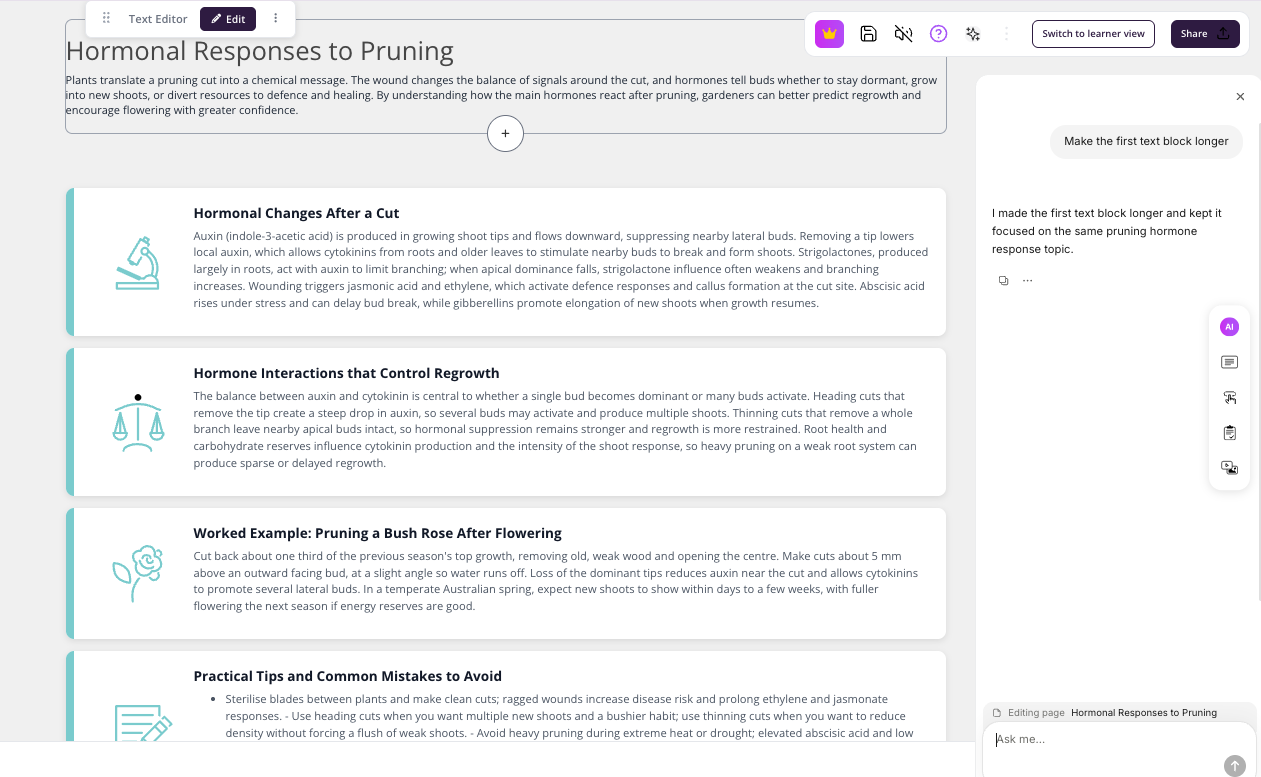
Keep talking with the AI editor to refine any elements and blocks on the page.
How do I use the AI Editor to generate or rewrite content?
Open the Text Editor for the page you want to update, then select AI Editor from the top menu (the sparkle icon next to the help icon). This opens the AI Editor chat panel on the right side of the screen, where you can type requests into the "Ask me" box to have the agent generate, rewrite, or expand content on the page you're currently editing.
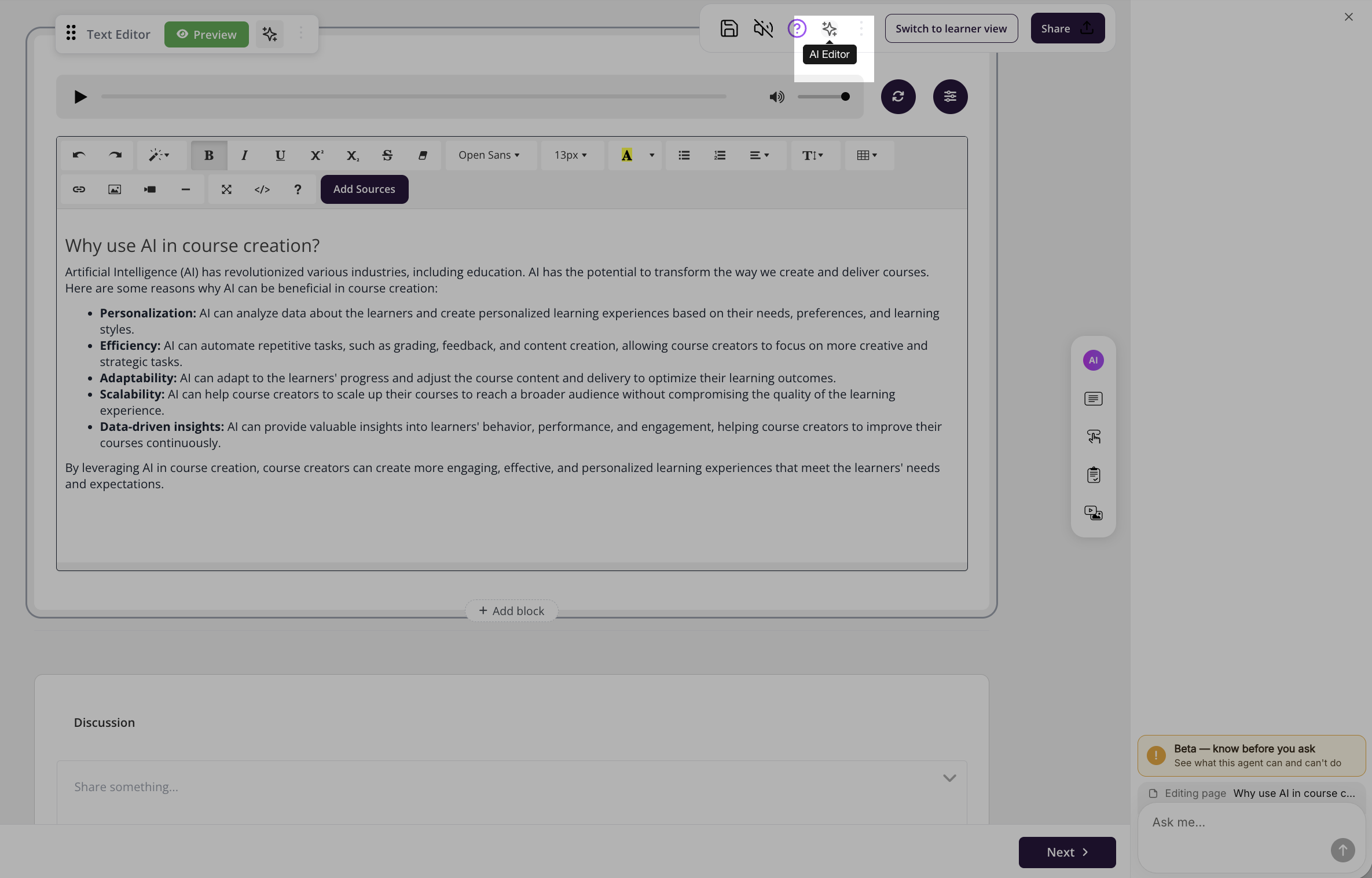
Since the AI Editor is in beta, a "Beta — know before you ask" banner appears in the panel. Selecting it opens a "What this agent can do" summary so you know its scope before making requests.
Currently, the agent can edit page titles, headings, and body text; add or update content blocks such as flip cards, accordions, tabs, icon cards, list cards, quotes, and galleries; add or replace images and videos including captions and alt text; and adjust tone, language, or AI Tutor behaviour (like the tutor's name and instructions).
It cannot create or edit quizzes, assignments, slides, PDFs, hotspots, discussions, rubrics, or image cards; add new course sections or otherwise restructure the outline; change fonts, colours, publishing, learner, billing, or reporting settings; or upload/retrain AI Tutor training files. Use the relevant dedicated editor or settings area for those instead.
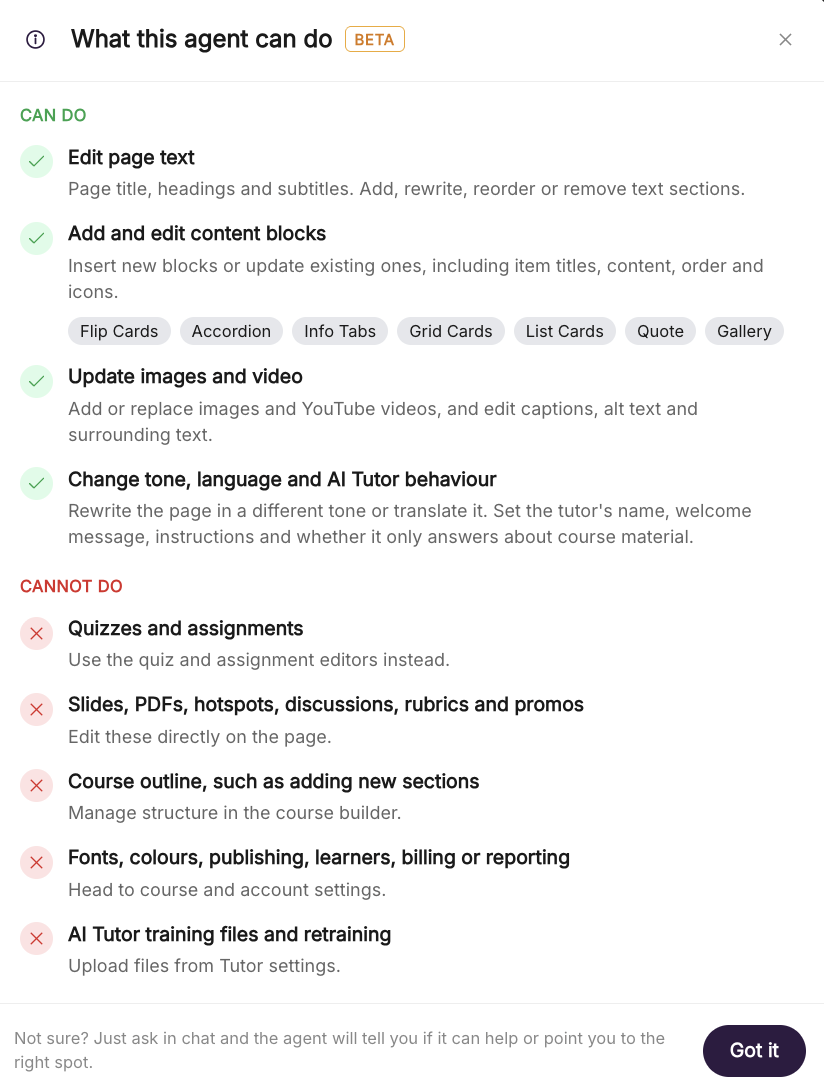
If you're unsure whether the agent can help with something, just ask it in chat — it will either complete the task or point you to the right place.