
What is AI Interactive Scenario?
An AI Interactive Scenario is a role-play activity that Coursebox AI writes for you. Learners step into a realistic situation and make a choice at each turn, the AI responds to every choice, and at the end they get feedback on how they did. Scenarios suit soft skills, customer service, compliance and any topic where judgement matters more than memorising facts.
Add a scenario
In the course editor, click + Add block and choose Scenario from the Interactions column.
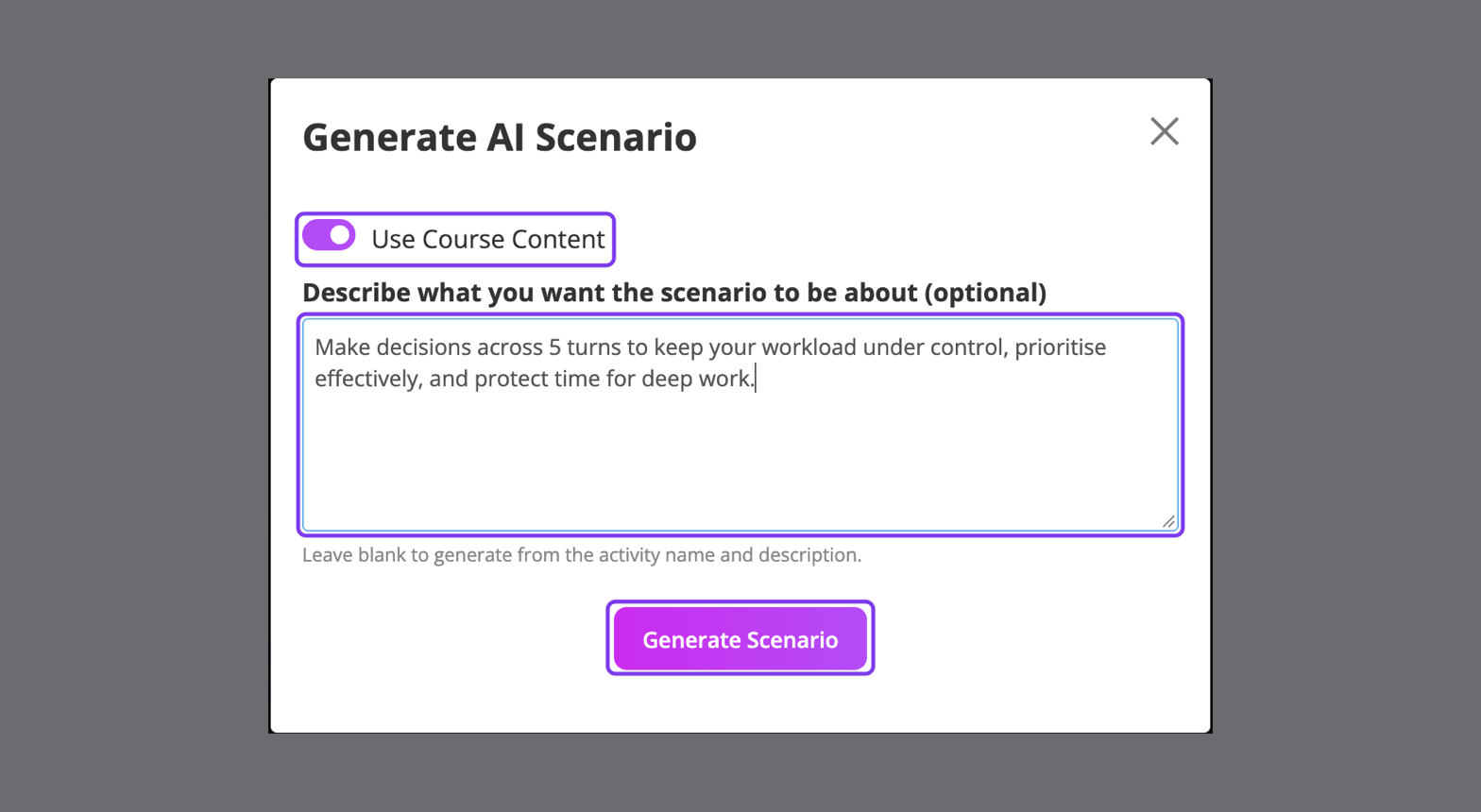
In the Generate AI Scenario window, leave Use Course Content on to base it on your course.
Describe what the scenario should be about. Mention the role, the situation and the skills to practise. If you leave it blank, Coursebox uses the page name and description.
Click Generate Scenario.
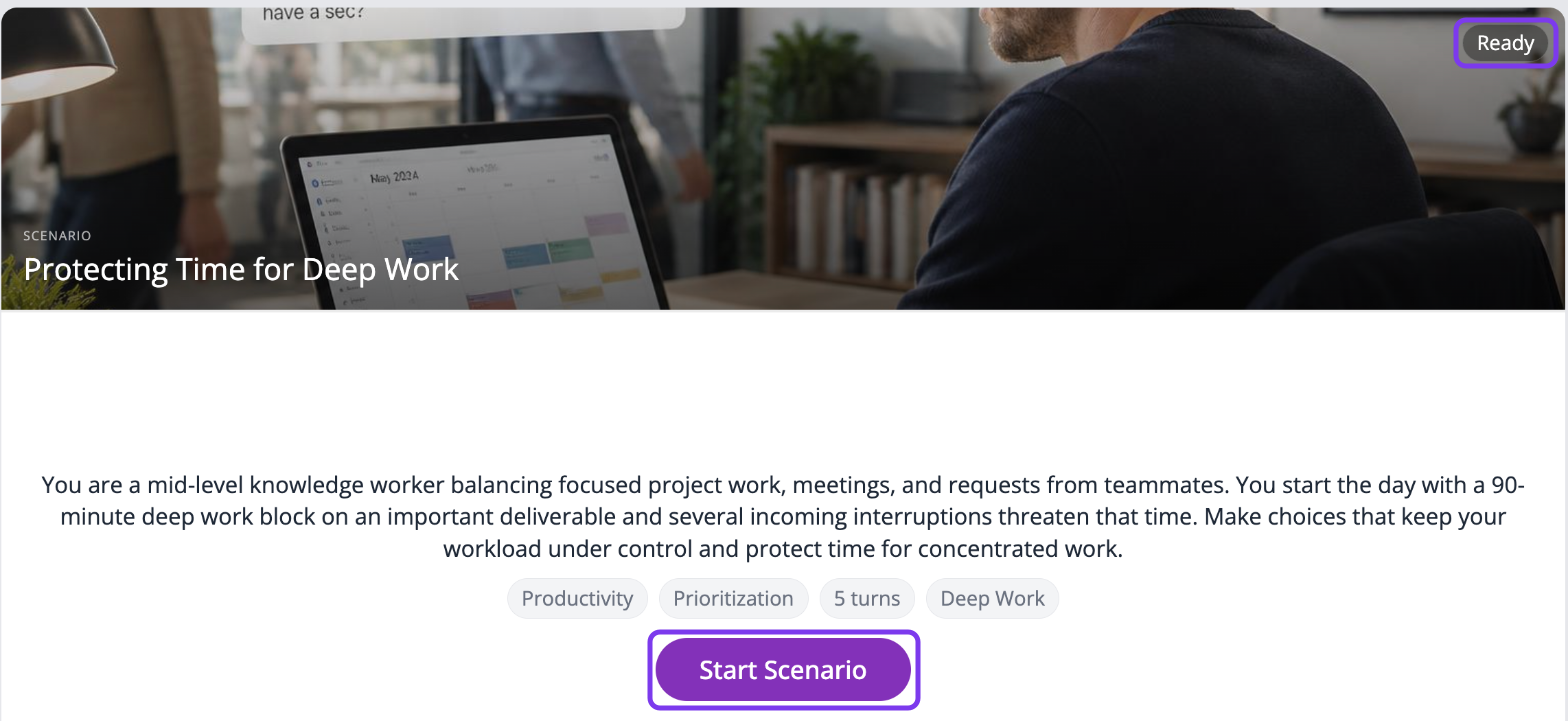
Coursebox creates the scenario with a title, cover image, situation, topic tags and the number of turns. When it shows Ready, it's ready for learners.
Scenarios are generated in your course's language. Generating a scenario uses AI credits from your plan; see AI Credits Explained.
Change a scenario
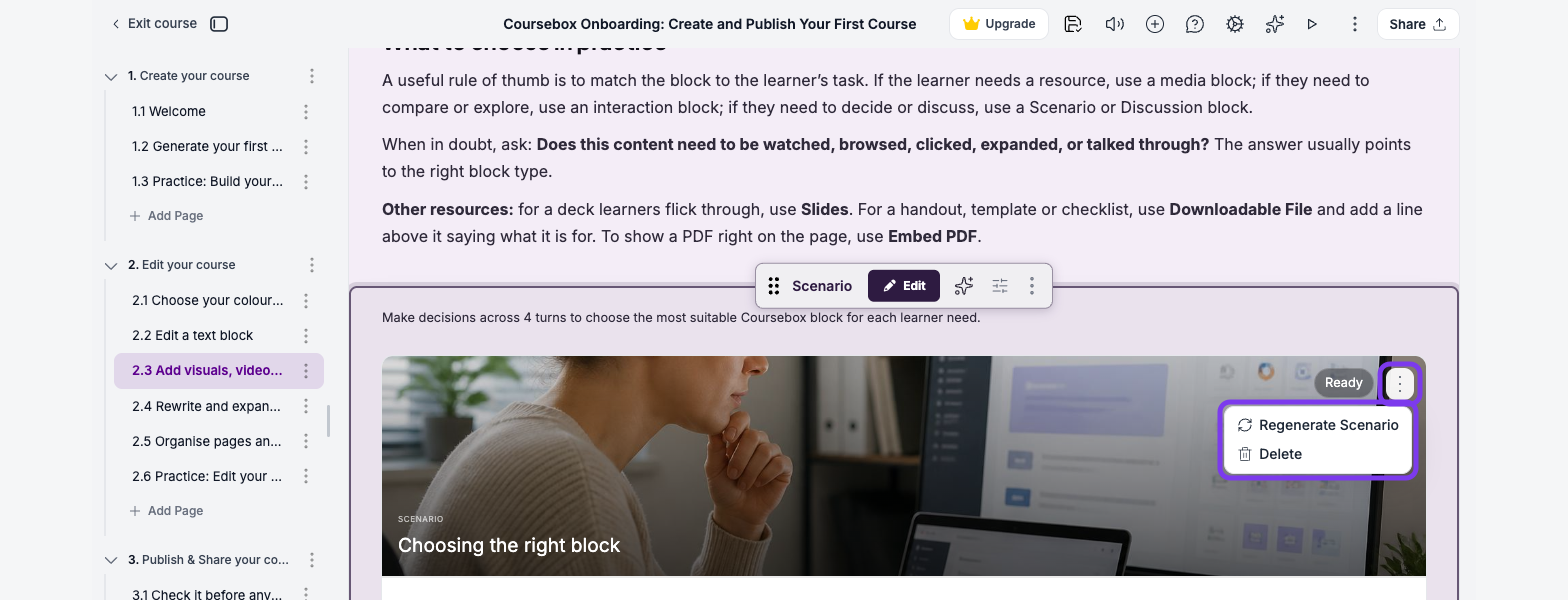
To get a new version, click Scenario actions (⋮) in the top-right corner of the scenario and choose Regenerate Scenario. You can regenerate as often as you need. The same menu has Delete.
To change individual turns, choices or feedback, ask the AI Editor (the sparkle icon in the top toolbar), for example "In the scenario, make the second choice on turn 3 more realistic". See Use AI Tools & Elements.
What learners see
Learners read the situation and click Start Scenario.
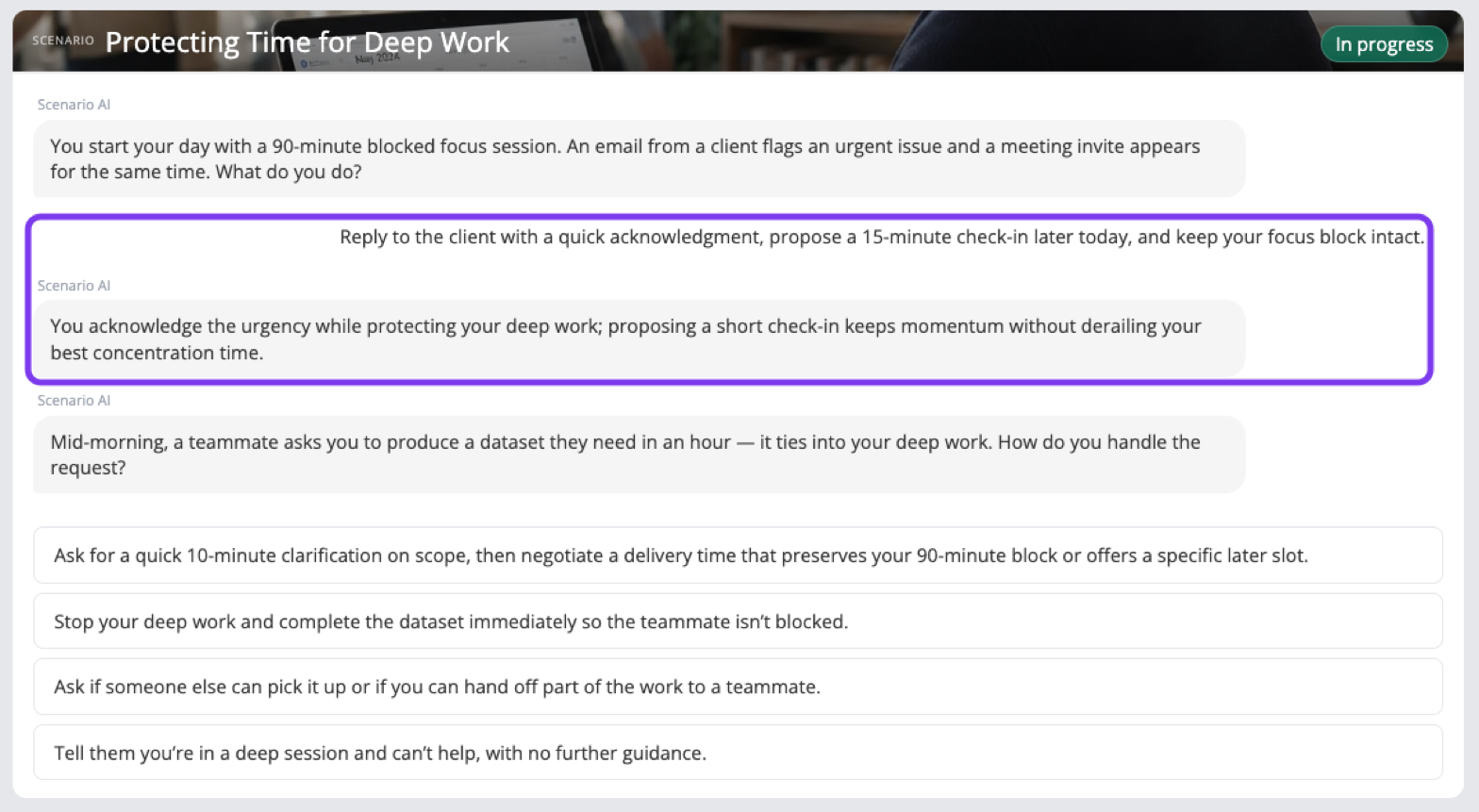
At each turn, the Scenario AI describes what happens and the learner picks one of the choices.
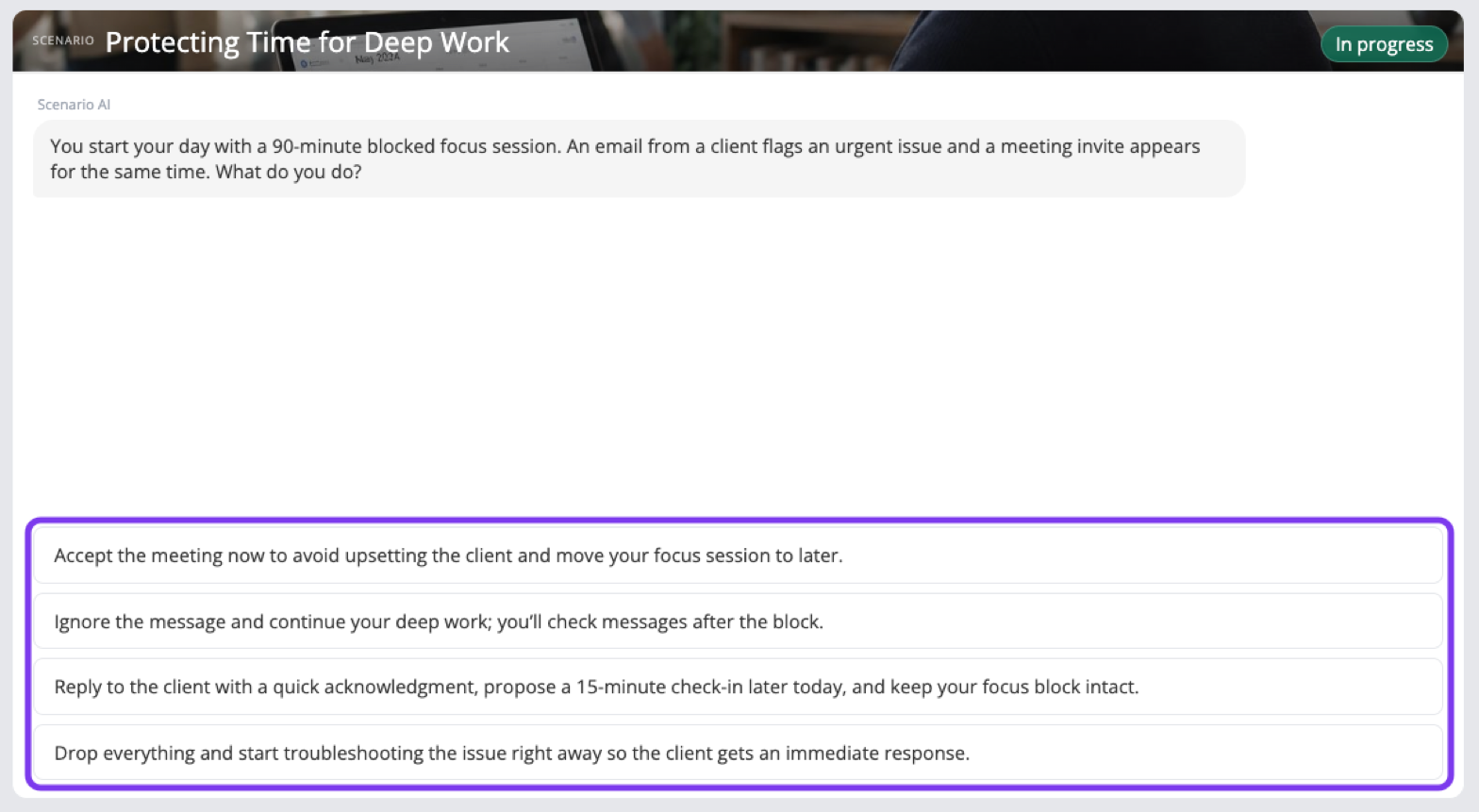
The AI comments on their choice, then moves the story on to the next turn.
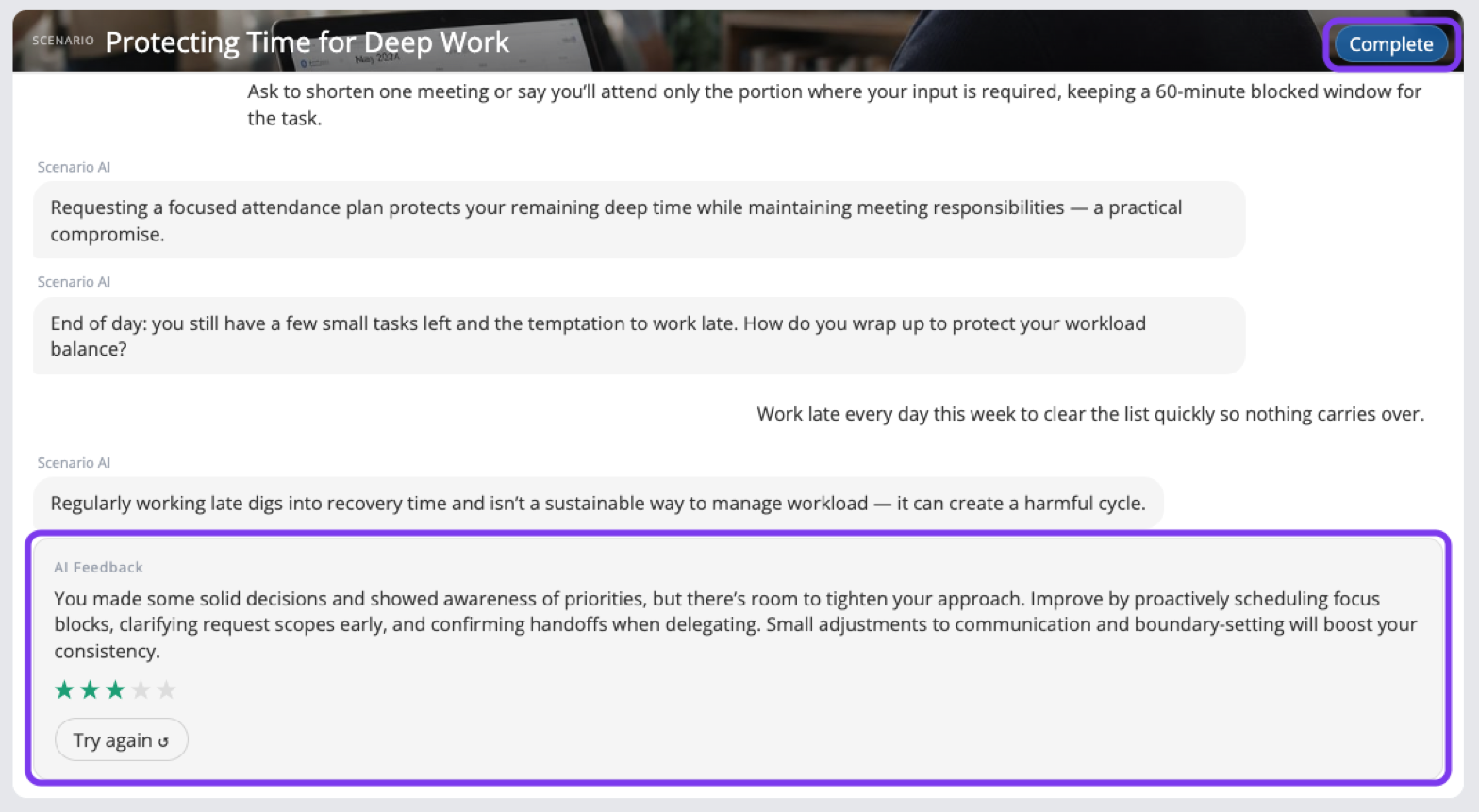
When the scenario is Complete, learners get AI Feedback on their decisions and a star rating. They can click Try again to replay it.
For more on adding scenarios and other interactions, see Add Interactions.