
How do I share or export my course PDF or HTML?
You can share your course in multiple ways depending on your audience. Coursebox allows you to export your course content as a PDF or HTML file, making it easy to share, print, or store offline copies of your training materials. Whether you want to download, save, or back up a course to Google Drive, your computer, or another cloud storage service, this guide explains how.
On any course, click the Share button (top right of the course editor) to open the Share panel, then select Download — the options for PDF or HTML will appear.
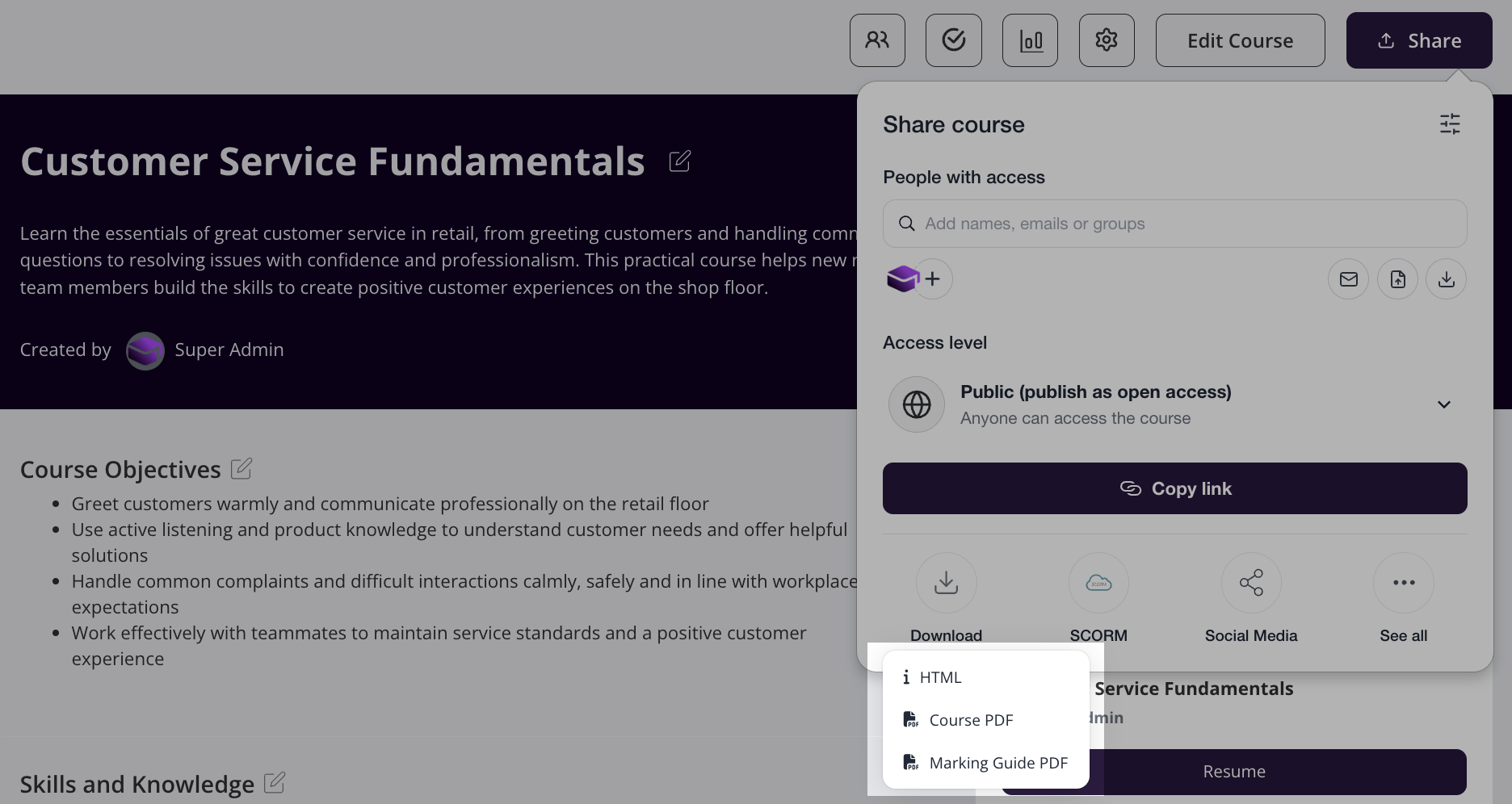
The PDF and HTML backups include the written course structure and content, including learning text, quizzes, assignments, and user-uploaded images. They exclude interactions (e.g. accordions, SCORM embeds), audio recordings, and video recordings. These items may be saved at the course page level in most cases.
Will this feature be enhanced in 2026?
Yes, the export feature will become more powerful in the future. For full course exports, this is possible via the SCORM wrapper and integrations into third-party LMSes.
For more information on exporting a course, see Share, Publish & Export a Course.
Can I save my courses to Google Drive or my computer?
Coursebox does not have a direct Google Drive integration, so courses cannot be saved to Drive automatically. However, you can still keep a copy of your course in Google Drive or on your computer by downloading it and then storing that file wherever you like.
To download a course (including a draft): open it from Learning in the left-hand panel (use the Drafts tab for unpublished courses), click Share at the top right of the course editor, select Download, then choose PDF or HTML. Save the downloaded file to Google Drive or your computer as you would any other file.
The PDF and HTML files include the written course structure and content (learning text, quizzes, assignments, and user-uploaded images) but exclude interactions, audio recordings, and video recordings. Full course exports (via the SCORM wrapper or third-party LMS integrations) are available once the course is published. See the sections above and Share, Publish & Export a Course for details.