Grading Settings
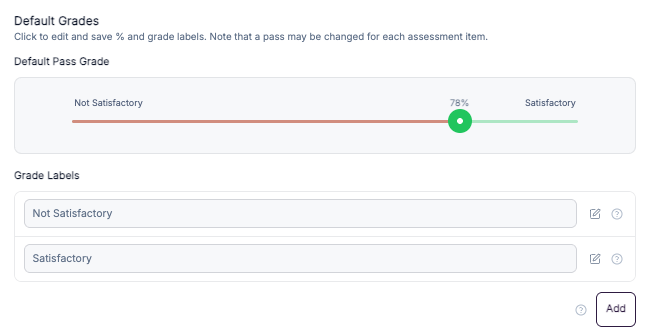
The Super Admin can define the default grading scheme for the entire portal. These grades are applied automatically to courses unless overridden at the course level.
By default:
80% and above is marked as Complete
Below 80% is marked as Fail
Open Default Grades.
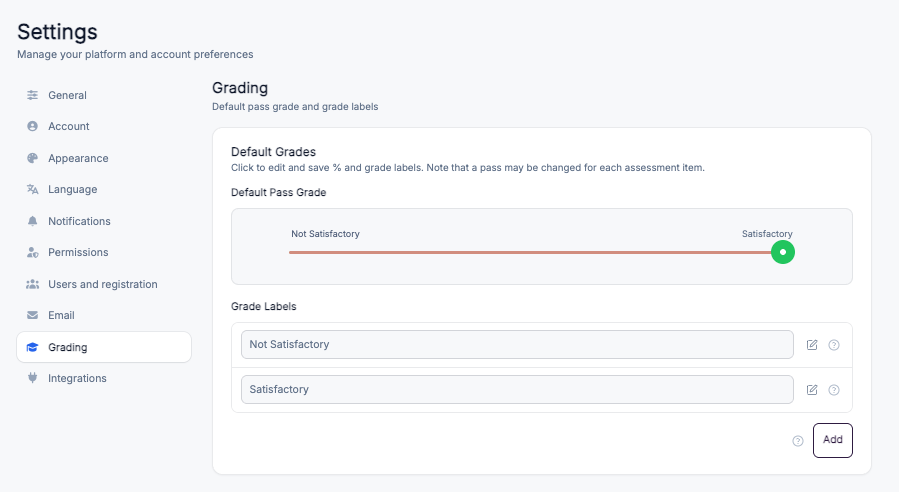
Locate the grade slider.
Drag the green slider handle to set the minimum percentage required to achieve Complete.
Any score below this value will be marked as Fail.
Example:
Setting the slider to 70% means learners must score 70% or higher to complete the course.
Click on the add button in order to introduce a new grading level. You can provide your own custom name and assign desired percentage value.