
Analytics Management - Google, Stripe, Third Party
Connecting Google Analytics to your portal requires Pro or above, as it is configured in your portal settings. Stripe reporting is available to anyone selling courses through a linked Stripe account, on any plan. For plan details, visit https://www.coursebox.ai/pricing.
If you are on an older Coursebox plan, you keep the features included in that plan. Legacy plan names such as Plus, Business and LMS no longer appear on our pricing page, but your access has not changed.
This section explains how to track performance, engagement, and revenue across your Coursebox platform using built-in integrations and external analytics tools. As a Super Admin, you can connect Coursebox with services like Google Analytics and Stripe to gain insight into learner behaviour, traffic, and financial performance, while also leveraging third-party analytics from media and survey platforms. These tools help you make data-informed decisions, demonstrate impact, and support reporting, compliance, and continuous improvement across your training programs.
Watch the tutorial videos found in our YouTube Video Library.
Manage Google Analytics
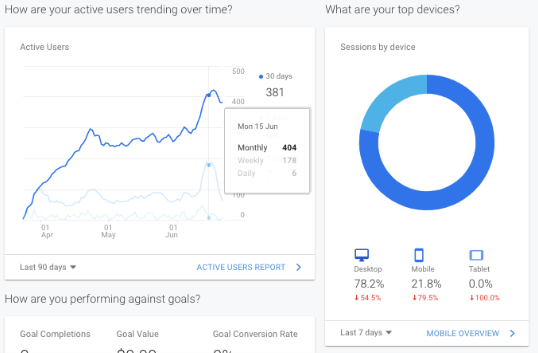
As a Super Admin, you will generally be able to track detailed Google Analytics on your portal.
To generate reports and analyse data:
Log in to https://analytics.google.com
Review data or learn more at https://support.google.com/analytics/answer/1008015?hl=en
Manage Stripe Reporting
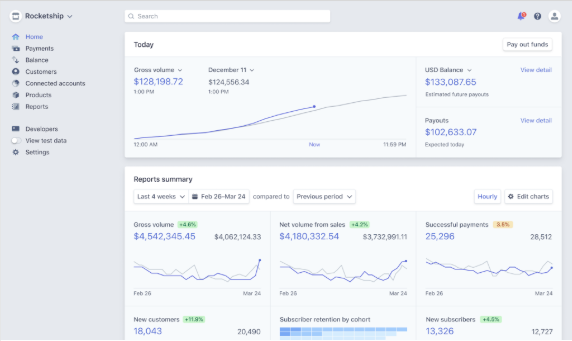
Coursebox integrates with Stripe to enable seamless payment processing for courses, groups, and bookings. As a Super Administrator, you can access and manage detailed financial reports through your connected Stripe account. This allows you to track transactions, monitor revenue, and generate reports for accounting or compliance purposes.
To get started, log into your Stripe dashboard and access the reporting tools available for your account.
If you choose to enable Stripe to accept payments:
Generate reports as required or learn more at https://stripe.com/docs/reports/financial-reports
Manage Third Party Analytics
This section outlines how Super Administrators can monitor and manage analytics from integrated third-party platforms. Coursebox supports a variety of external tools that offer additional reporting and engagement insights.
To access these analytics, refer to the individual support guides provided by each platform. Supported integrations include:
Vimeo
YouTube
SurveyMonkey
Youku
Dailymotion
Instagram
Google Slides
Canva
Support Guides:
Vimeo – Analytics Overview: Learn how to view video metrics, impressions, and advanced reports. Vimeo Help Center
YouTube – Get started with YouTube Analytics: Step-by-step instructions for accessing analytics in YouTube Studio, including advanced mode and exporting data. YouTube Help
SurveyMonkey – How to Analyze Results: Overview of analyzing survey responses with dynamic charts, exports, and AI-powered summarization. SurveyMonkey Help
Dailymotion – Analyze your performance: Guidance on using Analytics dashboards, generating custom reports (CSV), and API integrations. Dailymotion FAQ
Instagram – Instagram Analytics: Key Metrics & Tools: Insights into how to track engagement, content performance, and follower demographics.
Google Slides – Analytics for Google Slides: Tutorial for capturing audience engagement and slide performance analytics.
Canva – Viewing design analytics and insights: Instructions to view how often your shared or collaborative designs have been opened or edited. Canva Help