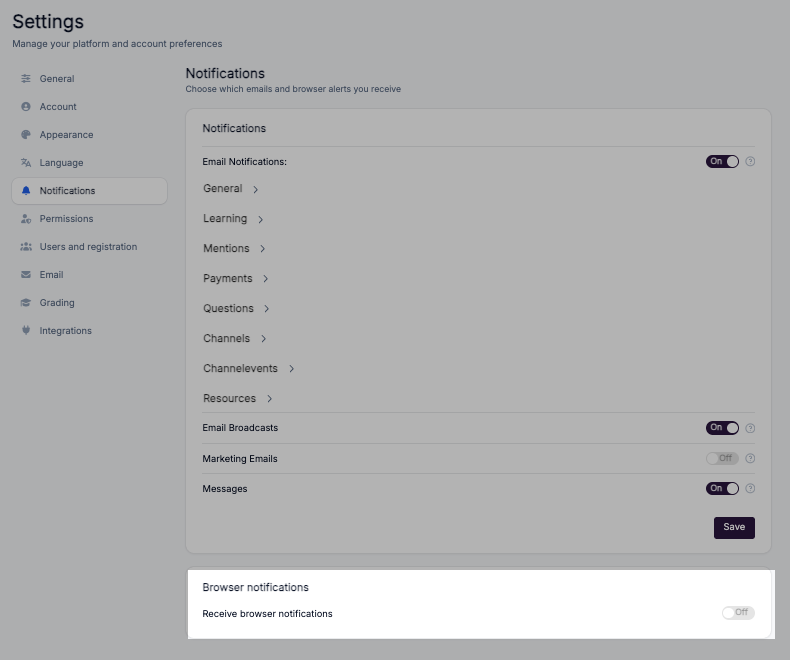
Notifications Settings
Available on every plan. Notification settings are not restricted by plan — every signed-in user, including Free, can open Settings and manage their own notifications. A small number of settings are restricted by role instead: Registration Confirmation, Portal Payment Successes, Portal Payment Successes – Super Admin and the All portal users toggle are visible to admins only. See Apply notification settings to all users.
This explains how to control notifications and message alerts in Coursebox. It covers where to access notification settings, how to enable or disable specific alert types by category, who each notification is actually sent to, and how messaging notifications work — so you can stay informed without being overwhelmed.
Every user can manage their own notifications and system alerts within the Coursebox platform. These settings help you control how and when you receive updates about user activities, learning events, and system messages. A super admin can also apply notification settings to every user in the portal at once — see Apply notification settings to all users. A few portal-wide settings are restricted to admins — these are called out where they appear.
Notification Settings
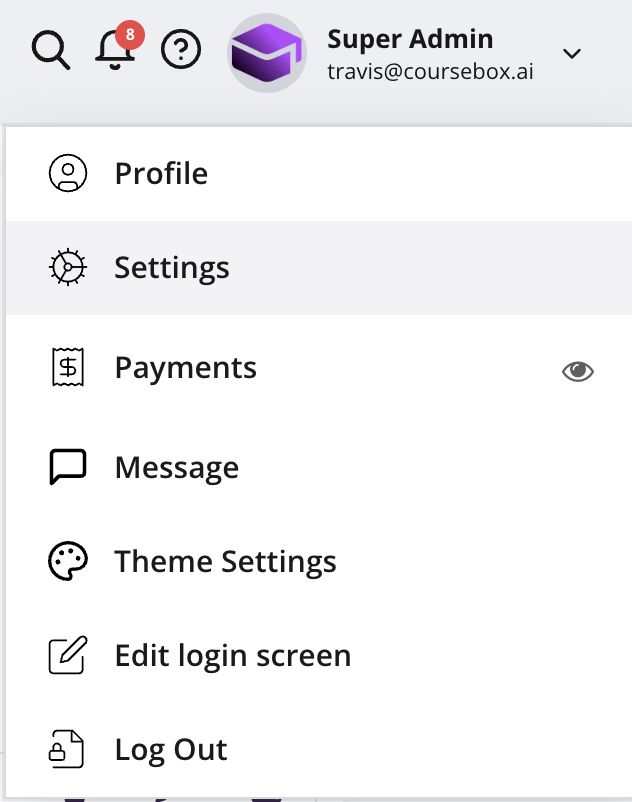
From the top navigation bar, click the dropdown menu (▼) next to your profile icon
Select Settings from the menu.
In the Notifications section, you can turn off ALL email notifications at once. Mandatory emails are still sent.
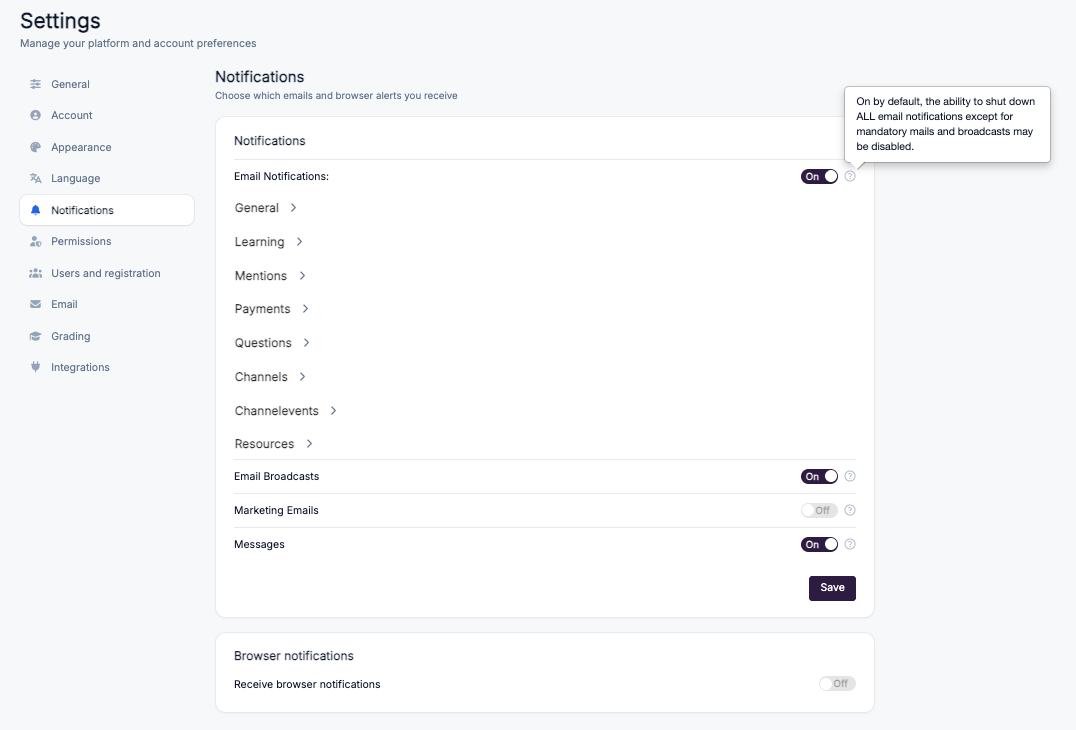
There are several notification categories you can manage:
Click into any category (e.g., General) to select or deselect specific notifications.
Some notifications (like mandatory system messages and broadcasts) cannot be disabled.
Apply notification settings to all users (Super Admin)
A super admin can turn notifications on or off for every user in the portal at once, instead of asking each learner to change their own settings. For example, you can make sure every learner gets an email when a facilitator comments on their submission.
Go to Settings → Notifications.
Turn on the All portal users toggle.
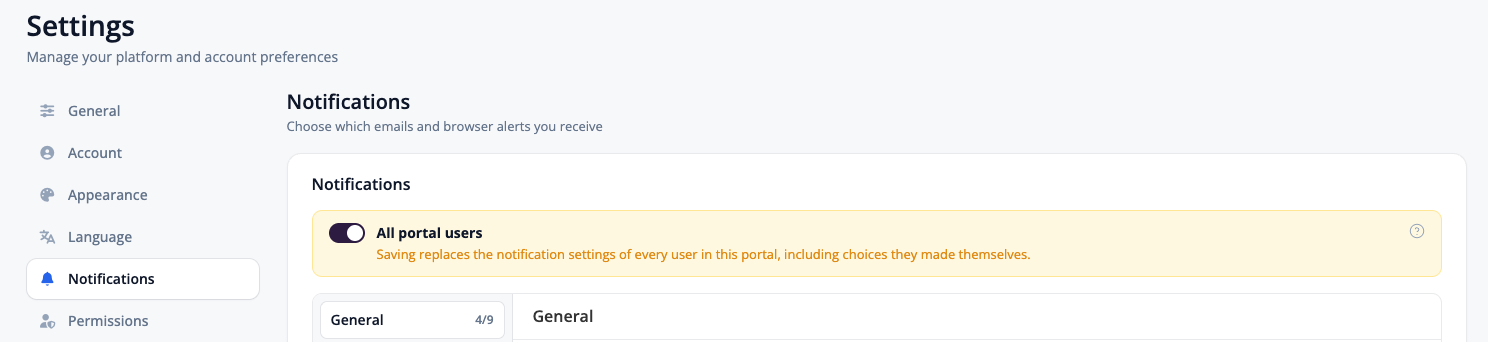
Set the notifications you want for everyone. For example, open Learning and switch on Activity Submission Comments ("Someone comments on your submission").

Click Save.
This overwrites everyone's settings. With All portal users on, saving replaces the notification settings of every user in your portal, including choices they made themselves. Check that every toggle is set the way you want before you save.
General Notifications
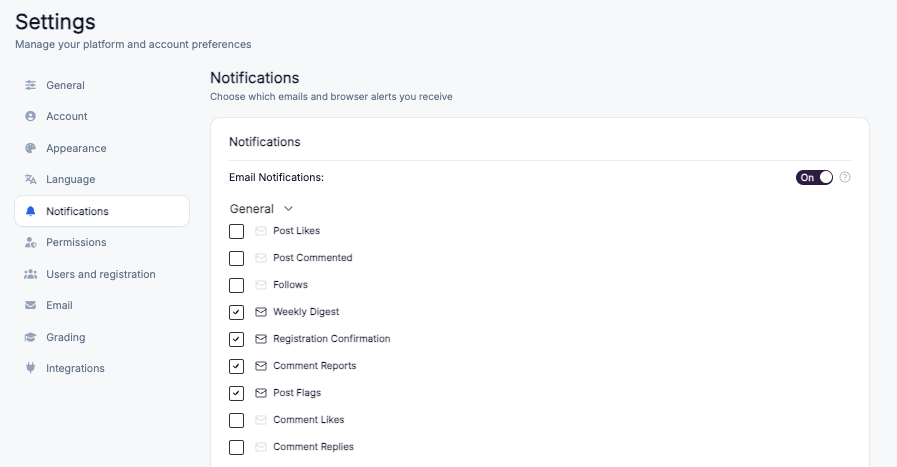
The General notification category covers core platform interactions and updates, ensuring you stay informed about activity related to your posts, comments, and account.
Notification Type | Description |
|---|---|
Post Likes | Alerts when someone likes your post. |
Post Commented | Sent when someone comments on your post. |
Follows | Notifies you when another user follows you. |
Weekly Digest | A summary email containing key updates and activities from the past week. |
Registration Confirmation | Sent after a successful account registration. |
Comment Reports | Alerts when a comment you posted is reported. |
Post Flags | Notifies you when a post is flagged by another user. |
Comment Likes | Alerts when someone likes your comment. |
Comment Replies | Sent when someone replies to your comment. |
Learning Notifications
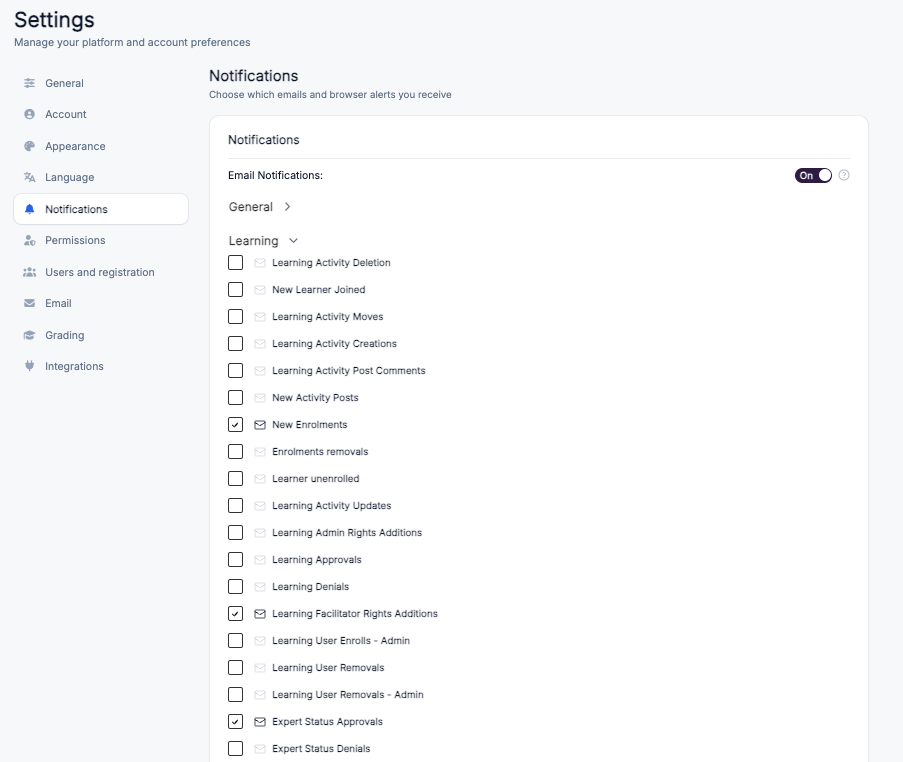
Updates related to course enrolments, learning content creation, submissions and access approvals. The tables below are grouped by who actually receives each notification, because several setting names do not match their real recipient.
Sent to the learner
These are the learner's own switches. Each learner can change them in their own notification settings, or a super admin can set them for all learners at once — see Apply notification settings to all users.
Notification Type | Description |
|---|---|
New Enrolments | Sent to the learner when they are enrolled in a course. This is the Course Invitation email. |
Enrolments Removals | Sent to the learner when their enrolment is removed. |
Learning User Removals | Sent to the learner when they are removed from a learning activity. |
Certificate Completions | Sends you your certificate by email when you complete all the requirements for it. This is your own switch for your own certificate — it does not notify admins, course owners or facilitators. |
Activity Submission Assessments | Sent to the learner when their submission has been assessed. |
Activity Submission Comments | Sent to the learner when a comment is added to their submission ("Someone comments on your submission"). This must be on for the learner to get an email when a facilitator comments without changing the grade. A super admin can switch it on for all learners — see Apply notification settings to all users. |
Learning Access Approvals – Owner | Despite the name, this is sent to the learner when their request for access to a course is approved. |
Learning Access Denials | Sent to the learner when their request for access to a course is denied. |
Sent to course admins and facilitators
These go to everyone with admin or facilitator rights on the course.
Notification Type | Description |
|---|---|
New Learner Joined | Sent when a new learner joins a course or learning activity. |
Learner Unenrolled | Sent whenever a learner is removed from a course — by anyone, not only by the learner. Note that learners cannot unenrol themselves in Coursebox. This notification goes to admins and facilitators, not to the learner. |
Learning User Enrols – Admin | Sent when an admin enrols a user into a learning activity. |
Learning User Removals – Admin | Sent when an admin removes a learner from a learning activity. |
Learning Activity Creations | Sent when a new learning activity is created. |
Learning Activity Deletion | Sent when an existing learning activity is deleted. |
Learning Activity Moves | Sent when a learning activity is moved to a different location or sequence. |
Activity Submission Completions | Sent when a learner completes an activity submission. This fires per assignment — it is not a course-completion notification. |
Activity Submission Creations | Sent when a new activity submission is created. |
Sent to one specific person
Notification Type | Who receives it | Description |
|---|---|---|
Learning Admin Rights Additions | The person granted the rights | Sent when admin rights are granted for a learning activity. |
Learning Facilitator Rights Additions | The person granted the rights | Sent when facilitator rights are granted for a learning activity. |
Learning Activity Post Comments | The post's author | Sent when a comment is posted on their post within a learning activity. |
Activity SCORM Note Comments | The note's author | Sent when a comment is added to their SCORM note submission. |
Learning Access Requests – Owner | The course owner | Sent when a learner requests access to their course. |
Expert Status Requests | The portal admin | Sent when a user requests expert status. |
Expert Status Approvals | The requesting user | Sent when their request for expert status is approved. |
Expert Status Denials | The requesting user | Sent when their request for expert status is denied. |
AI Course Content Completion | The course creator | Sent when AI finishes generating course content. This is about AI generation finishing — it has nothing to do with a learner finishing a course. |
AI Course Content Completion Delay | The course creator | Sent when there is a delay in generating AI course content. |
Three exceptions worth knowing
Notification Type | Description |
|---|---|
New Activity Posts | Sent to every enrolled learner on the course when a new post is added to a learning activity. On a large course this is a wide broadcast — check your audience before posting. |
Learning Activity Updates | Sent to course admins only when an existing learning activity is updated. Facilitators are excluded from this one, unlike Learning Activity Creations, Deletion and Moves. |
Activity SCORM Note Submissions | Sent to course admins only when a SCORM note is submitted for an activity. Facilitators are excluded. |
Settings that currently have no effect. Four checkboxes still appear in the Learning category but nothing in the platform reads them, so switching them on or off changes nothing: Learning Approvals, Learning Denials, Learning Access Approvals, and Learning Access Denials – Owner. Use Learning Access Approvals – Owner and Learning Access Denials instead — those are the two that actually reach the learner.
Not shown in this screen. Learning Package Course Completion is a live notification that goes to the course creator, but it has no checkbox in the Learning category.
There is no notification to admins when a learner completes a course. Course completion only generates the certificate and any linked badge. If you need an alert when a learner finishes a course, use the Zapier Course Completed trigger. Do not rely on Activity Submission Completions (which fires per assignment) or AI Course Content Completion (which is about AI generation finishing) for this.
Tip: Stopping Learners from Receiving Course Invitation Emails on Enrolment
When learners are enrolled in a course, they automatically receive a Course Invitation email for each unit within that course. For larger courses, this can result in learners receiving many emails at once, which may cause confusion — especially if learners click a unit-level link instead of the main Invitation to Register email to set up their account.
To stop learners from receiving these emails, a Super Admin can disable the New Enrolments notification:
Go to Settings → Notifications from your Super Admin account.
Open the Learning category.
Uncheck the New Enrolments checkbox.
Once unchecked, learners will no longer receive Course Invitation emails when they are enrolled in a course.
Mentions Notifications
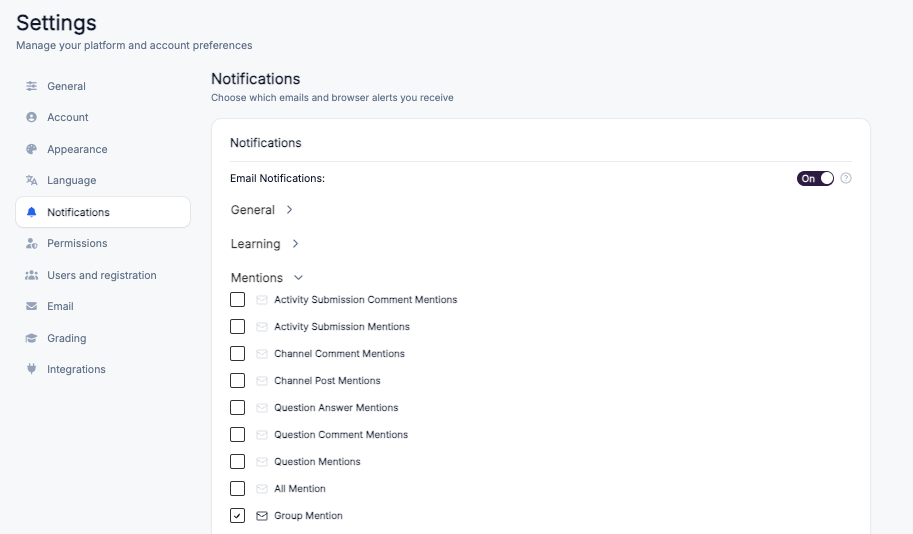
The Mentions notification category alerts you when you or your groups are tagged in various activities across the Coursebox platform. These notifications help ensure you never miss relevant interactions or discussions.
Notification Type | Description |
|---|---|
Activity Submission Comment Mentions | Alerts when you are mentioned in a comment on an activity submission. |
Activity Submission Mentions | Sent when you are mentioned directly within an activity submission. |
Channel Comment Mentions | Notifies you when you are tagged in a comment within a channel discussion. |
Channel Post Mentions | Sent when you are mentioned in a post within a channel. |
Question Answer Mentions | Alerts when you are mentioned in an answer within the Questions section. |
Question Comment Mentions | Notifies you when you are tagged in a comment on a question. |
Question Mentions | Sent when you are mentioned directly in a question. |
All Mention | Alerts when you are tagged using a general "@all" mention in any section. |
Group Mention | Notifies you when your group is mentioned in any post, comment, or discussion. |
Payments Notifications
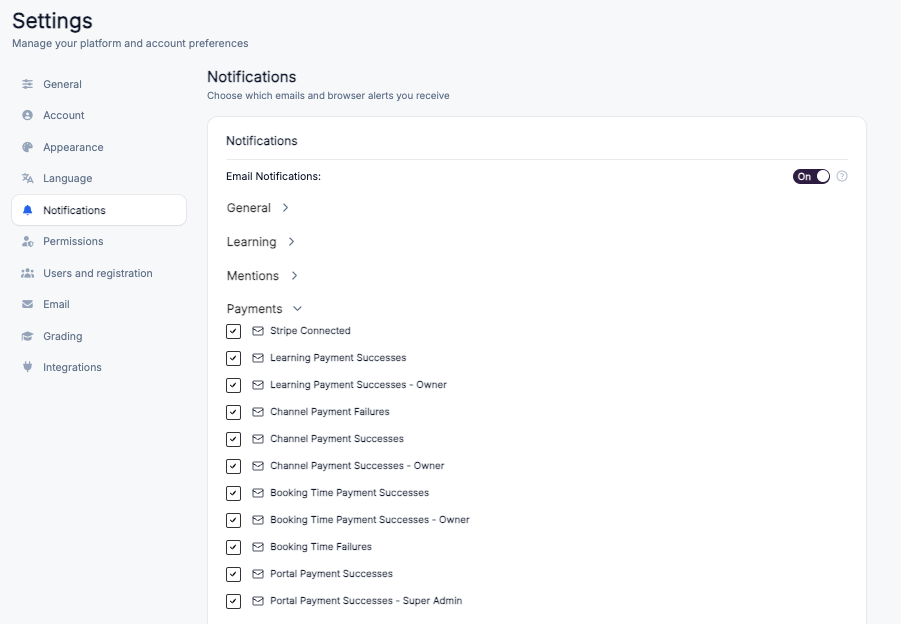
The Payments notification category keeps you informed of all transactions, payment successes, and failures within the Coursebox platform. These notifications help administrators, course owners, and super admins monitor financial activity across courses, channels, bookings, and the portal.
Notification Type | Description |
|---|---|
Stripe Connected | Alerts when the Stripe payment gateway has been successfully connected to the platform. |
Learning Payment Successes | Sent when a payment for a learning activity is successful. |
Learning Payment Successes – Owner | Notifies the course owner when a payment for their learning activity is successful. |
Channel Payment Failures | Alerts when a payment for a channel-related purchase fails. |
Channel Payment Successes | Sent when a payment for a channel-related purchase is successful. |
Channel Payment Successes – Owner | Notifies the channel owner when a payment is successful for their channel. |
Booking Time Payment Successes | Sent when a payment for a booked time slot is successful. |
Booking Time Payment Successes – Owner | Notifies the booking owner when a payment for their booked time slot is successful. |
Booking Time Failures | Alerts when a payment for a booked time slot fails. |
Portal Payment Successes | Sent when a payment for a portal-related service or product is successful. |
Portal Payment Successes – Super Admin | Notifies the Super Admin when a portal-related payment is successful. |
Questions Notifications
The Questions notification category provides updates related to the platform's Q&A section. These notifications help you track responses, interactions, and moderation activities in question threads.
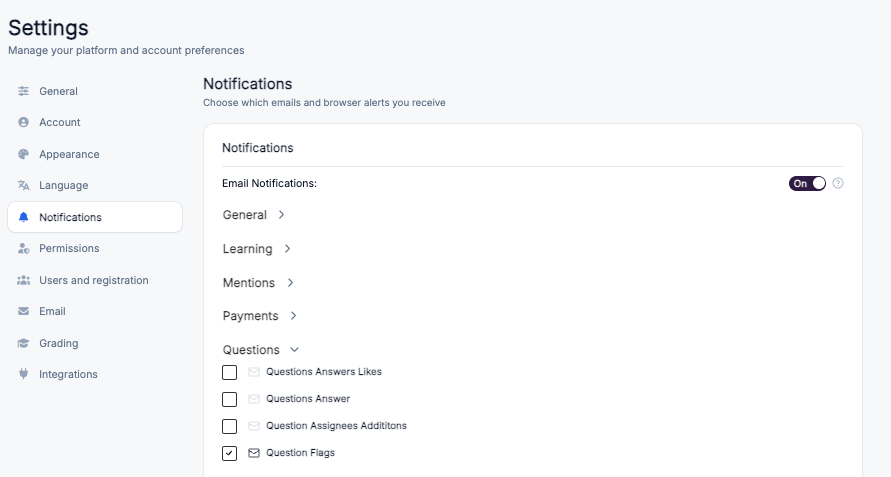
Notification Type | Description |
|---|---|
Questions Answers Likes | Alerts when someone likes an answer you have posted. |
Questions Answer | Sent when a new answer is posted to a question you are following or have asked. |
Question Assignees Additions | Notifies you when you are assigned to respond to or manage a specific question. |
Question Flags | Alerts when a question is flagged for review or moderation. |
Channels Notifications
The Channels notification category provides alerts about activity, requests, and administrative changes within channels you manage or follow. These notifications help you stay informed about access permissions, publishing actions, and content updates.
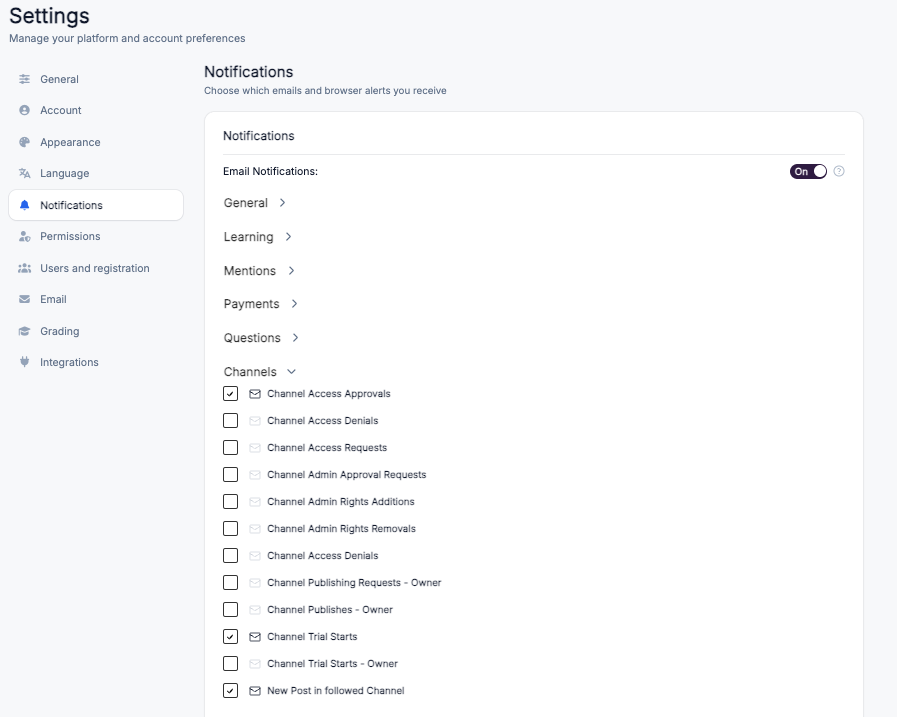
Notification Type | Description |
|---|---|
Channel Access Approvals | Alerts when a request to access a channel is approved. |
Channel Access Denials | Sent when a request to access a channel is denied. |
Channel Access Requests | Notifies you when a user requests access to a channel. |
Channel Admin Approval Requests | Alerts when someone requests to be an admin for a channel. |
Channel Admin Rights Additions | Sent when admin rights are granted to a user for a channel. |
Channel Admin Rights Removals | Alerts when admin rights are removed from a channel admin. |
Channel Publishing Requests – Owner | Notifies a channel owner when a publishing request is made for their channel. |
Channel Publishes – Owner | Alerts the channel owner when content is successfully published. |
Channel Trial Starts | Sent when a channel trial period begins. |
Channel Trial Starts – Owner | Notifies the channel owner when their channel trial period begins. |
New Post in Followed Channel | Alerts you when a new post is made in a channel you follow. |
Channel Events Notifications
The Channel Events notification category provides updates about event bookings, attendance, and scheduling within channels. These notifications help event organisers, attendees, and channel owners stay informed about confirmations, cancellations, and reminders.
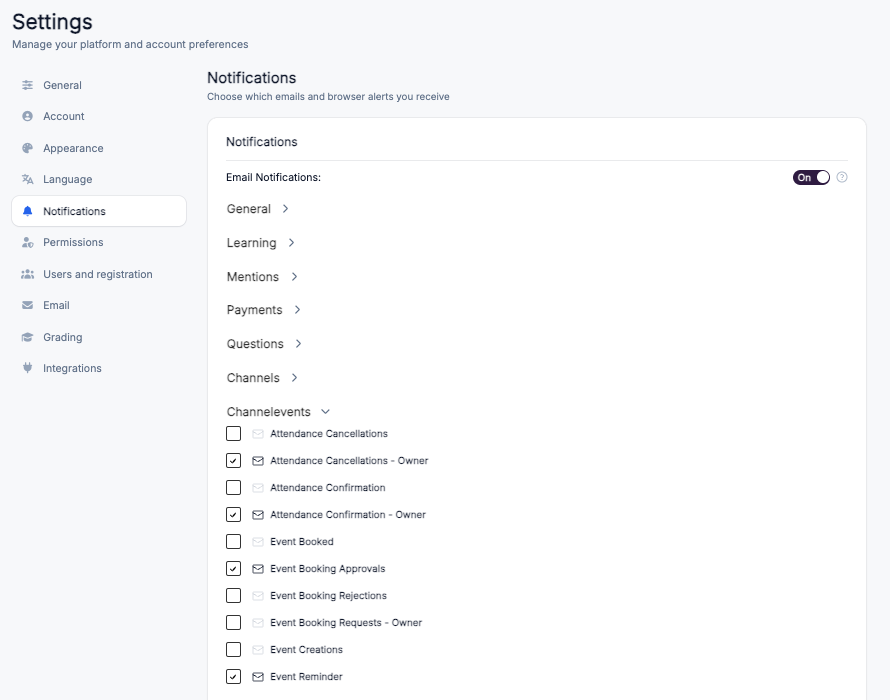
Notification Type | Description |
|---|---|
Attendance Cancellations | Alerts when a participant cancels their attendance for an event. |
Attendance Cancellations – Owner | Notifies the event owner when a participant cancels attendance. |
Attendance Confirmation | Sent when your attendance for an event is confirmed. |
Attendance Confirmation – Owner | Notifies the event owner when a participant's attendance is confirmed. |
Event Booked | Alerts when you successfully book a spot in an event. |
Event Booking Approvals | Sent when an event booking request is approved. |
Event Booking Rejections | Alerts when an event booking request is rejected. |
Event Booking Requests – Owner | Notifies the event owner when someone requests to book their event. |
Event Creations | Sent when a new event is created within a channel. |
Event Reminder | A reminder sent prior to an upcoming event you are attending or managing. |
Resources Notifications
The Resources notification category manages alerts related to shared resources and access permissions. These notifications help resource owners and users track sharing activity and respond to access requests promptly.
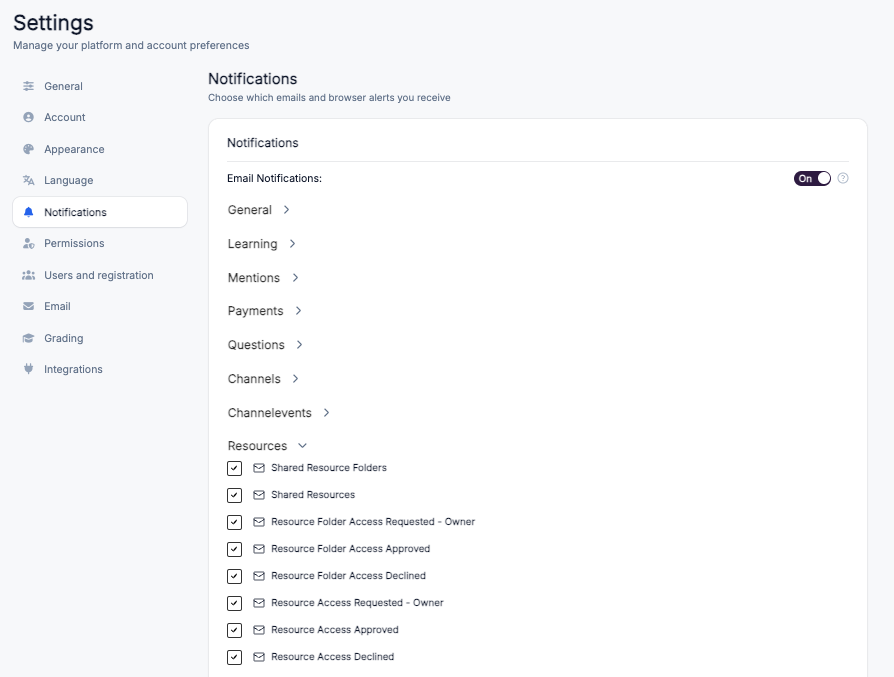
Notification Type | Description |
|---|---|
Shared Resource Folders | Alerts when a resource folder is shared with you. |
Shared Resources | Sent when individual resources are shared with you. |
Resource Folder Access Requested – Owner | Notifies the folder owner when someone requests access to a resource folder they manage. |
Resource Folder Access Approved | Alerts when your request to access a resource folder is approved. |
Resource Folder Access Declined | Sent when your request to access a resource folder is declined. |
Resource Access Requested – Owner | Notifies the resource owner when someone requests access to a specific resource they manage. |
Resource Access Approved | Alerts when your request to access a resource is approved. |
Resource Access Declined | Sent when your request to access a resource is declined. |
Email broadcasts
The Super Admin may opt-in to collate one or more of their latest News posts as an Email Broadcast, which is like a community newsletter.
Firstly, navigate to Settings and scroll down to Notifications.
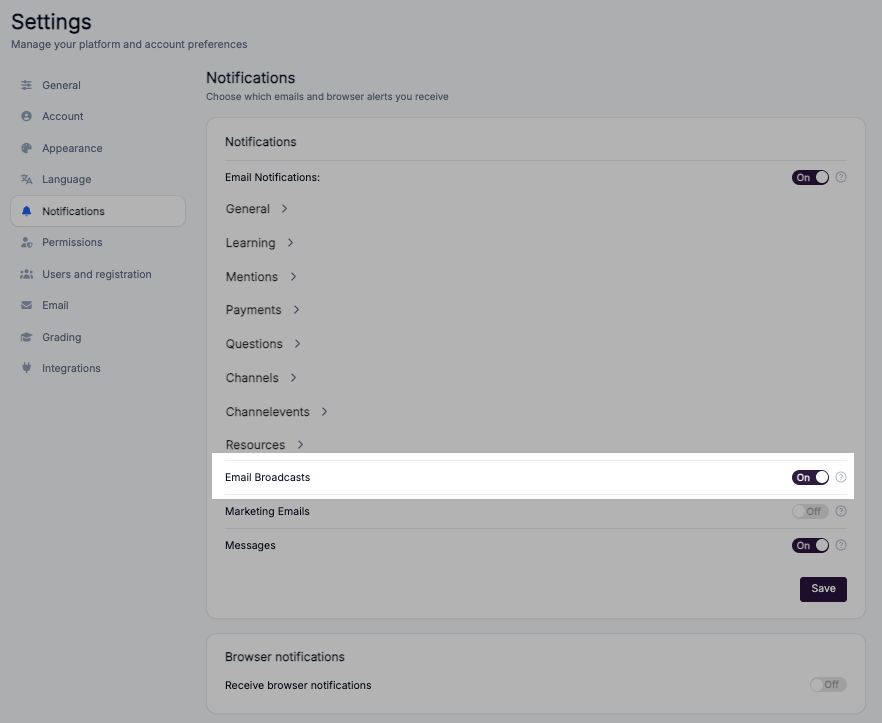
The Email Broadcasts setting controls whether you receive large-scale communications sent from the platform, such as announcements, updates, and news from various areas of Coursebox.
When enabled, you will receive broadcast emails from:
Newsfeed – General platform-wide announcements.
Groups – Group-specific updates and announcements.
Automatic Regular Updates – Periodic email summaries or important notices generated by the system.
ON by default – This ensures you don't miss important communications. These broadcasts can be disabled if you prefer not to receive them.

Tip: It is recommended to keep this setting enabled to stay informed about platform-wide or group-related news that may not appear in your regular notifications.
Marketing Emails
The Marketing Emails setting controls whether you receive promotional content and marketing communications from Coursebox.
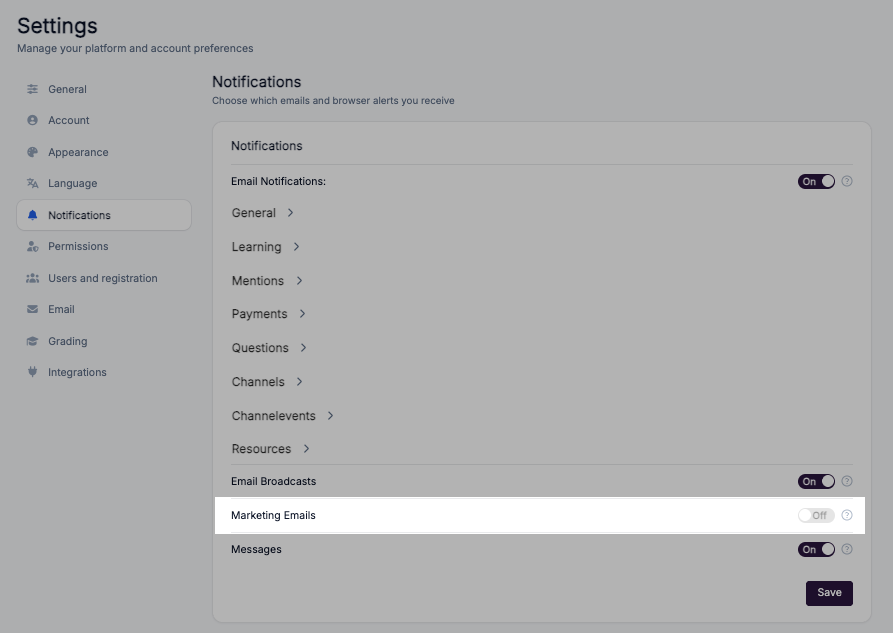
When enabled, you will receive:
Updates on new features and tools.
Invitations to webinars, events, or training sessions.
Promotional offers or discounts related to Coursebox services.
OFF by default – You will not receive marketing-related communications unless you manually enable this option.
Tip: Enable this setting if you want to stay informed about special offers, product updates, and marketing campaigns from Coursebox.
Messages
The Messages setting controls whether you receive email alerts when new messages arrive in your Coursebox inbox.
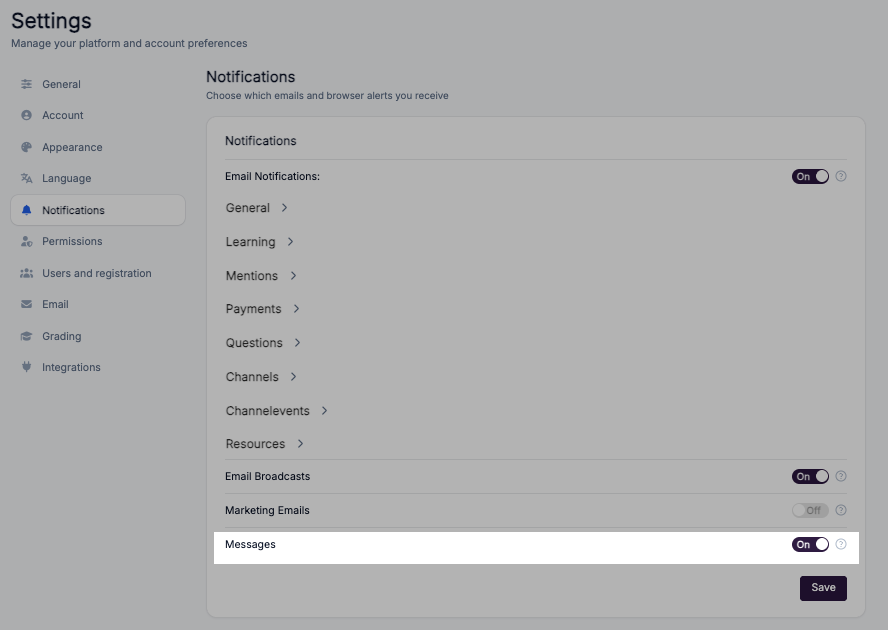
When enabled, you will receive an email notification each time:
You receive a direct message from another user.
You receive a group message in a space you are part of.
This setting works independently of the main Email Notifications toggle. Even if general email notifications are turned OFF, you will still receive message notifications if this option is ON.
ON by default – Ensures you are always notified of new messages.
Tip: Keep this setting enabled if you want to stay responsive to communication, especially for time-sensitive or important messages from learners, facilitators, or admins.
Browser Notifications
The Browser Notifications setting controls whether Coursebox can send real-time alerts directly to your web browser, even when you don't have the platform open in an active tab.
When enabled, your browser will display pop-up alerts for key activity such as new messages, mentions, and important platform updates.
OFF by default – To turn this on, toggle Receive browser notifications and, when prompted, allow notifications in your browser's permission dialog.