
How do I delete a video from a carousel in Coursebox?
If your content block has more than one video in a carousel, and you want to remove one of them (for example, the first video), follow these steps:
Go to the page where your video carousel is located.
Select the video you want to delete by navigating to it using the arrow buttons on the video player.
Click the three-dot menu (⋮) at the top right corner of the video block.
Select Delete from the dropdown options.
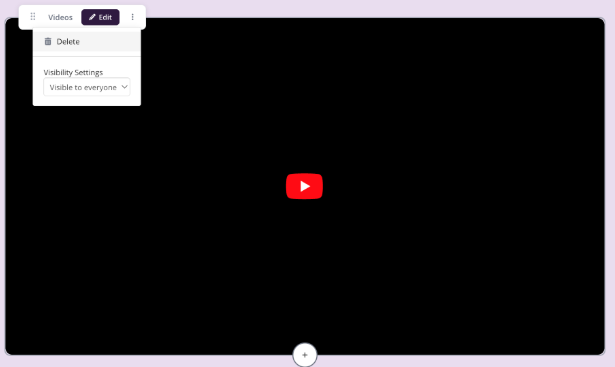
Note: Make sure you're viewing the correct video in the carousel before deleting, as there's no undo option.
You can also choose Hide content if you don't want to permanently delete the video but prefer to keep it invisible to learners.
For more information on video, see Multimedia Content.