
Create a support ticket in Coursebox Help Center
Admins can message the Coursebox team from inside Coursebox with the Coursebox support icon. Everyone can get help from the support portal at support.coursebox.ai. On the portal, ask the AI agent for a quick answer, or send a support request and follow it in your Inbox.
Message us from inside Coursebox
Only admins see the Coursebox support icon. If you don't see it, use the support portal instead (see below).
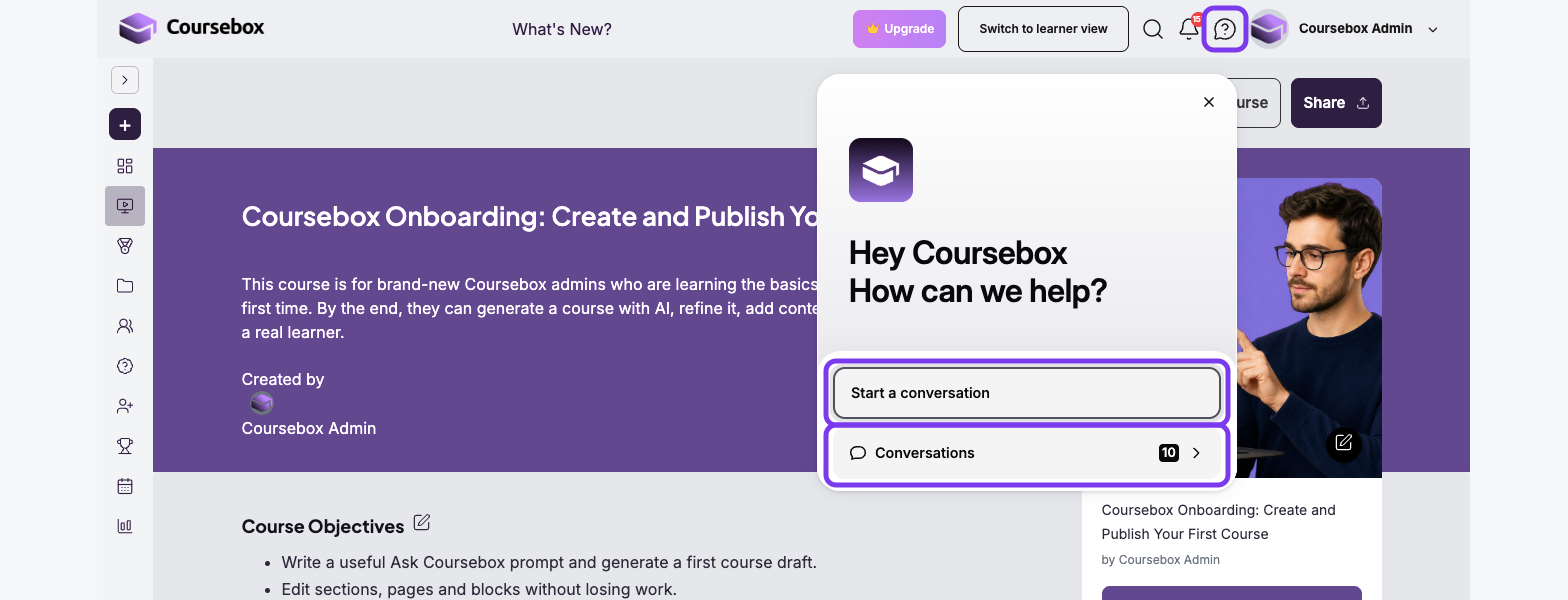
Click the Coursebox support icon (the question mark) in the top bar, next to the notifications bell. It is also in the top toolbar of the course editor.
Click Start a conversation.
Type your message. To add a screenshot or file, click the paperclip.
Click Send.
To read replies or go back to an earlier message, click the icon and choose Conversations.
Ask the AI agent
Go to support.coursebox.ai.
Type your question in the Ask an agent… box on the right, then click the arrow to send it.
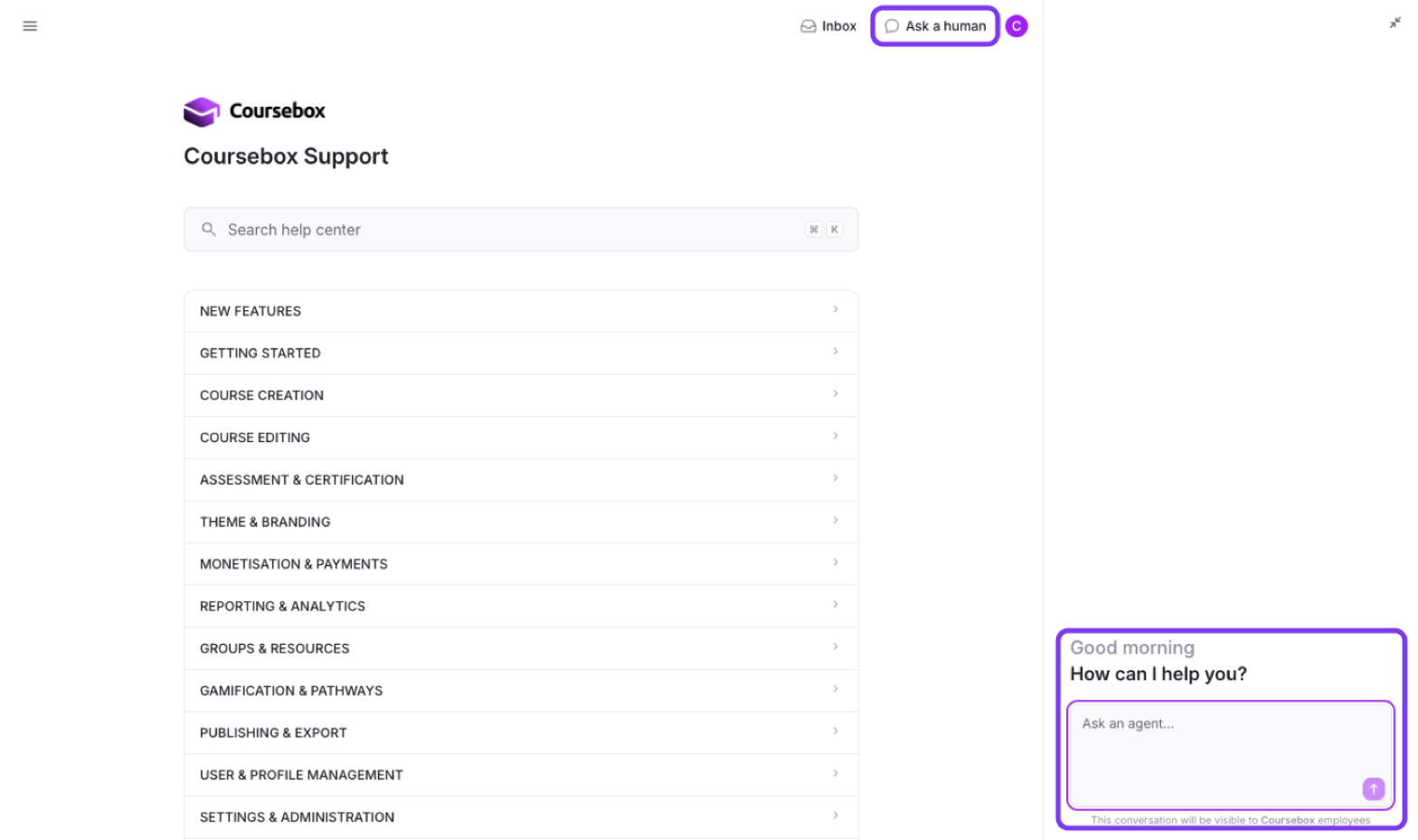
Conversations with the AI agent are visible to Coursebox employees.
Send a support request
At the top of the portal, click Ask a human.
If you aren't signed in, enter your email address, click Continue with email and open the sign-in link in the email you receive.
In What can we help you with?, describe your issue. You can attach files up to 6 MB in total.
Enter a Subject and a Description.
Optionally, choose a Priority and add colleagues under Additional recipients.
Click Submit.
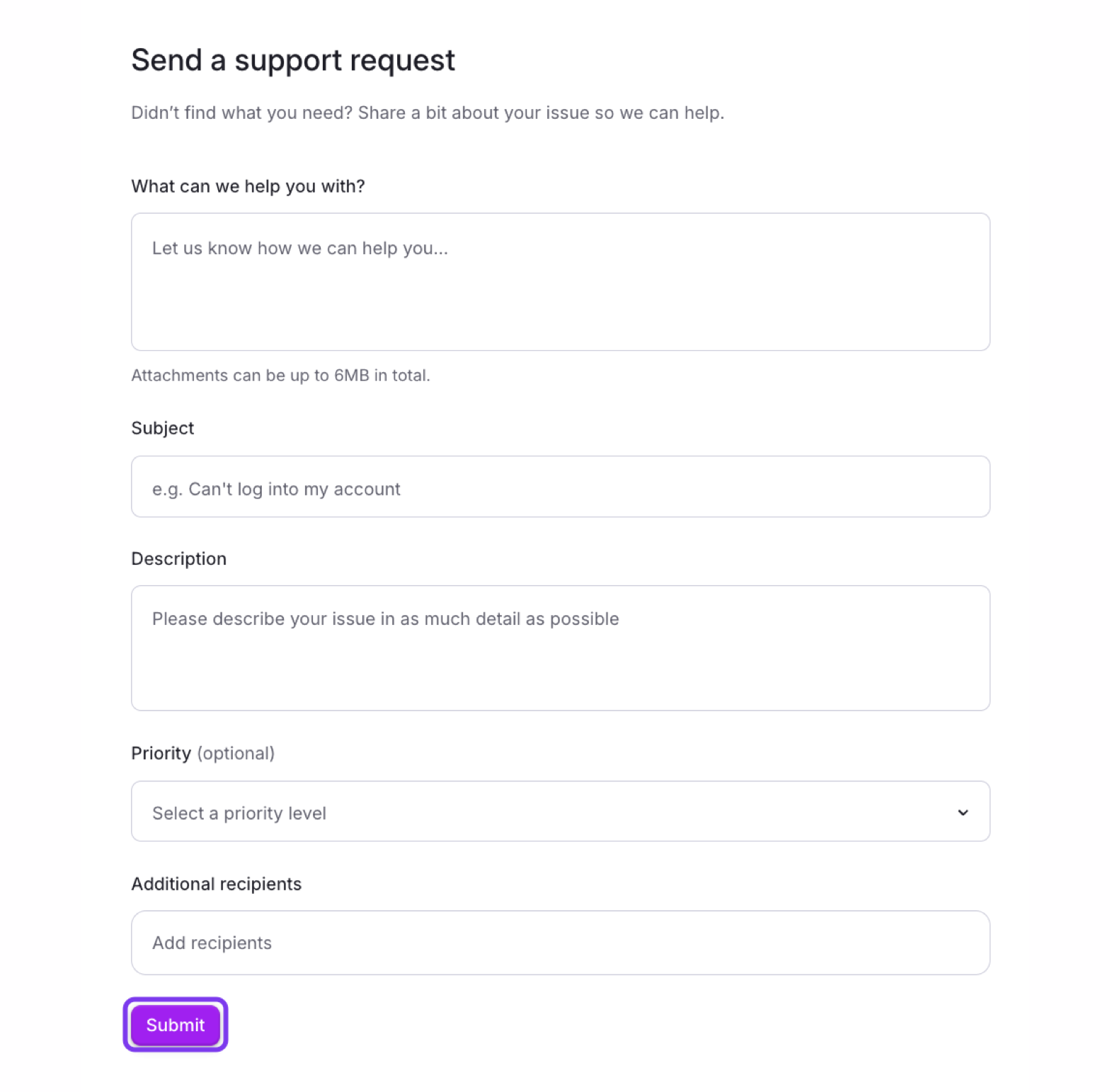
Your request opens as a conversation. The first reply may come from the Coursebox support AI agent. You can also email support@coursebox.ai.
Track and reply to your requests
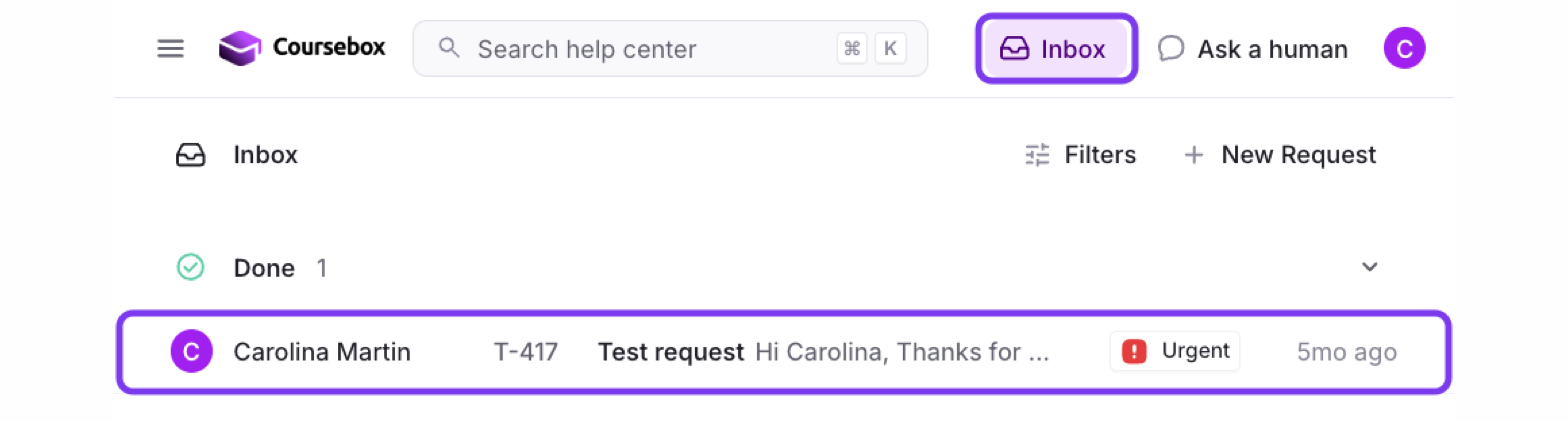
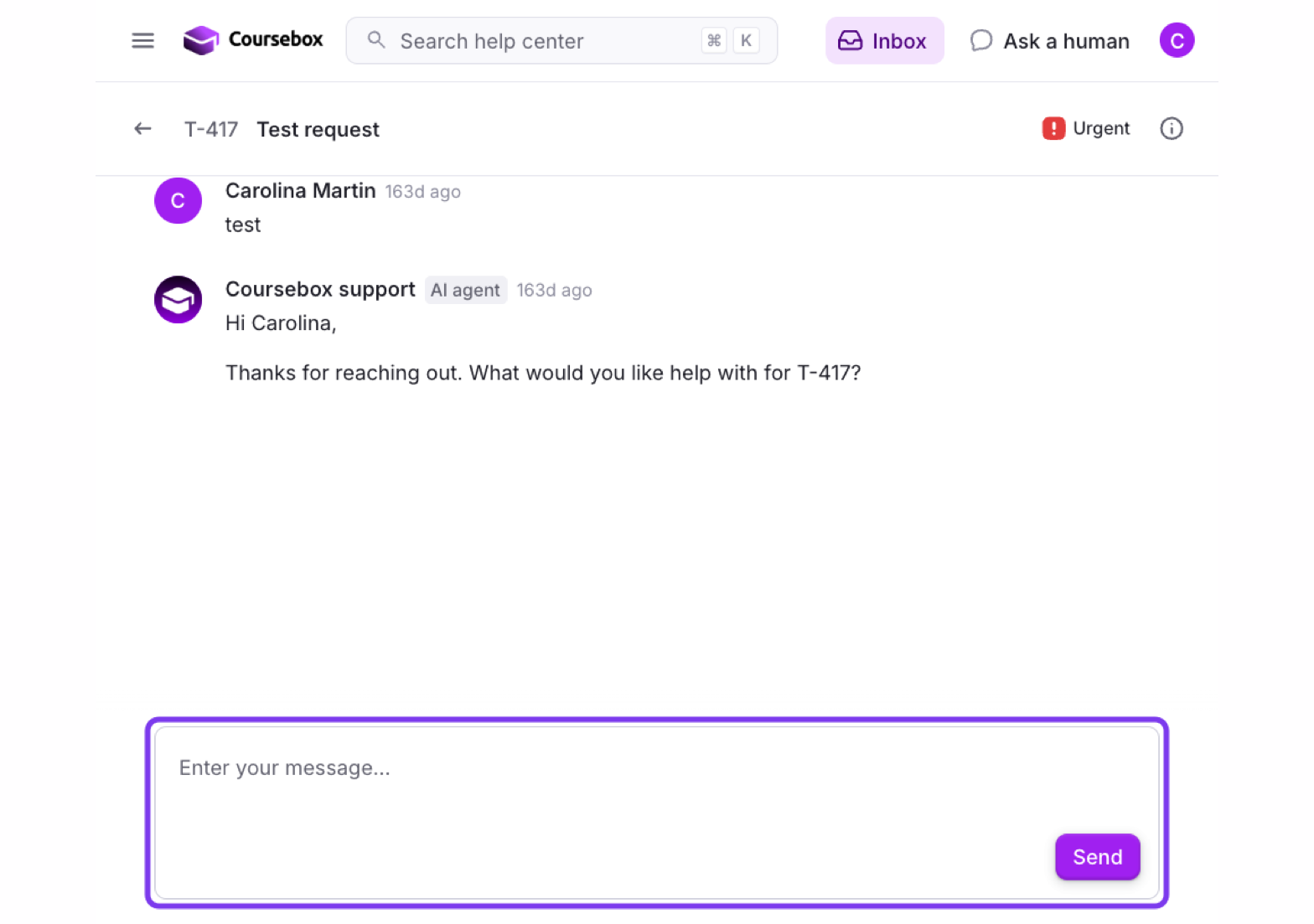
At the top of the portal, click Inbox.
Click a request to open it. To start a new one from here, click + New Request.
Type your reply in Enter your message… and click Send.
Troubleshooting
I didn't receive the sign-in email.
Check your spam or junk folder. If it isn't there, wait 2 minutes and enter your email again. If it still doesn't arrive, email support@coursebox.ai.
I submitted a request but haven't had a reply.
We usually reply within 1 business day. Check your spam folder, or sign in and check the request in your Inbox.
I can't find + New Request.
You need to be signed in. Click Ask a human or Inbox and sign in with your email address.
My attachment didn't upload.
Attachments can be up to 6 MB in total. Compress the file, or paste a Google Drive or Dropbox link in the Description instead.
Book a support and training session
For hands-on help or a walkthrough of Coursebox, you can book a personalised support and training session with our team. Book here to choose a time that suits you.