
How can RTOs create a course from a training.gov.au URL?
If you're an RTO, you can paste the unit's URL from training.gov.au. Coursebox will automatically map the elements, performance criteria, and knowledge evidence into a structured digital course, helping you stay compliant while speeding up development.
Create a course from a training.gov.au URL
Click + Create at the top of the left-hand menu.
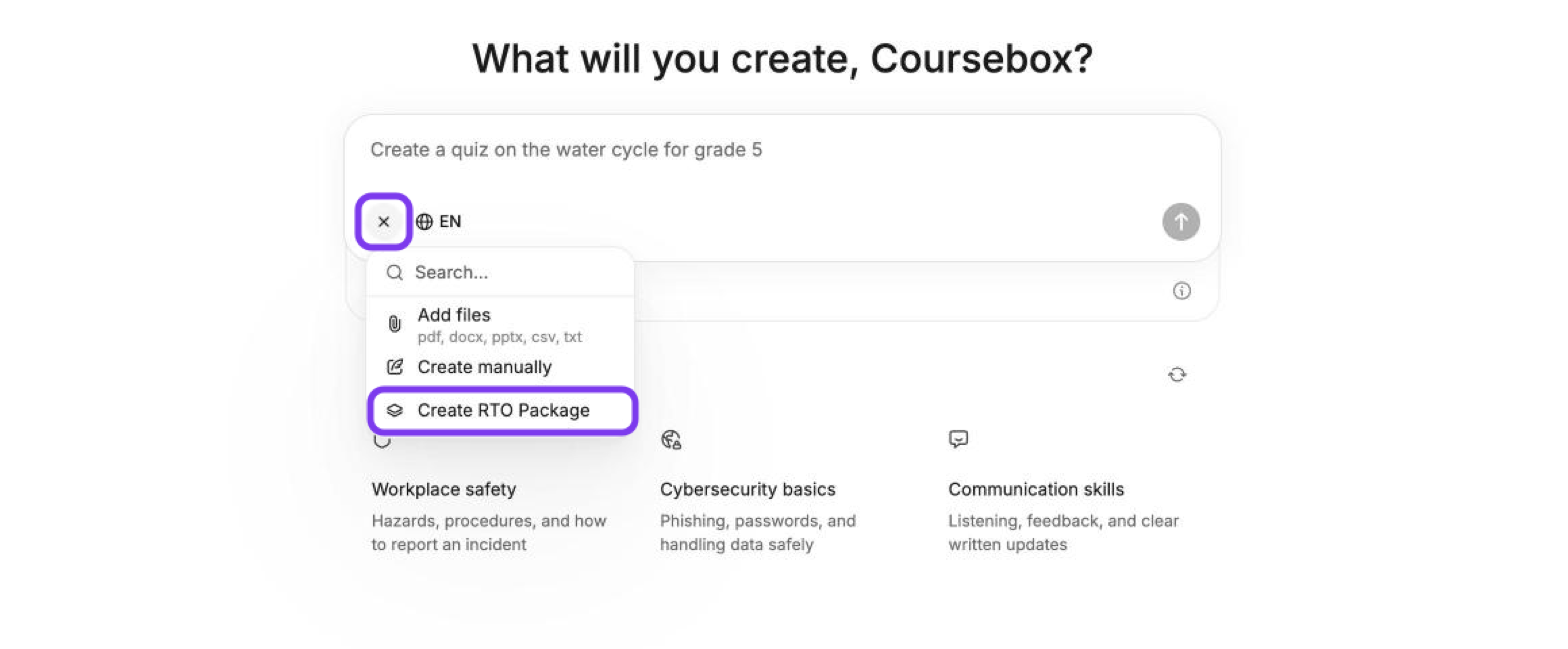
On the What will you create? page, click + in the prompt box and select Create RTO Package.
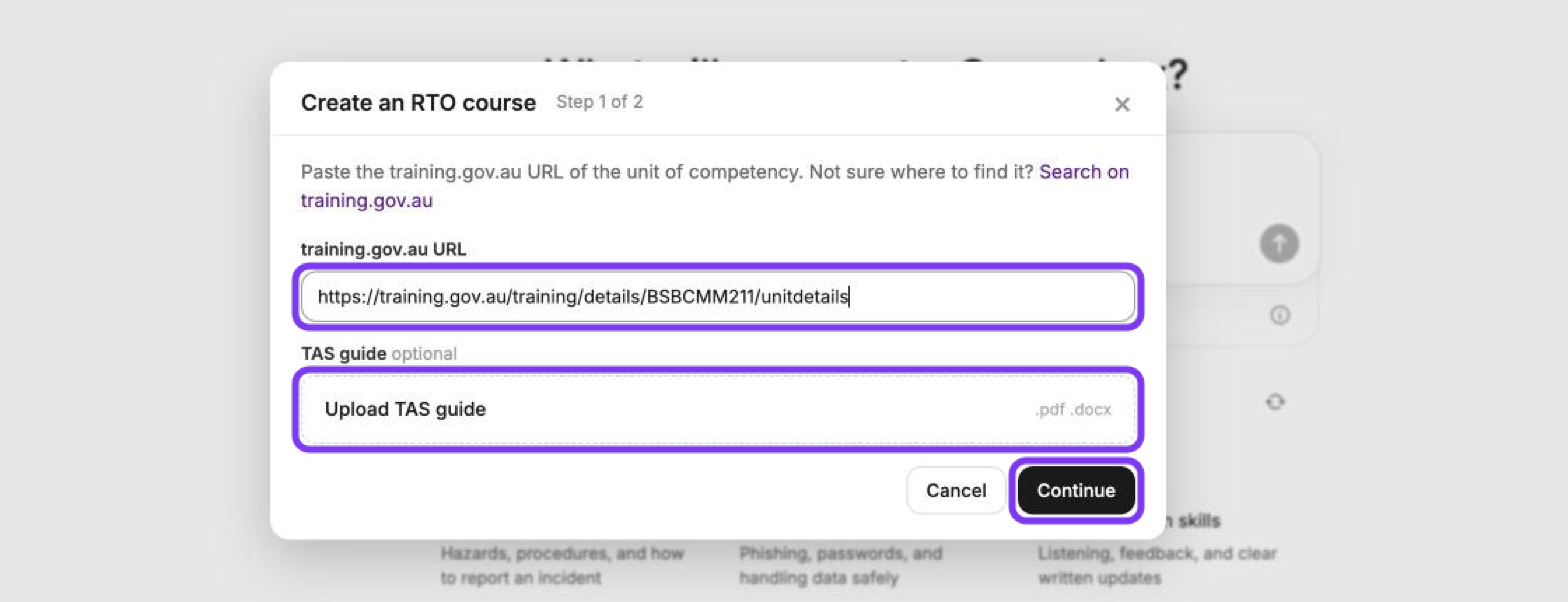
Paste the unit details URL from training.gov.au into the training.gov.au URL field.
If you have a Training & Assessment Strategy, upload it under TAS guide (optional) as a .pdf or .docx file.
Click Continue.
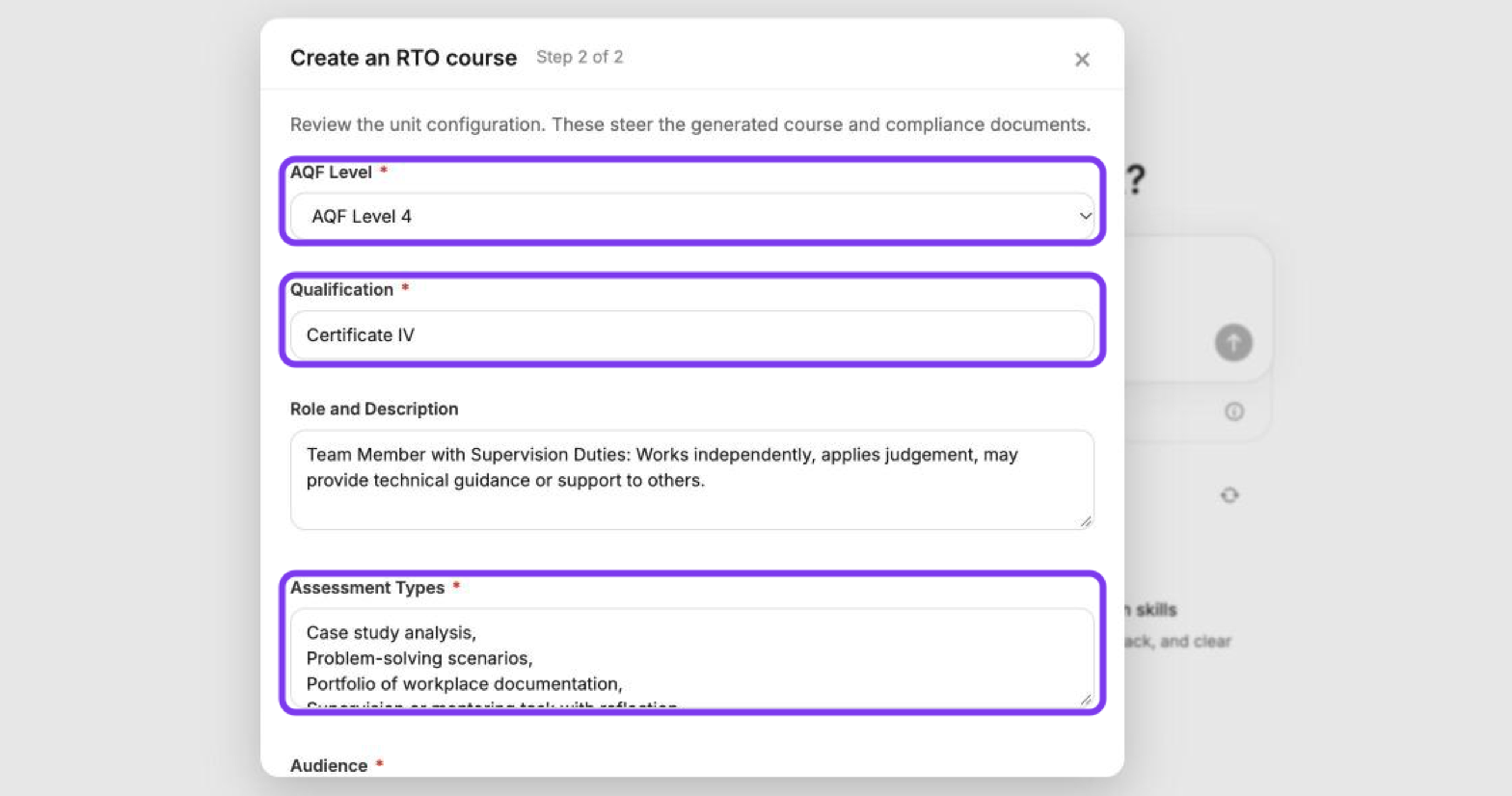
Review the unit configuration, such as AQF Level, Qualification, Assessment Types and Audience, and change anything that doesn't match how you deliver the unit.
Click Build course.
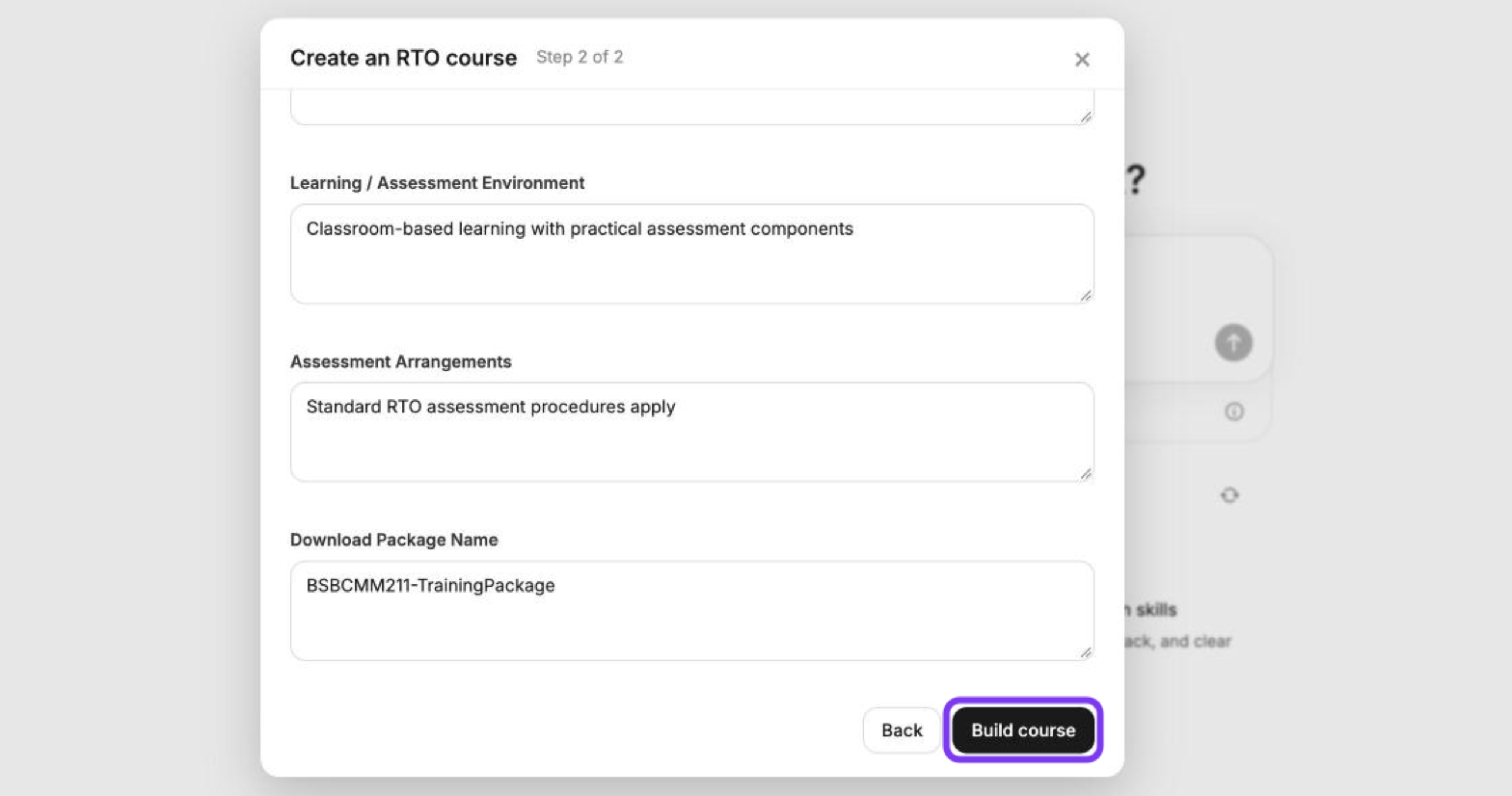
Coursebox builds a course structure mapped to the unit's elements, performance criteria and assessment requirements. The unit must come from a training.gov.au URL. You can't upload the unit itself as a file.
For what each field means and tips for better results, see Create a Course using the Unit of Competency (UoC). Before you deliver the course, review it against the unit. See For RTOs - Responsible Use of Coursebox AI-Generated Content.