
Can I create Assignments using AI?
Yes. In Coursebox, you can add assignments to create checkpoints that require learners to complete a task before progressing to the next activity. This can include submitting written responses, recording a video, or leaving comments — each offering an opportunity for deeper engagement.
Adding assignments
Assignments are ideal for collecting learner submissions, assessing applied knowledge, and evaluating work against set criteria. They support file uploads, written responses, and structured marking — making them well suited to practical and evidence-based assessment.
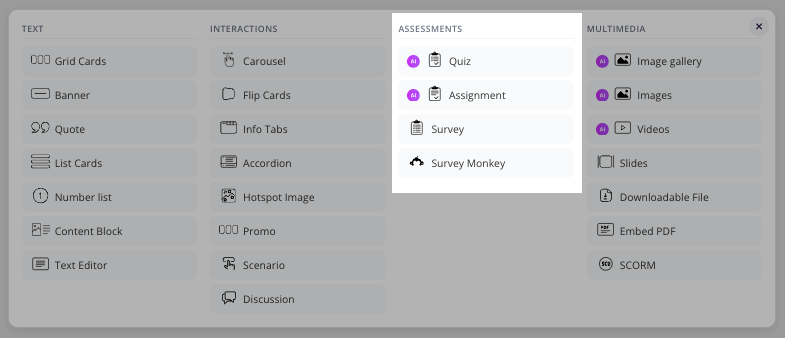
Click the + button on the page to open the content picker. Select the ASSESSMENTS tab, then choose Assignment.
Create an assignment description using AI
When the Assignment Description popup window opens, click the AI Editor (the ✨ sparkle icon in the toolbar) to launch the Write Text with AI panel.
In this panel, you can:
Choose whether to replace existing text or continue writing from what's already on the page
Describe what you want the assignment to be about in the text field
Set the desired word count for the generated content
Click Update Page to insert the AI-generated text into your assignment
You can then review, edit, or refine the content before publishing the assignment.
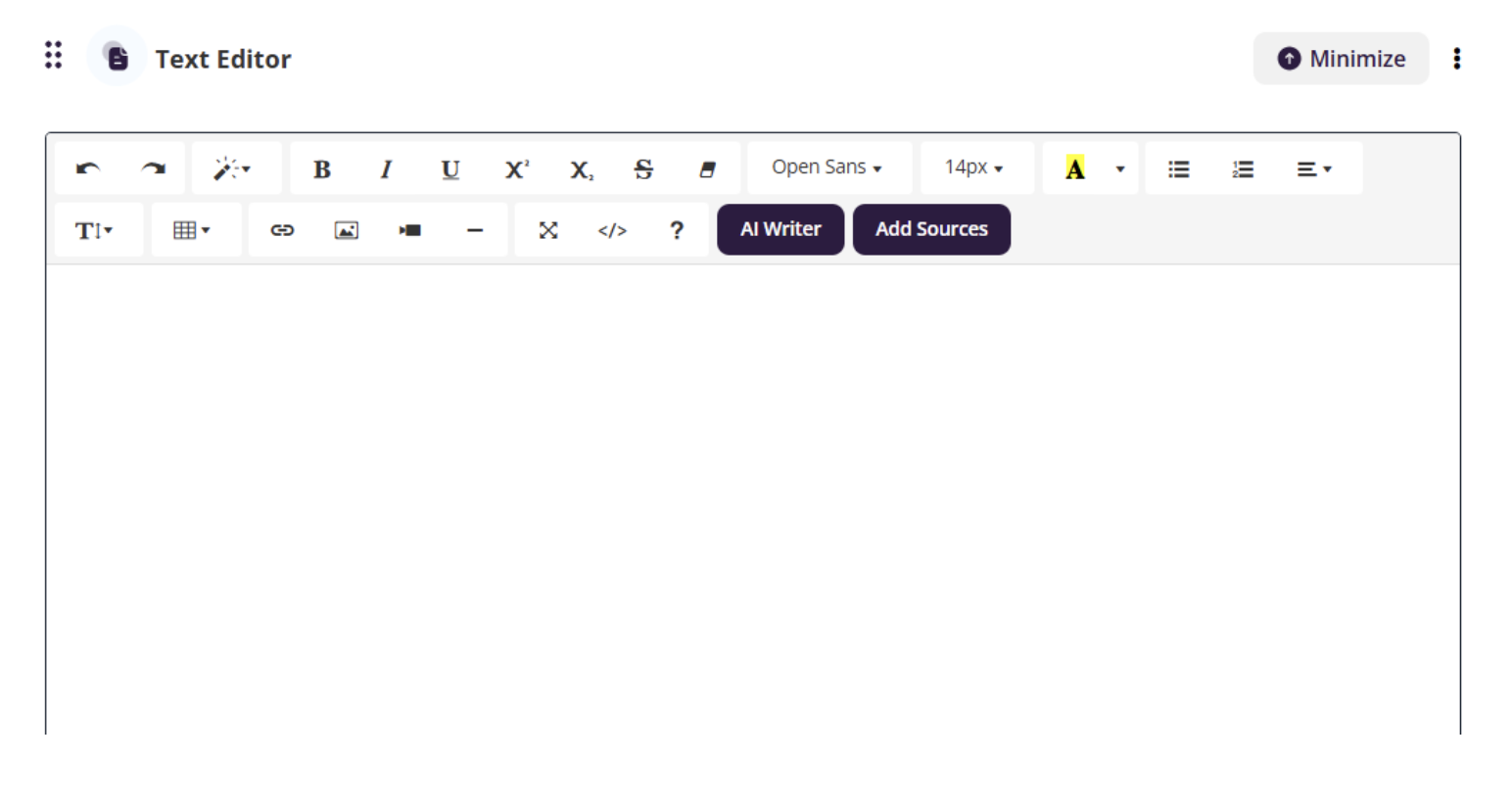
Note: When you create an assignment, a Text Block automatically appears at the top of the page. You can use this editor to enter your assignment instructions manually or generate them using the AI Editor.
For more information on creating assignments, see Add an Assignment.