
Can I build a course manually instead of using AI?
Absolutely. Coursebox allows Learning Designers, Creators, and Administrators to build a course from scratch using the manual course creation option. This gives you full control over the structure, content, and layout from the very beginning.
Step 1: Start from the Dashboard
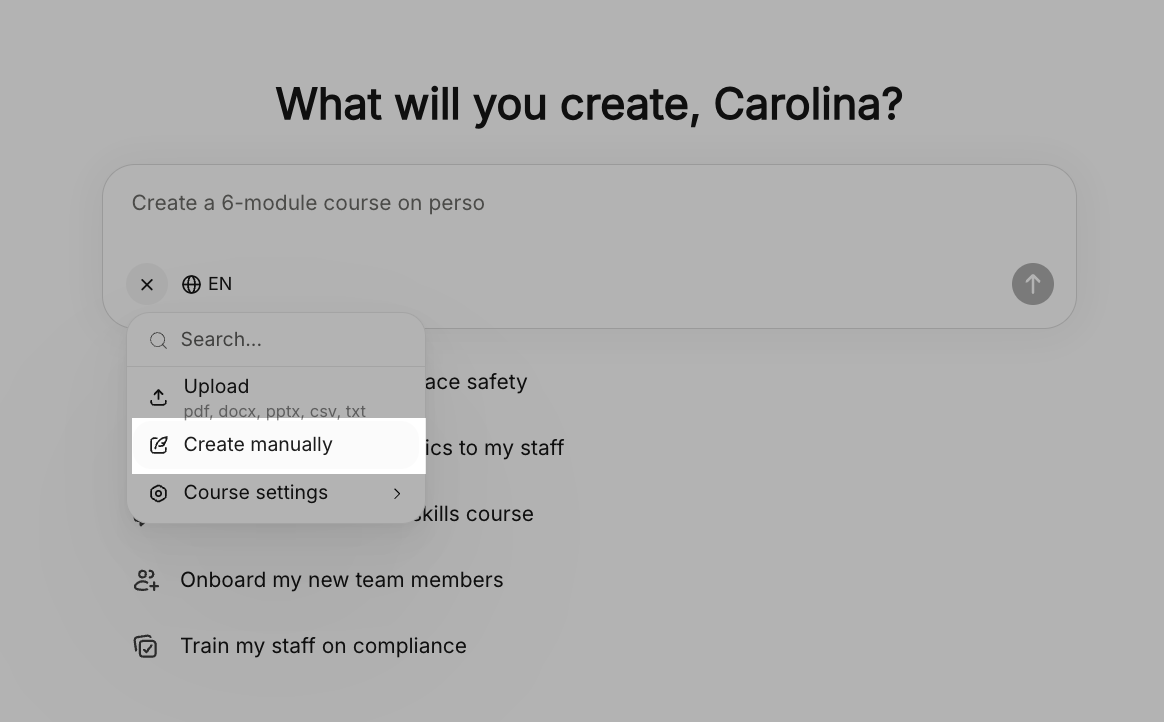
From the main dashboard, you can begin immediately by clicking the + Icon Or select Create

In Ask Coursebox, select Create manually to begin building your course from scratch
Step 2: Add Course Title and Description
You’ll first be prompted to define your course:
Course Title – Enter a clear and engaging name
Course Description – Explain what the course is about
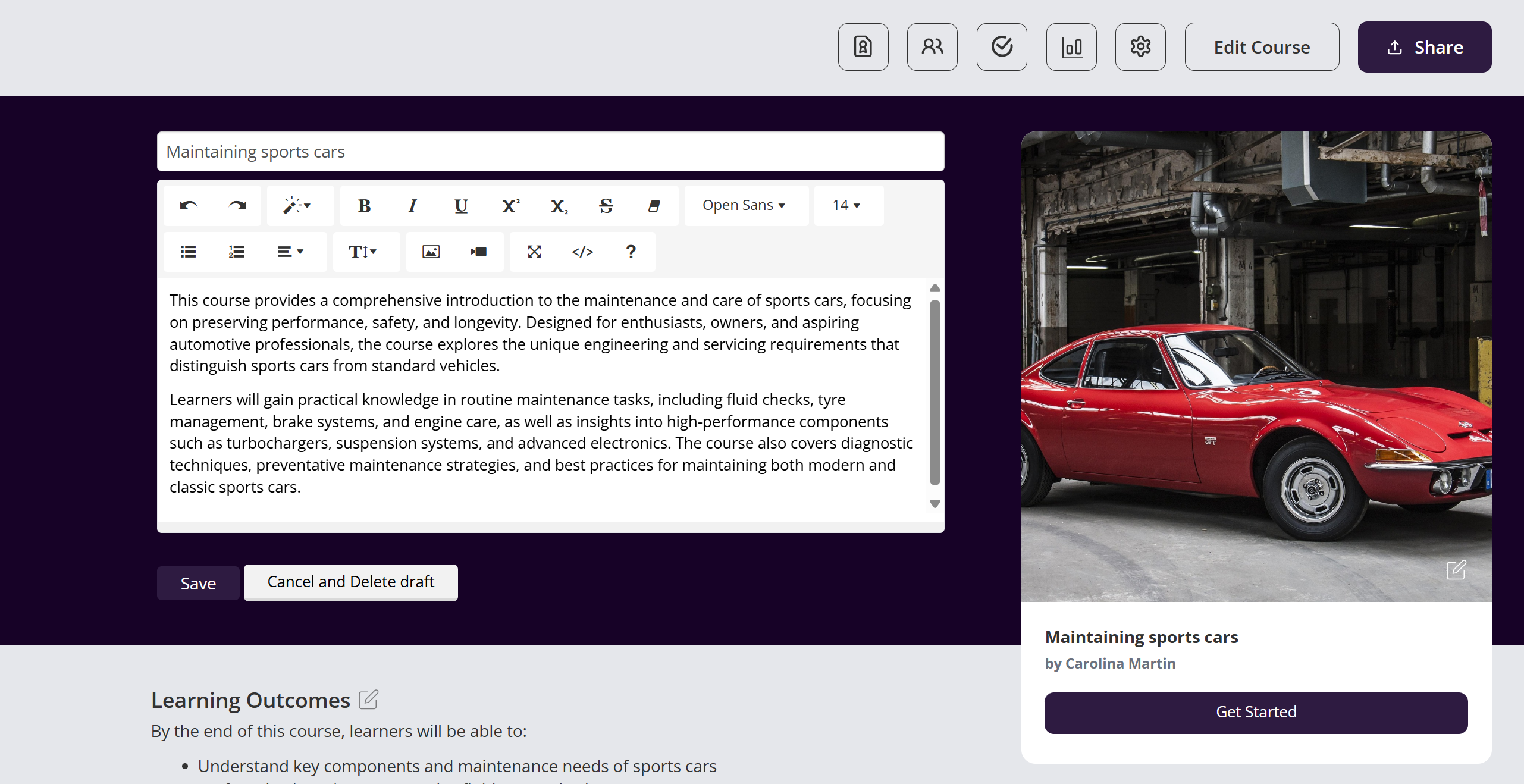
Your description should clearly outline:
What the course covers
Who the course is for
The key skills or outcomes learners will gain
This helps learners quickly understand the value and purpose of your course.
Step 3: Describe Course Advantages
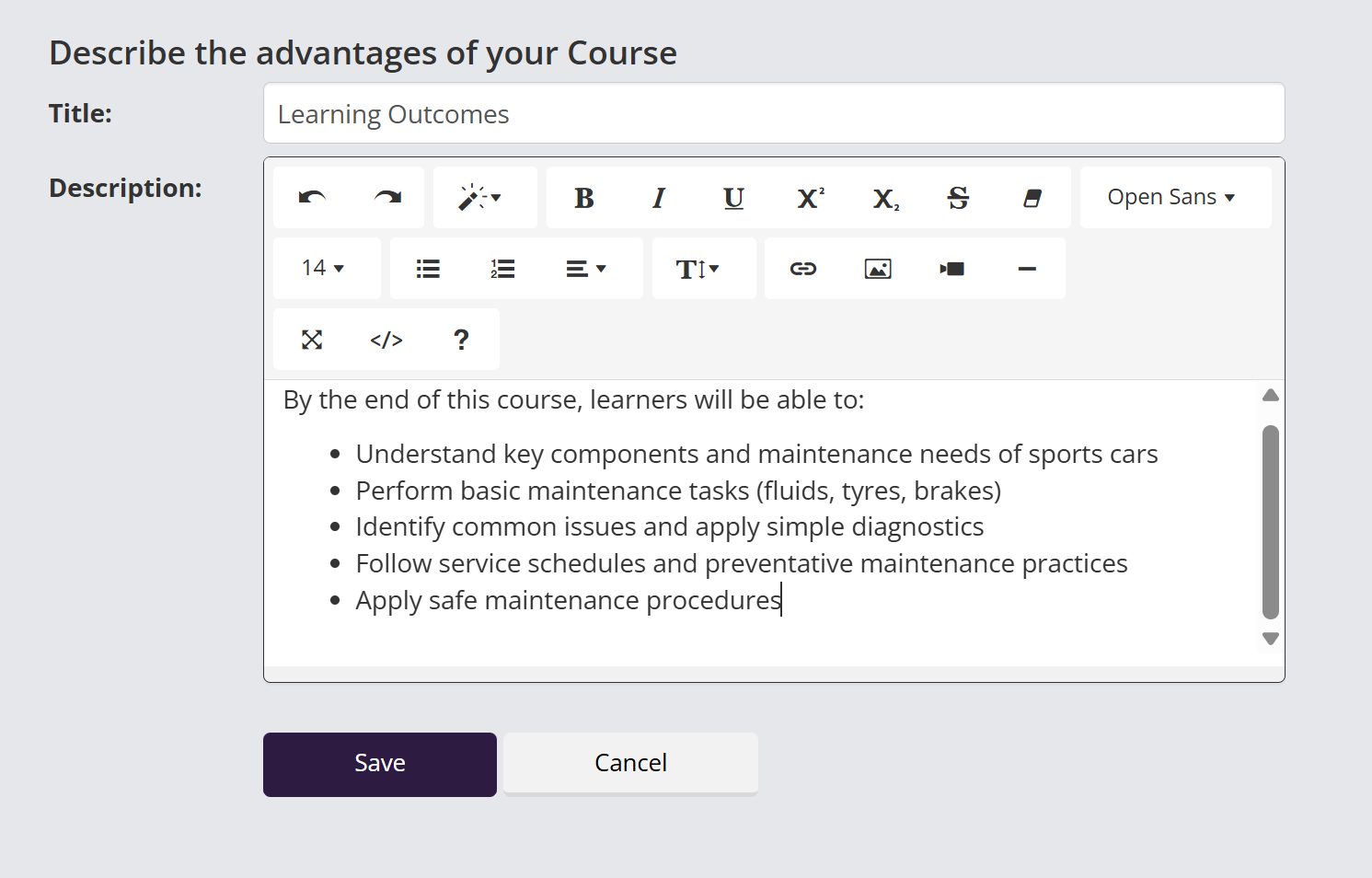
In this section, you can highlight the learning outcomes or key benefits of your course.
Use the text editor toolbar to format your content
Add bullet points, links, images, or videos using the available icons
Structure your outcomes clearly for readability
This section is ideal for listing what learners will be able to do by the end of the course.
Step 4: Add Skills and Knowledge
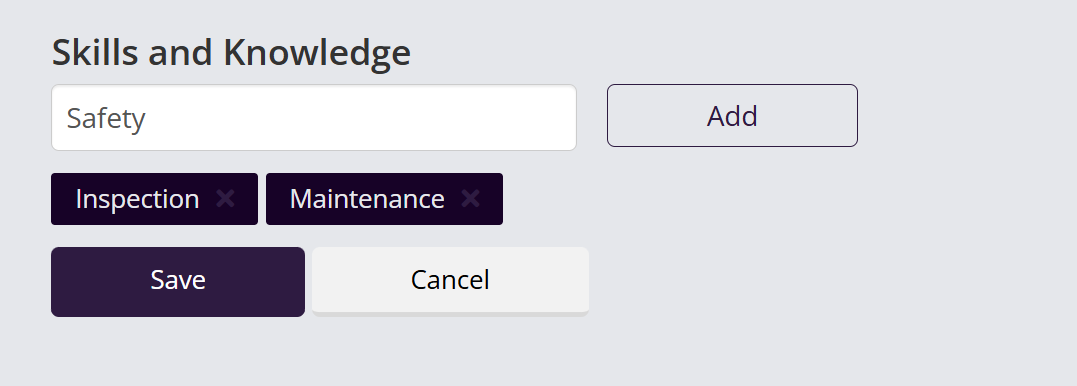
The Skills and Knowledge section allows you to tag your course with relevant topics.
Enter keywords (e.g. Safety, Inspection, Maintenance)
Click Add to include them as tags
These tags help:
Improve course discoverability
Categorise your course content
Provide clarity on learning focus areas
Step 5: Build Your Course Structure
Use the left-hand panel to manually create and organise your course:
Click + Add Section to create new sections
Click + Add Page to add content within each section
Select a page to open the Text Editor and start adding content
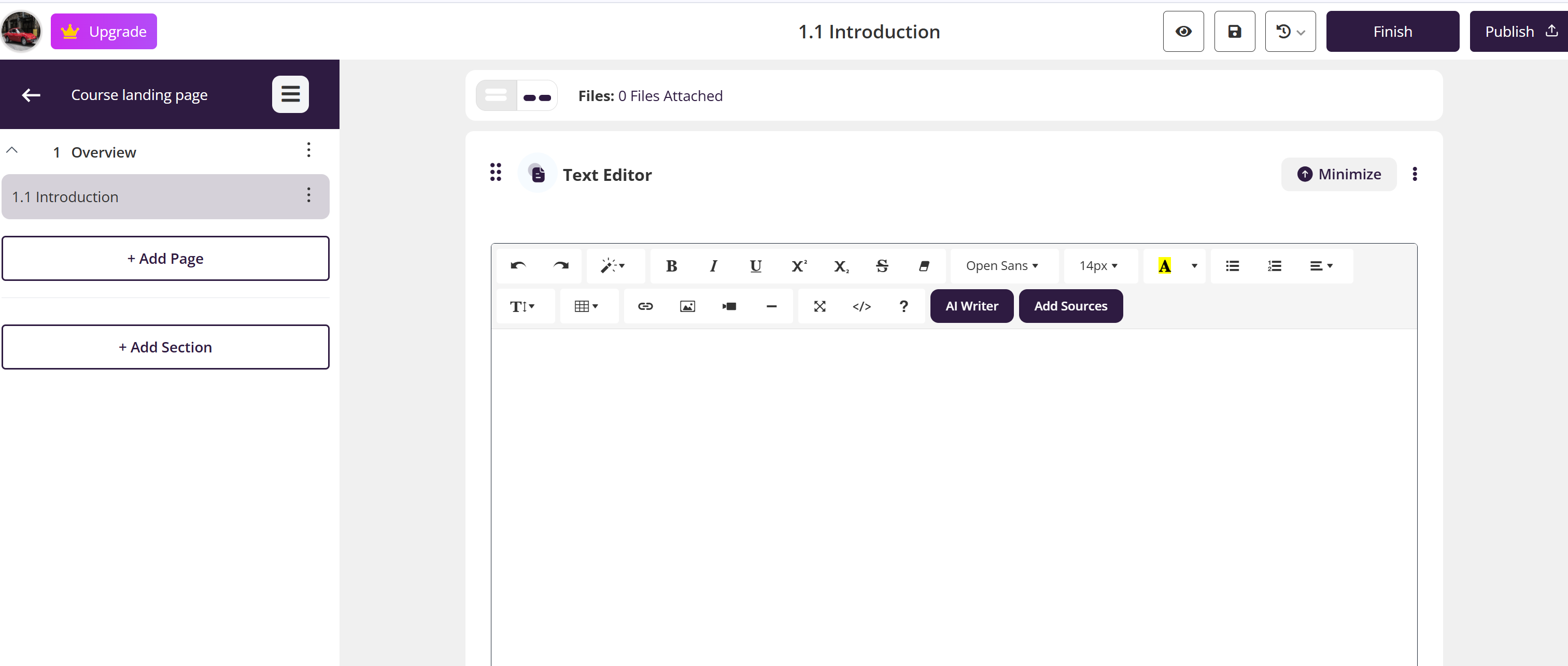
Within the editor, you can:
Write and format text
Use the AI Editor (the ✨ sparkle icon in the top toolbar) for assistance
Add media, links, and interactive elements
Upload supporting resources
Final Step: Save and Continue
Click Save regularly as you build your course
Continue adding sections, pages, and content until your course is complete
When ready, you can proceed to publish and share your course